[IMAGE: https://images.hive.blog/DQmYiJNe8rFjYQYWZBru31xdT5wDaAteDH2DYuHBZKCipMx/Gods-Unchained.jpeg]
Image Source
As a newbie when I first started out playing Gods Unchained, the interface was a little bit difficult for me to navigate, I didn't know what to do, how to create a deck, start a game, I was completely lost, but slowly with the help of @otemzi I started to understand everything and that is why I am writing this post to help new users navigate their way through. Also I've won a total of 243 matches out of 314 games played and in the last 30 days I've won 180 games and I've finally levelled up to Auric Gold. Cheers to that . To me these are remarkable, to think I didn't know a thing about this game barely a month ago. In the concluding part of this tutorial I will drop a link to my last game played and also code to my deck, if you would like to try it out.
Understanding The Interface
[IMAGE: https://images.hive.blog/DQmTiMBKNYACnT15bZqogef7wfNF62BMtnWgbiw2Fsq77br/Capture.PNG]
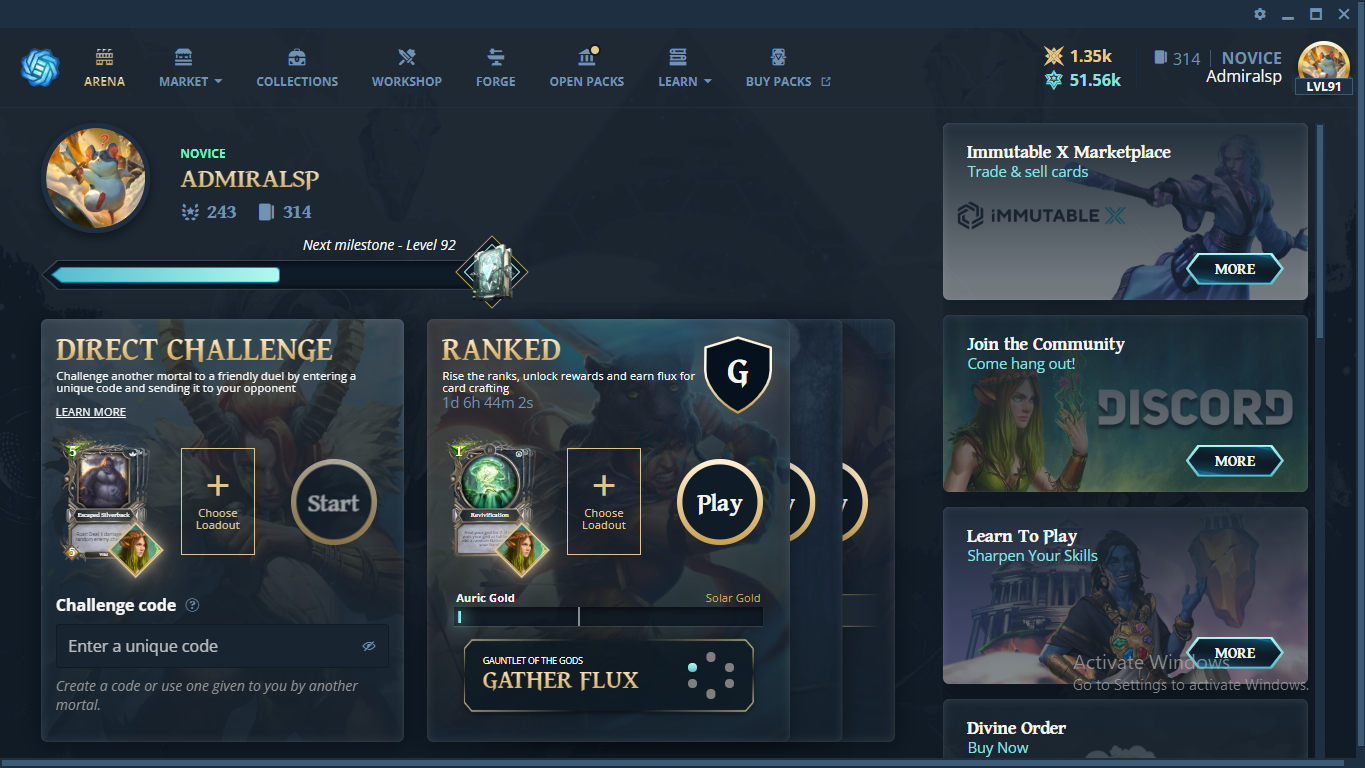
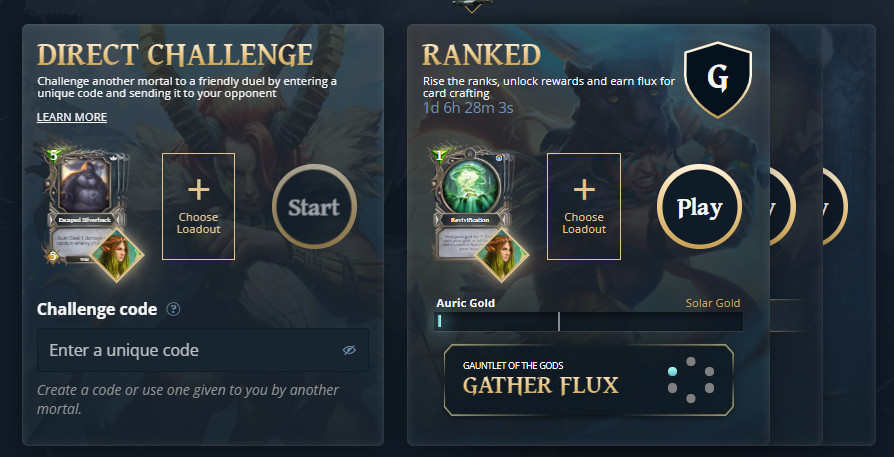
This is the interface you are welcomed with when you log in the game and on the top we have 6 Main Menus which I will be talking about in the sub sections.
- Arena
This is the default landing page when you log in the game, and here where is all the action takes place, just like every other Arena, wrestling, music. Gods Unchained Arena is pretty much the same thing. This section is divided in two parts
1 - Direct Challenge; Here you can create a code and share with a friend for a duel against your friend
2- Other Section; I call this the other section because you have 3 options here, you can play a Ranked Game(against different players all over the world), you can also play solo(against the computer) and finally you can play the tutorial game, where you can learn about the game.
[IMAGE: https://images.hive.blog/DQmZ3pj4nwyGgnErqgqpxQz1MVqBUxm9WxvHLNzmrMARmyp/Capture.PNG]
-
Market
Just like every other market, this involves trading. Here we have the Buy/ Sell button and this takes you directly to Immutable X webpage, where you can sell your cards or buy a card and also we have the Star Store in the market menu. The star store is where you can trade the stars you earned for cards. For more detailed explanation kindly visit my previous post or use the link below
Star -
Collections
This is like a warehouse for your cards and boards. -
Workshop
This is where you create your deck. You can create a new deck, import an already existing deck if you have the code or simply select from the default decks. -
Forge
This is where you fuse two similar core cards together. I wrote extensively about forge and even posted a video about it. you can read about it using the link below.
Forge -
Open Packs
[IMAGE: https://images.hive.blog/DQmaBQ4ZPakvWprdN9nGvqSk3hAcv3pDoD6hQTLjbz8tGM9/Capture.PNG]
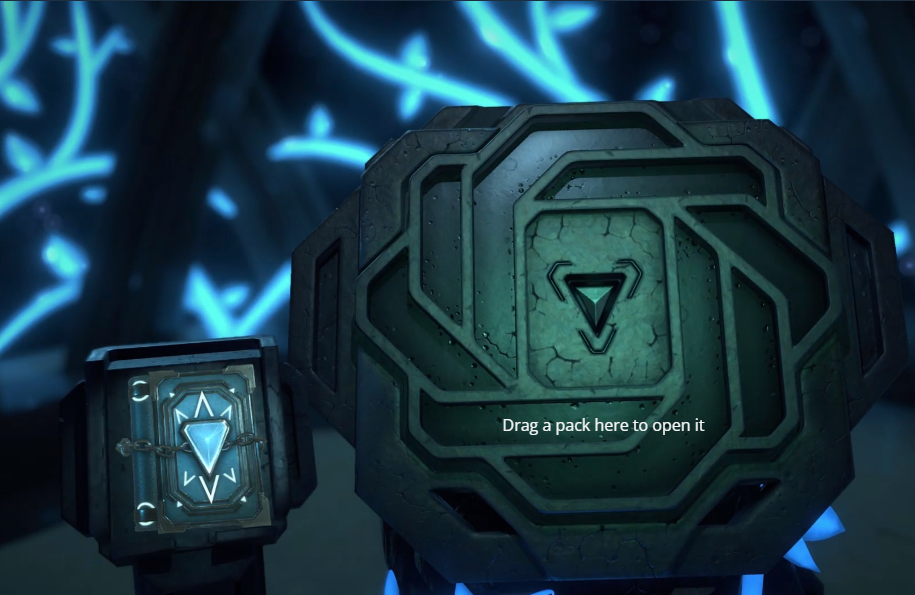
You earn packs from playing the game and each pack has a total of six cards. You can get some pretty nice cards, which can improve your game play.
-
learn
This is like the about column, a lot of resources is available here. You can learn about cards, find FAQs or even a link to the gods unchained blog page -
Buy Packs
As the name implies, this is a link to the gods unchained page where you can buy packs. I have detailed guide on how to go about it. You can access that guide using the link below.
Buy
Also on the top menu you can see the number of flux rewards you have and also your star rewards.
[IMAGE: https://images.hive.blog/DQmSFMX2t7DYgpGM3J1nACWxJtTEVejLXqnVQrR9swSf3zQ/Capture.PNG]
flux is the one above and star is the one below.
Finally we have the user profile, where you can log out from the game and also clear cache when you are experiencing lags or the game fails to load. You can also see your rankings and total number of game played.
[IMAGE: https://images.hive.blog/DQmc1gKrfSX32HWjCUH1ag75gMhNNkP2M4cnoz4Z5T8ba83/Capture.PNG]
*the first is your number of game played, next is your current rank and last is your profile, where you can set or edit your username, log out from the game or clear cache.
To round things up below is a quick game play. Enjoy!
https://youtu.be/zCzrwDuDCeI
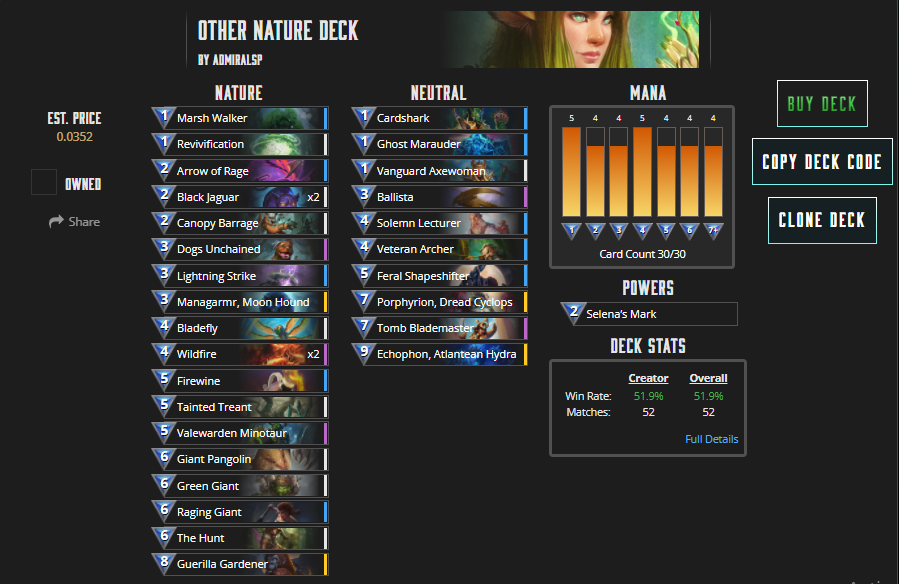
If you enjoyed my game play above, then here is my code, you can try out my deck and also below is a screenshot of my deck. GU_1_5_CCYCEICAuCASHAFCCoCATCATCCOCDxEAPCBxCAzCDLCBYCDUCByCByCEcCCPCAqCAxIDFCApIDUCDfCCGCDdIAUCCH
[IMAGE: https://images.hive.blog/DQmQJLDZSKN8UwPqG25dLP4kbp8kah1gkFfiLQ3b1gRM1Fg/Capture.PNG]