___|  _ \   |  |    |   |_ _|\ \     / ____|
 |     |   |  |  |    |   |  |  \ \   /  __|
 |   | |   | ___ __|  ___ |  |   \ \ /   |
\____|\___/     _|   _|  _|___|   \_/   _____| 

 --- A GOPHER-LIKE INTERFACE FOR HIVE BLOCKCHAIN ---

Data Visualisations: Best resources to get started

BY: @beautifuldata | CREATED: Jan. 6, 2018, 2:31 p.m. | VOTES: 9 | PAYOUT: $2.77 | [ VOTE ]

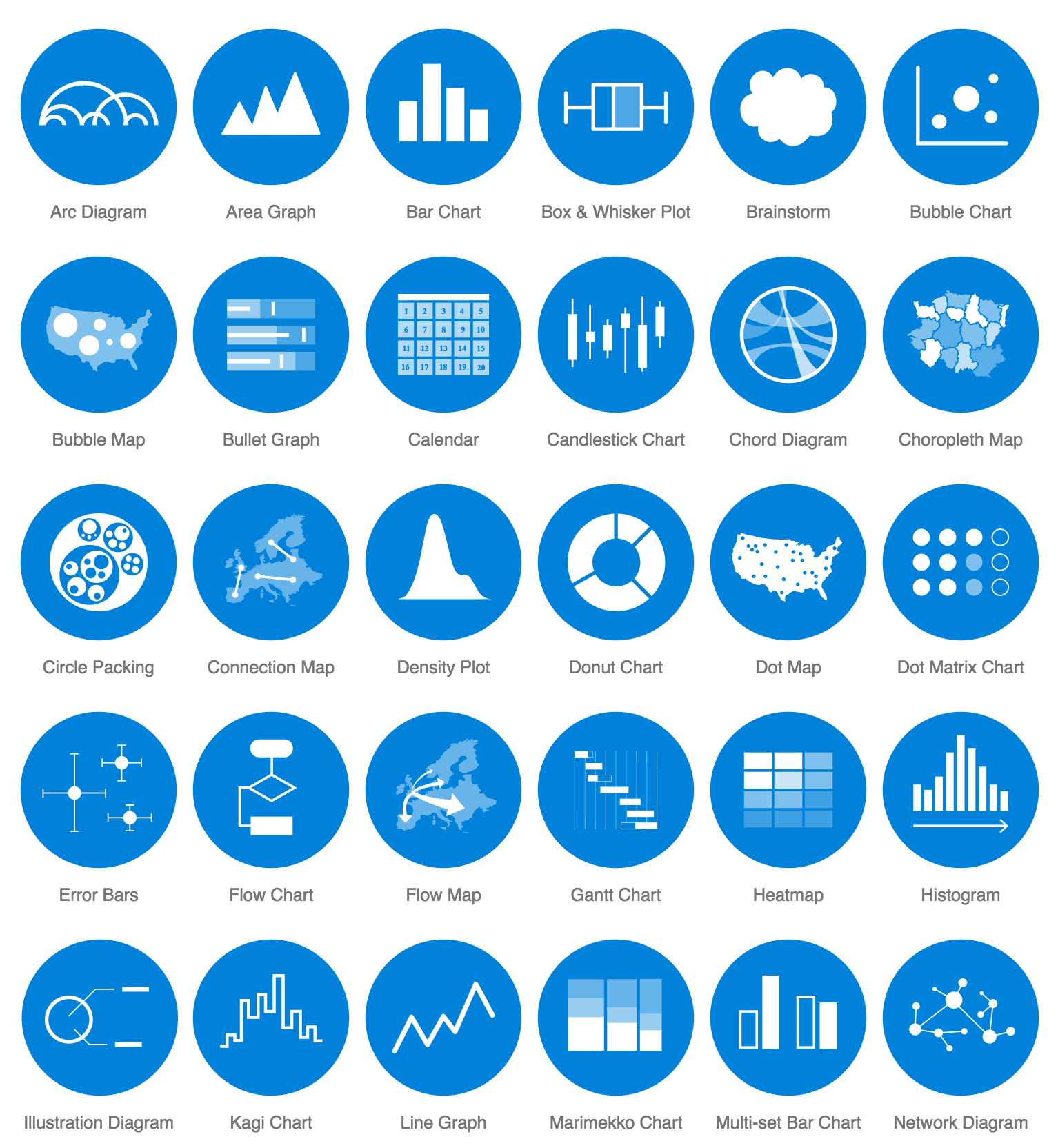
I wanted to introduce everyone who's interested in getting started with data visualisations or developing their data viz skills to this amazingly helpful website:

https://datavizcatalogue.com/

I use it all the time and it's helped me develop my ideas every time.

The website will help you find the right visualisation to fit to your data and it links to tools that can generate that type of viz as well as that it has great video explanations on how to make them.

[IMAGE: https://steemitimages.com/DQmcXA7XeJ5FBnCqgTP3zTaWN9R9KwuDsD7FTMe6oTnYWJJ/Screen%20Shot%202018-01-06%20at%2015.20.09.png]

Be sure to check in to #dataisbeautiful regularly and tag your viz' with it as well!

If you like content and meta-content on data visualisations, drop me a follow! Thank you!! :) @beautifuldata

TAGS: [ #dataisbeautiful ] [ #blockchainbi ] [ #stats ] [ #data ] [ #infographics ]

Replies

@thedfsadvisor | Jan. 6, 2018, 2:57 p.m. | Votes: 0 | [ VOTE ]

Thank you for this! I do a lot of work with sports data and I have a feeling this will come in handy.

@danmoves | Jan. 7, 2018, 7:36 p.m. | Votes: 0 | [ VOTE ]

Hey! Which sports do you work with?

@zeroooc | Jan. 6, 2018, 6:31 p.m. | Votes: 0 | [ VOTE ]

Very interesting resource!
Visual learning made easy, good for folks like me :D

@eastmael | Jan. 7, 2018, 9:55 a.m. | Votes: 1 | [ VOTE ]

Will definitely check this out. Do you have any recomendation on which data visualization chart to use for those just starting to use such tools? I did try one site (i forgot which one) but the charts available were also available in excel.

@beautifuldata | Jan. 7, 2018, 10:24 a.m. | Votes: 1 | [ VOTE ]

I think a good natural progression from excel is:
RAW - http://rawgraphs.io/ and then Tableau Public - https://public.tableau.com/s/ (unless you're a student, then you can get tableau desktop for free, which let's you save local files too)
Those would be two tools that provide graphing capacity beyond what excel can do but still within a relatively user-friendly interface. So now you can take your excel data and plug them into those two :)

@eastmael | Jan. 7, 2018, 11:43 a.m. | Votes: 0 | [ VOTE ]

Thank you. :)

@paulag | Jan. 7, 2018, 6:40 p.m. | Votes: 1 | [ VOTE ]

nice resource :-)

@revisesociology | Jan. 8, 2018, 10:05 p.m. | Votes: 0 | [ VOTE ]

Hi - very nice succinct useful post, thanks.

Karl.

@datavizcat | Feb. 9, 2018, 10:36 a.m. | Votes: 0 | [ VOTE ]

Hey thanks for the shoutout!

I just recently joined Steemit last week and it's good to see there's some of a dataviz community here.

@steemitboard | April 10, 2018, 6:17 a.m. | Votes: 0 | [ VOTE ]

Congratulations @beautifuldata! You have completed some achievement on Steemit and have been rewarded with new badge(s) :

[IMAGE: https://steemitimages.com/70x80/http://steemitboard.com/notifications/votes.png] Award for the number of upvotes

Click on any badge to view your own Board of Honor on SteemitBoard.
For more information about SteemitBoard, click here

If you no longer want to receive notifications, reply to this comment with the word STOP

> Upvote this notification to help all Steemit users. Learn why here!

@steemitboard | July 20, 2018, 12:28 p.m. | Votes: 0 | [ VOTE ]

Congratulations @beautifuldata! You have completed the following achievement on Steemit and have been rewarded with new badge(s) :

[IMAGE: https://steemitimages.com/70x80/http://steemitboard.com/notifications/votes.png] Award for the number of upvotes

Click on the badge to view your Board of Honor.
If you no longer want to receive notifications, reply to this comment with the word STOP

Do not miss the last post from @steemitboard:
SteemitBoard World Cup Contest - The results, the winners and the prizes

> Do you like SteemitBoard's project? Then Vote for its witness and get one more award!

@steemitboard | Sept. 23, 2018, 8:42 a.m. | Votes: 0 | [ VOTE ]

Congratulations @beautifuldata! You have completed the following achievement on the Steem blockchain and have been rewarded with new badge(s) :

[IMAGE: https://steemitimages.com/70x80/http://steemitboard.com/notifications/votes.png] Award for the number of upvotes

Click on the badge to view your Board of Honor.
If you no longer want to receive notifications, reply to this comment with the word STOP

> Support SteemitBoard's project! Vote for its witness and get one more award!
@steemitboard | Nov. 28, 2018, 1:09 a.m. | Votes: 0 | [ VOTE ]

Congratulations @beautifuldata! You have completed the following achievement on the Steem blockchain and have been rewarded with new badge(s) :

https://steemitimages.com/60x70/http://steemitboard.com/@beautifuldata/votes.png?201811272359You made more than 1500 upvotes. Your next target is to reach 1750 upvotes.

Click here to view your Board of Honor
If you no longer want to receive notifications, reply to this comment with the word STOP

> Support SteemitBoard's project! Vote for its witness and get one more award!

@steemitboard | Dec. 12, 2018, 1:13 p.m. | Votes: 0 | [ VOTE ]

Congratulations @beautifuldata! You received a personal award!

https://steemitimages.com/70x70/http://steemitboard.com/@beautifuldata/birthday1.png1 Year on Steemit

Click here to view your Board of Honor

> Support SteemitBoard's project! Vote for its witness and get one more award!

@steemitboard | Dec. 12, 2019, 1:45 p.m. | Votes: 0 | [ VOTE ]

Congratulations @beautifuldata! You received a personal award!

https://steemitimages.com/70x70/http://steemitboard.com/@beautifuldata/birthday2.pngHappy Birthday! - You are on the Steem blockchain for 2 years!

You can view your badges on your Steem Board and compare to others on the Steem Ranking

Vote for @Steemitboard as a witness to get one more award and increased upvotes!
[ BACK TO TRENDING ] [ BACK TO MENU ]
CMD>