How to add profile image on Steemit?
I have noticed that a lot of new users don't know how to add a profile image.
-
Go to imgur.com
-
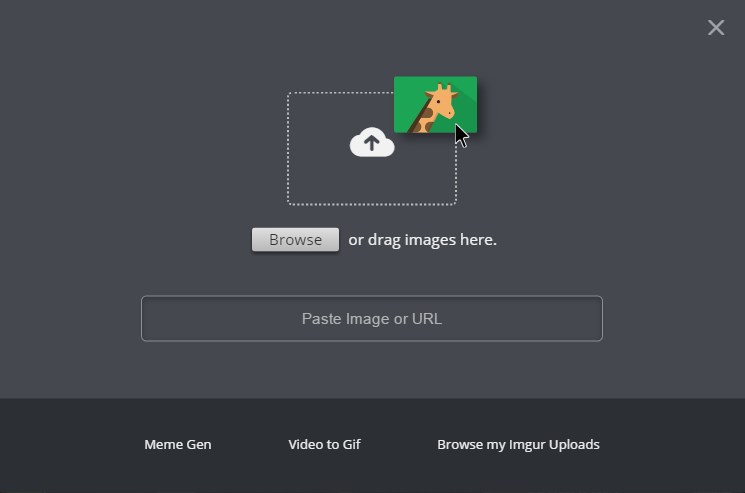
Click "New post" and upload your photo[IMAGE: https://steemitimages.com/DQmdV4tpdbUe1JwEFyie9VLxEBJg5VZt67PghAroZi46b8q/steemit%20upload%20profile%20image.jpg]
-
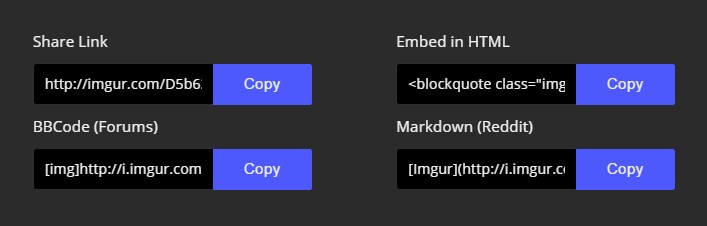
Click "Get share links".[IMAGE: https://steemitimages.com/DQmQw69rB1FsRvocAaMbwmRXkHraW2txyEgiev8N2ZGvYCw/steemit%20upload%20profile%20image%20bosman.jpg]
-
Copy link ( I am using BBCode link without [img] tags)
[IMAGE: https://steemitimages.com/DQmWYbaW9fCy6xxjvAivGiMqVqfjAMCf9Estcv5tpwY9LRu/steemit%20upload%20profile%20image%202.jpg] -
Go to https://steemit.com/@yourusername/settings and paste link

That's it!
WELCOME TO MY BLOG!
Follow me and upvote for more posts.