HTML Quotation and Citation Elements
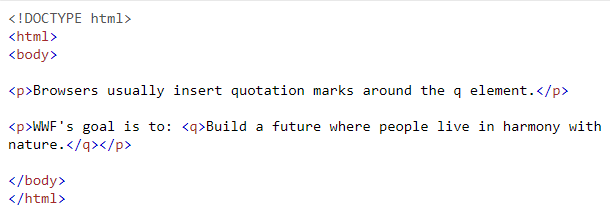
HTML <q> for Short Quotations
To define a short quotation, use <q> element. Browsers automatically insert quotation marks to the content element of <q> element.
[IMAGE: https://steemitimages.com/DQmZgC9sf7AmUdRsp8ZubKCPAXuyaQmLi9qVdJEJHBXaZaR/Example.png]
HTML <blockquote> for Quotations
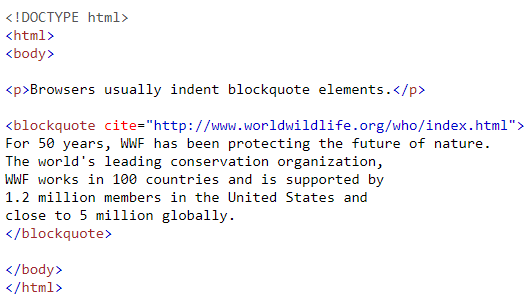
To define a section that is quoted from another source, use <blockquote> element. Browsers automatically indent <blockquote> elements.
[IMAGE: https://steemitimages.com/DQmeGqt5SUqficrJdKMd4NXGuiVKhcepaRnS9c7GZPNcA4G/Example.png]
HTML <abbr> for Abbreviations
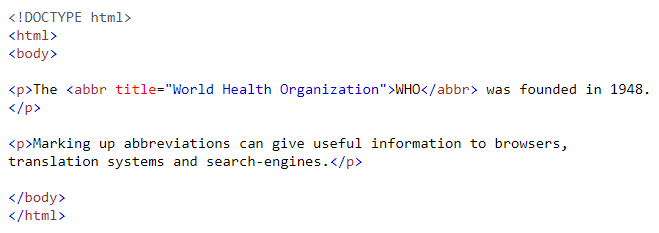
If you have an abbreviation content, use <abbr> to define it.
[IMAGE: https://steemitimages.com/DQmUdMF6FqGiZCCyzTSB9su9bYrWVFRx1SvgezjR5u5wahZ/Example.png]
HTML <address> for Contact Information
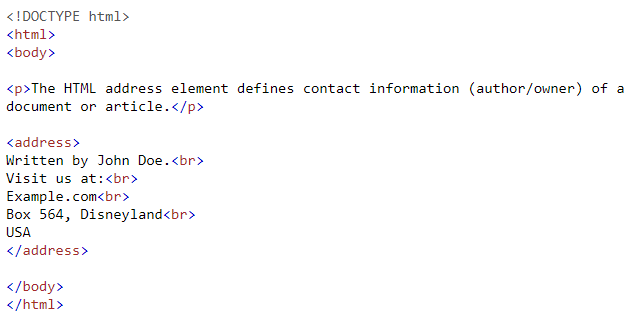
If you have a contact information content, use <address> to define it. Browsers automatically display the text in italic and add a line break before and after the element.
[IMAGE: https://steemitimages.com/DQmNnTdHvuSNVMyrjgXRdygWLXpXqmsZTM6zHizhQHv8pro/Example.png]
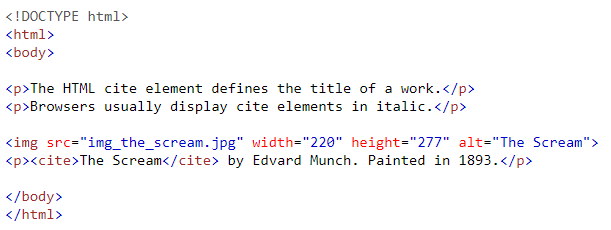
HTML <cite> for Work Title
<cite> element defines the title of a work. Browsers automatically display <cite> element in italic.
[IMAGE: https://steemitimages.com/DQmW9P8Gw2WPezMahweu3iSiGc2JtVFLffESY9i1hpEprYc/Example.png]
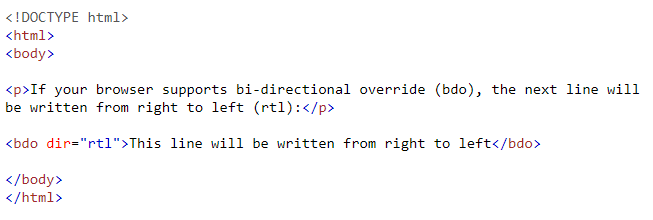
HTML <bdo> for Bi-Directional Override
<bdo> element defines bi-directional override. You can override the current text direction using this element.
[IMAGE: https://steemitimages.com/DQmREwWSRUvsknHxDHyrpMKih8bdbAHxEgzCrMhsAPXWH3C/Example.png]
HTML 5 Tutorials:
HTML 5 Tutorial #1 - Introduction
HTML 5 Tutorial #2 - HTML Editors
HTML 5 Tutorial #3 - HTML Basic
HTML 5 Tutorial #4 - HTML Elements
HTML 5 Tutorial #5 - HTML Attributes
HTML 5 Tutorial #6 - HTML Headings
HTML 5 Tutorial #7 - HTML Paragraphs
HTML 5 Tutorial #8 - HTML Styles
HTML 5 Tutorial #9 - HTML Text Formatting