HTML Text Formatting
In the previous tutorial, we learned about the style attribute for changing the style of an element. In this tutorial, we're going to tackle about the HTML text formatting element. Formatting elements were used to display special types of text or defining text with a special meaning.
Here are some examples of HTML text formatting we can use.
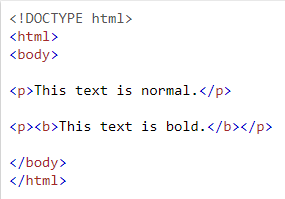
<b> - Bold text
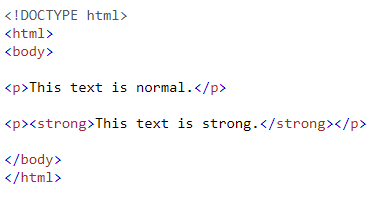
<strong> - Important text
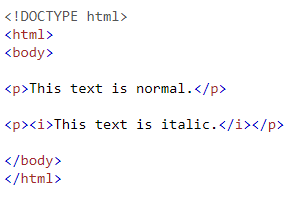
<i> - Italic text
<em> - Emphasized text
<mark> - Marked text
<mall> - Small text
<del> - Deleted text
<ins> - Inserted text
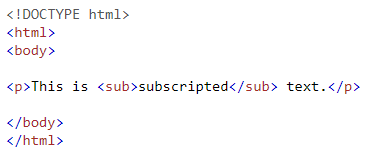
<sub> - Subscript text
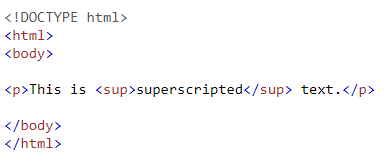
<sup> - Superscript text
HTML <b> and <strong> Elements
If you want to make your text bold without any extra importance, use <b> element.
[IMAGE: https://steemitimages.com/DQmaK9do4yiQuBComi9Qv21ZR1h9iHYxk7tN1bSjdN9zExN/Example.png]
If you want to make your text strong with added semantic "strong" importance, use <strong> element.
[IMAGE: https://steemitimages.com/DQmdXkdsJNcMcKAHn7HErH1YGCGWTvBBLxyNBEzmqRkei5f/Example.png]
HTML <i> and <em> Elements
We can use <i> element to make our text italic without any extra importance.
[IMAGE: https://steemitimages.com/DQmUz7gubBpxKYiu9sjdQr1Dstk5piiUnCVWf22PYmkobj1/Example.png]
We can use <em> element to make our text italic with added semantic importance.
[IMAGE: https://steemitimages.com/DQmUYFjcYDJU3Sr1A7KzyguQSW52HtKZFcemrPQZL4K7wV6/Example.png]
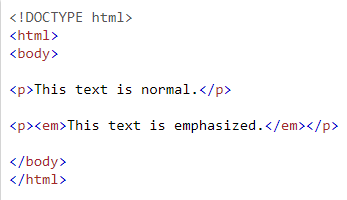
You will get the same result or browsers will display <strong> as <b> and <em> as <i> but there's a difference in the meaning of these tags since <b> and <i> defines bold and italic text while <strong> and <em> means that the text is "important".
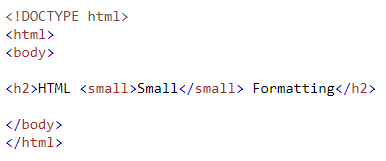
HTML <small> Element
Use <small> element for small text.
[IMAGE: https://steemitimages.com/DQmdDbGMsQN8kvLJnrBVkisWYNEJC3j26yvfK3owgAbNGUq/Example.png]
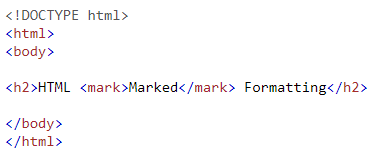
HTML <mark> Element
Use <mark> element for marking or highlighting text.
[IMAGE: https://steemitimages.com/DQmSEZx7651L9841i2i7om29HuKCZVZiifytC1roqdHoXrz/Example.png]
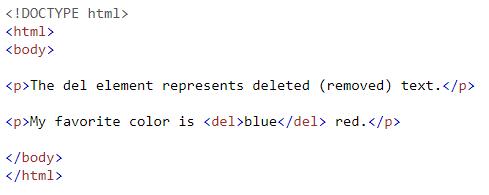
HTML <del> Element
If you want to make the text display like deleted or removed, use <del> element.
[IMAGE: https://steemitimages.com/DQmRKfa94RooFpr7TsErjLY5u7d2jXEGcyjeoF1b2Aqmvhf/Example.png]
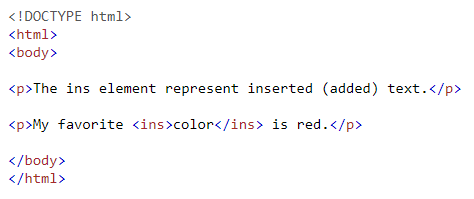
HTML <ins> Element
If you want to make the text display like inserted, use <ins> element.
[IMAGE: https://steemitimages.com/DQmXM2rmL1RVNkwjPd1HstnbYS3GDMV5VN5oDoiq77deVrw/Example.png]
HTML <sub> Element
We can use <sub> element for defining a subscript text.
[IMAGE: https://steemitimages.com/DQmfSDVQLEzTpLHbeZxRHvYM9FXngVMAEngPsF2MrxXPhjU/Example.png]
HTML <sup> Element
We can use <sup> element for defining a superscript text.
[IMAGE: https://steemitimages.com/DQmd7ByoHFmCWcMgAmGYD6QmtLThU7QF9yYhYv43Pg1bpTc/Example.png]
HTML 5 Tutorials:
HTML 5 Tutorial #1 - Introduction
HTML 5 Tutorial #2 - HTML Editors
HTML 5 Tutorial #3 - HTML Basic
HTML 5 Tutorial #4 - HTML Elements
HTML 5 Tutorial #5 - HTML Attributes
HTML 5 Tutorial #6 - HTML Headings
HTML 5 Tutorial #7 - HTML Paragraphs
HTML 5 Tutorial #8 - HTML Styles