Hai Steemians,
Today I am going to share some basic HTML codes that will help to improve your experience while editing steemit posts. I am sure that this will help a lot of newbies like me.
A. How to make words BOLD
Just add ** at the beginning and end of the word/sentence, which you want to make bold. There shouldn't be space between words and **. I will show you an example. I want to make the word "Steemit is the Best Community" bold.
[IMAGE: https://steemitimages.com/DQmQr2Sagu5VLY9u6UosFDosBdCaTGT8YdZgmcTq9R9JhTC/syntax1.png]

Look what we get in preview!!
[IMAGE: https://steemitimages.com/DQme3MvsSsLwXZcvxs5TnAHjHmv7AyxhH6B4Cbz3XFp8ifb/preview%201.png]
B. How to Make Words italic?
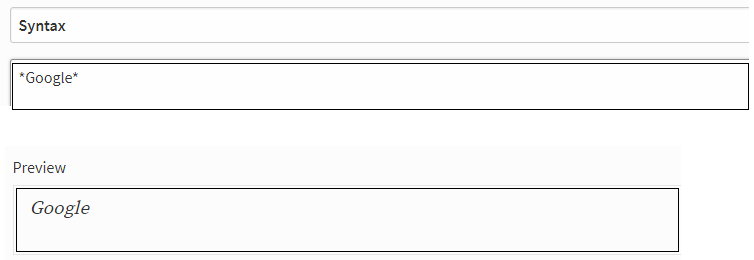
Follow what we did while making words bold, but with only one star. i.e., add * at the beginning and end of the word/sentence. Please check the example given below. I want to make the word "Google" in italics.
[IMAGE: https://steemitimages.com/DQmd8Ju5ABFGdSAHnPLFgnZXb5okRzUSXYDm4Mg32fxrooh/syntax%202.png]

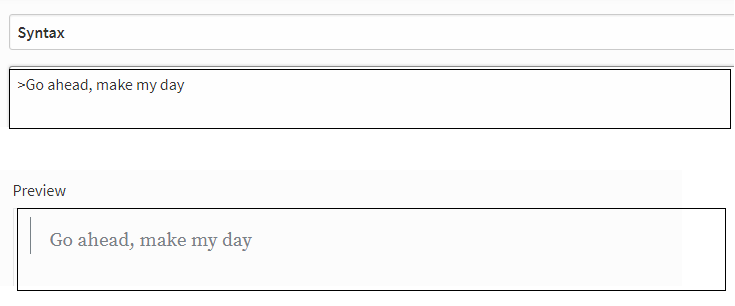
C. Quotation
Use ">" symbol prior to sentence you want to enquote . For example, if you want to quote the sentence "Go ahead, make my way day". You can quote that in the following way:
[IMAGE: https://steemitimages.com/DQmS8SGqmxTPVaBrWheEk6aAMBa8kGyffBKqrrCFUXJj6g9/syntax%203.png]
D. How to make clickable words?
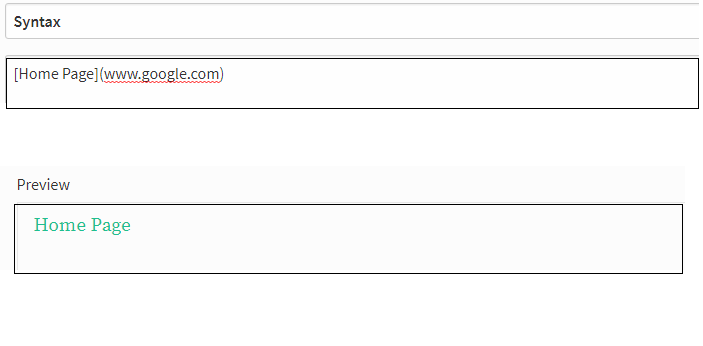
Just type the word you want to make clickable in a Square brackets followed by the link you want to embed into the word. I will show you an example. If you want to attach "www.google.com" into the word "Home Page", we can do that in the following way:
[IMAGE: https://steemitimages.com/DQmQxymDMYdSDMpAqAtcriDBfGevWfaq4cBCRDkM5KwU1WL/syntax4.png]
E. How to Make Clickable Images
Put Square Bracket at the beginning and end of the image link followed by destination link in parenthesis.
The syntax is as follows: image link.
Suppose, I have an want to add a "Happy New Year Image" to Dubai New Year 2018: midnight light show at the Burj Khalifa, a youtube video, It should be done in the following way.
[IMAGE: https://steemitimages.com/DQmTFeWUYj5qbUT9tKHCruvuTTwY1YCNeYMzTLYstje9FJj/syntax%20special.png]
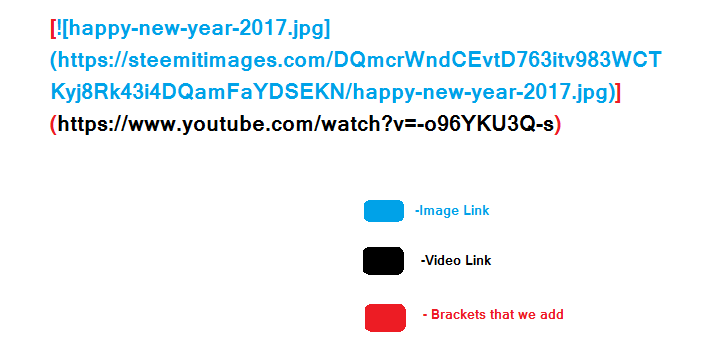
If you type this syntax. You will get a clickable image.
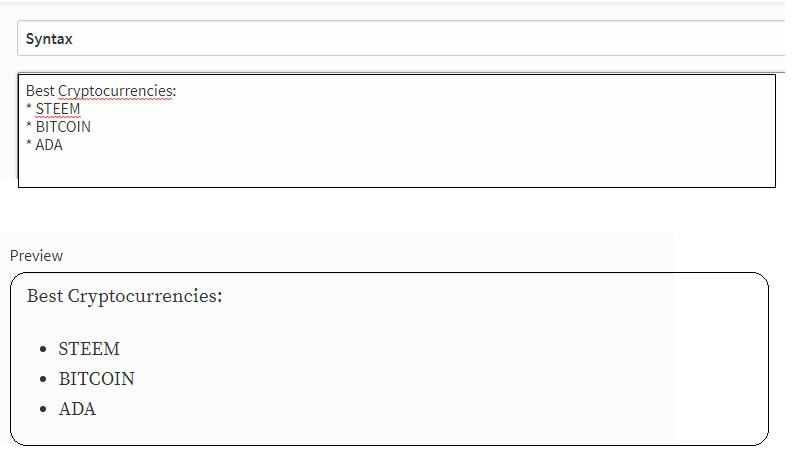
F. How to make a Bulleted List?
Use asterisks ( * ) followed by a space. If you want to list "Best currencies", you can list them in the following way
[IMAGE: https://steemitimages.com/DQmXophzNSuvv7cKD5SJQ3zPpMjvVF7xokygnGTM5xDqbww/SYNTAX%20SOMETHING.png]
I hope this will help newbies like me, who are weak in technical side of computer language, HTML, and syntax, etc.. I tried to make it as simple as I can. I shared my little knowledge in this platform. Pardon me for grammatical mistakes in my English language. If you really felt it useful, don't forget to UPVOTE and follow.
Image Credits: All images are created by me using MS Paint and screenshot.
Thank you for reading my post. Have a wonderful day
[IMAGE: https://steemitimages.com/DQmdStGMcdCrbpjjL9jtxbqvGADYcS6zRB1yHqEG9QijojP/signature.gif]

YOU CAN ALSO READ MY PREVIOUS POSTS HERE
1. 'Voynich Manuscript' Cracked!!