Here is a setup tutorial on how to connect steem database (MS SQL Server) to Tableau.
Step 1:
Installing SQL Server ODBC drivers on your machine.
Please use below link to download & install ODBC drivers on your machine depending on your OS.
https://docs.microsoft.com/en-us/sql/connect/odbc/linux-mac/installing-the-microsoft-odbc-driver-for-sql-server
Restart the machine once drivers are installed
Step2:
Entering SQL Server credentials in Tableau
Open Tableau Professional. Unfortunately, you will need the Professional Edition since the Personal edition doesn't contain the connector for SQL Server.
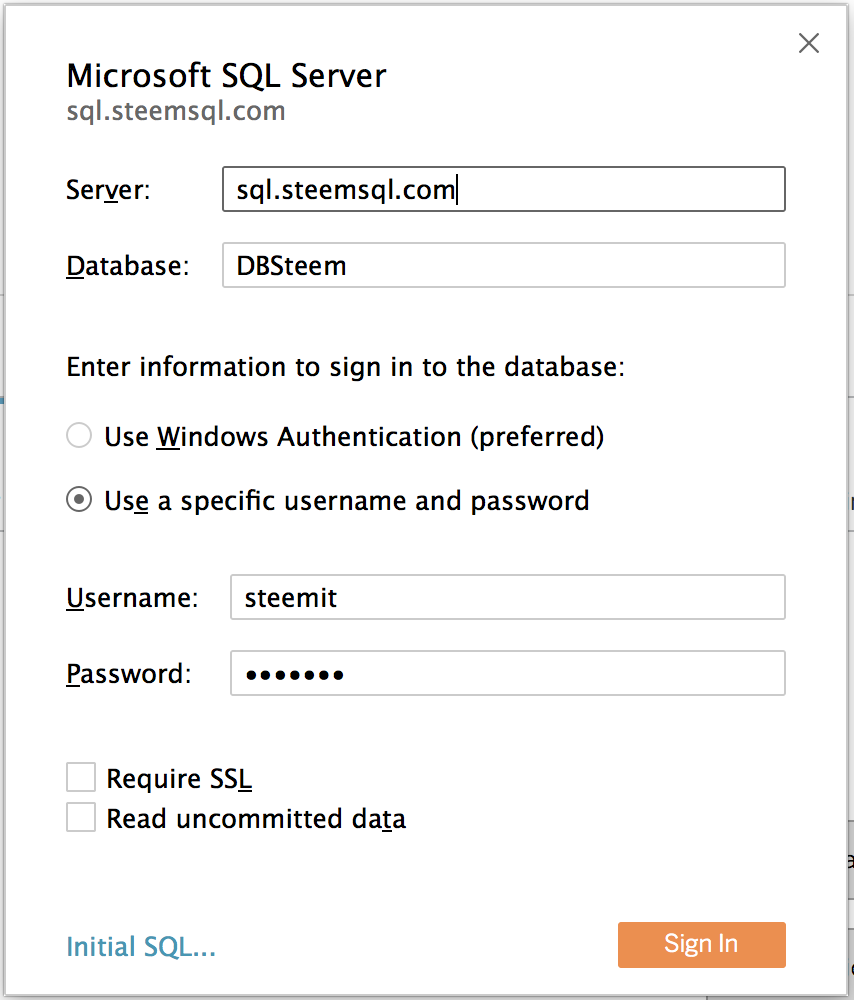
Goto Connect > Microsoft SQL Server
Enter credentials:
Server: sql.steemsql.com
User: steemit
Pass: steemit
Step3:
Choose the right tables and happy Tableauing.
Once the connection has been established, choose your tables and plot your charts.
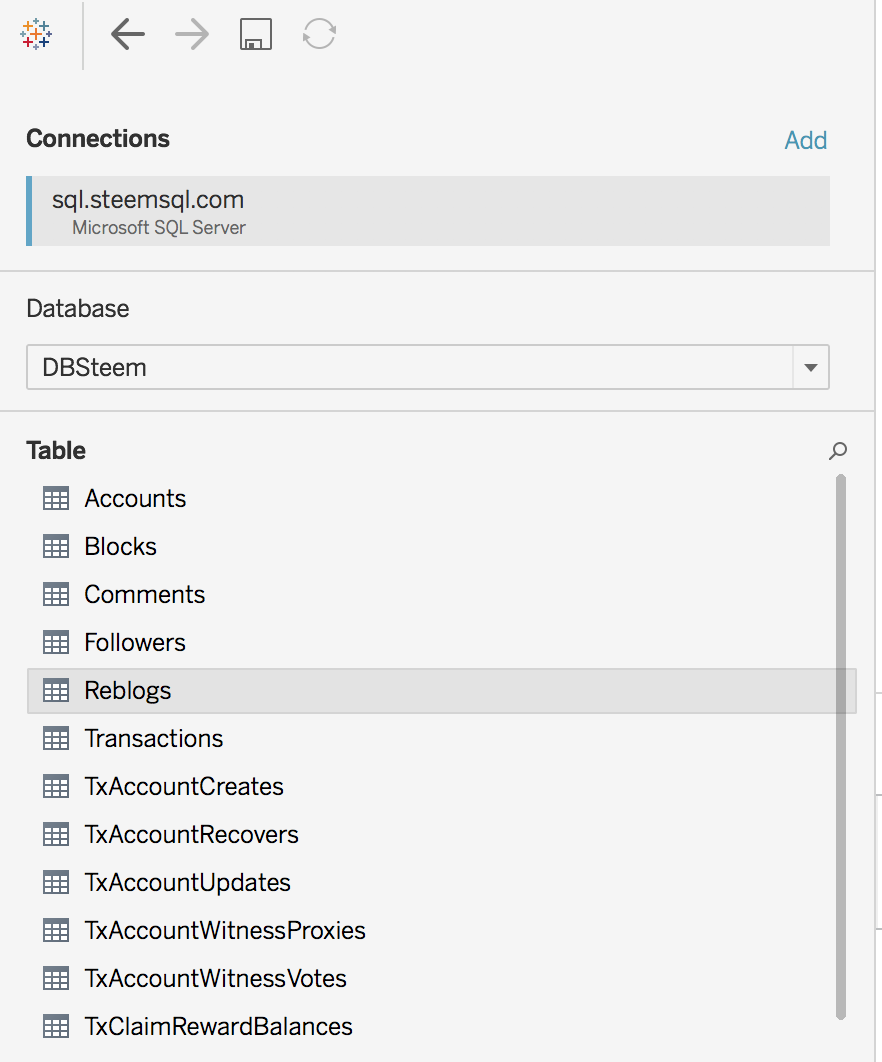
Unfortunately steem is providing access to few tables only to public (Ex: Followers, Reblogs, etc.) and hope we get access to others as well.
Step4:
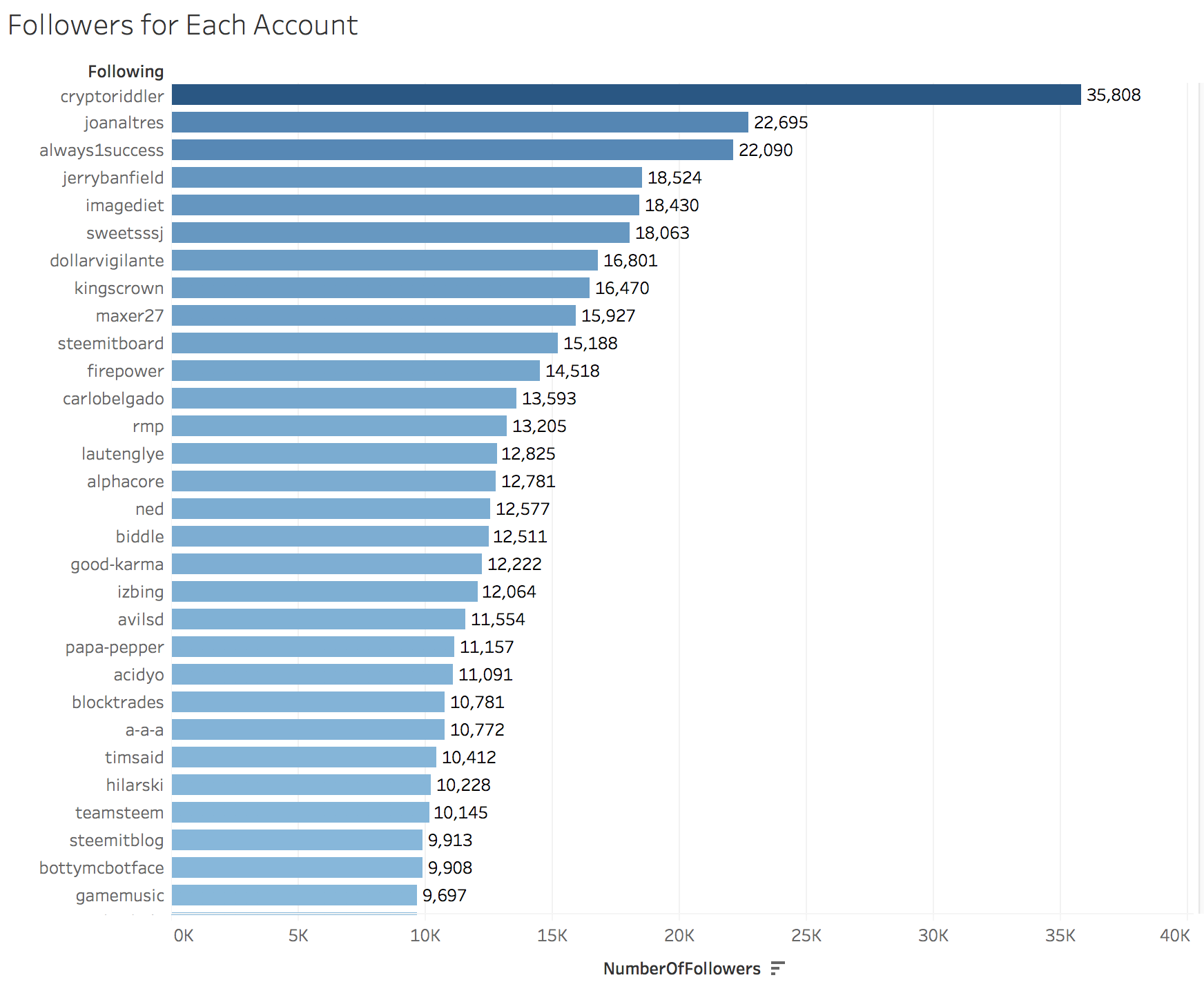
Example chart in Tableau.
Below is the chart containing accounts with highest followers in Tableau.
KINDLY UPVOTE IF YOU LIKE THIS POST