Hi there,
After a month of development and an alpha test, we are happy to bring DLive to the public and show you how to use it ( https://www.dlive.io ). We recommend Chrome as the test field.
What is DLive?
DLive is the first decentralized video live streaming platform on Steem! It can be seen as the Twitch on the Steem blockchain including, but not limited to, gaming contents. You can learn more through this link: https://steemit.com/dlive/@dlive/dlive-the-first-decentralized-live-streaming-platform-on-steem
Let’s start it!
Login:
We are using SteemConnect as our login tool because it makes STEEM login and key management much easier, and it’s officially run by @busy.org . Here’s the link: https://steemit.com/steemconnect/@busy.org/introducing-steemconnect-by-busy-identity-authentication-authorization-for-steem-blockchain-s-apps
https://i.imgur.com/be1gZxo.png
https://i.imgur.com/s4yakJn.png
https://i.imgur.com/kTmt2ER.png
Broadcast
-
We recommend broadcasters use OBS as our encoder.
https://i.imgur.com/yNIOmZO.png
-
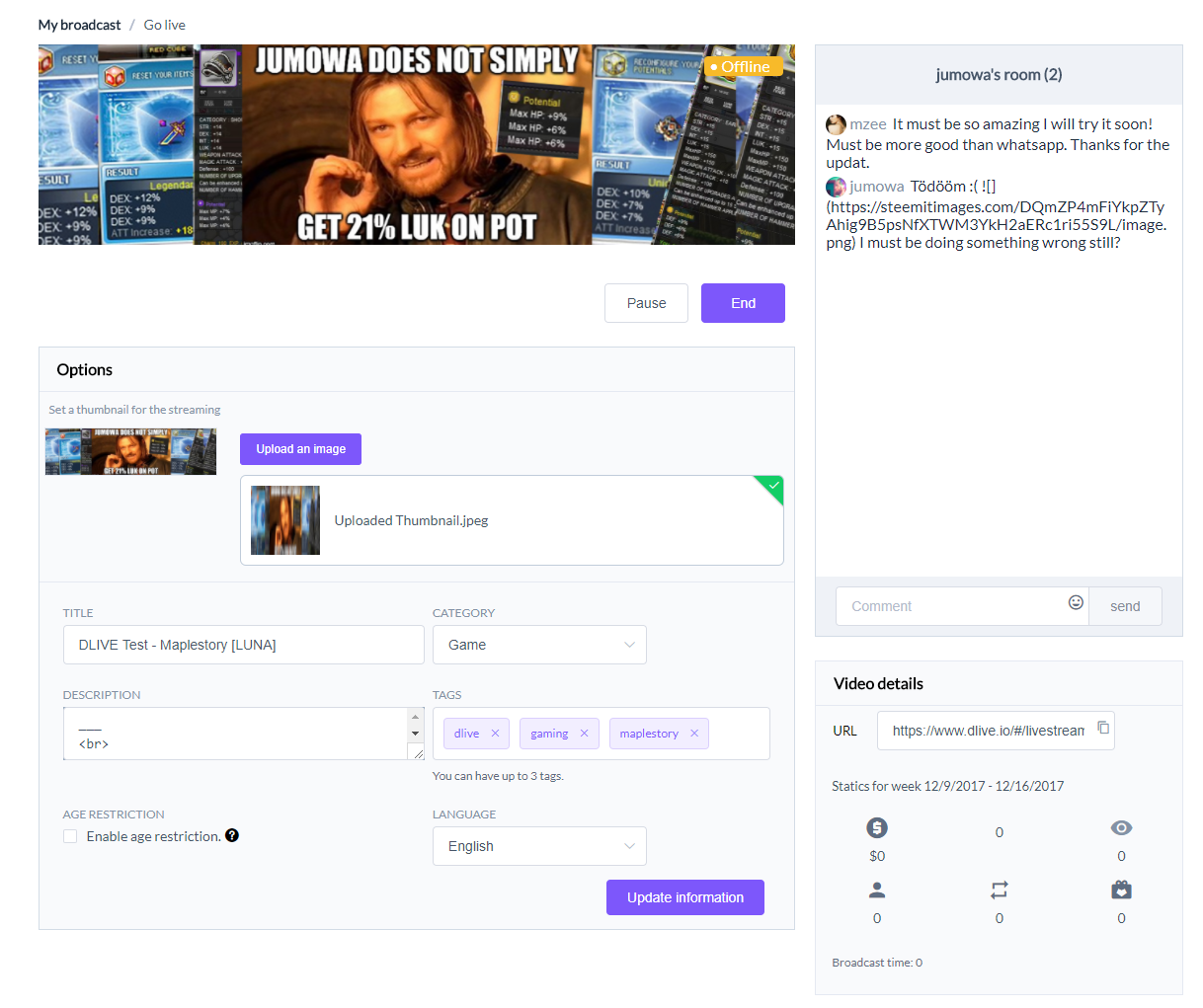
Next, fill in the description information and upload a thumbnail image.
https://i.imgur.com/eZSZbPz.jpg
-
Fill in the post information and press post button.
https://i.imgur.com/MV82w8a.png
-
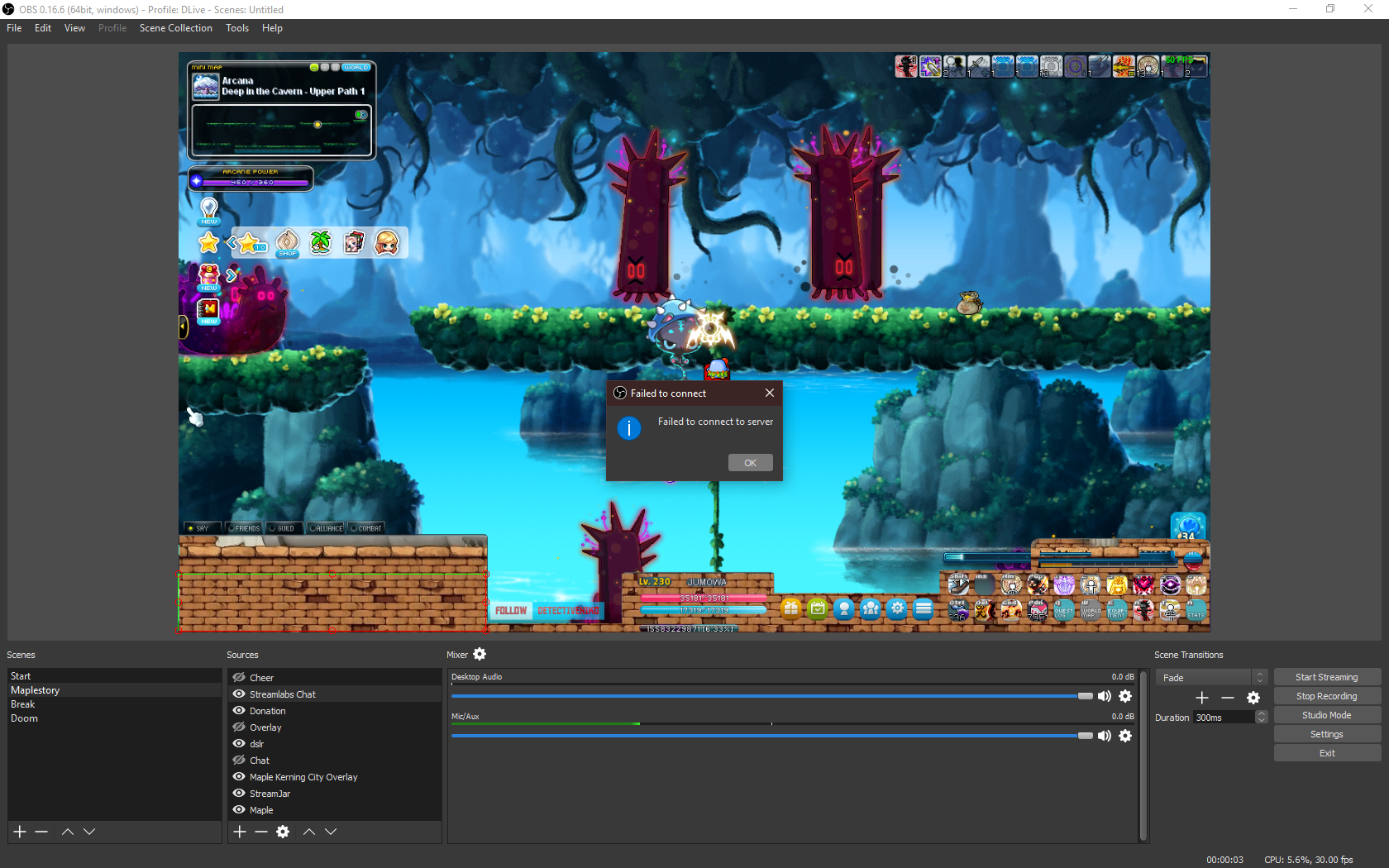
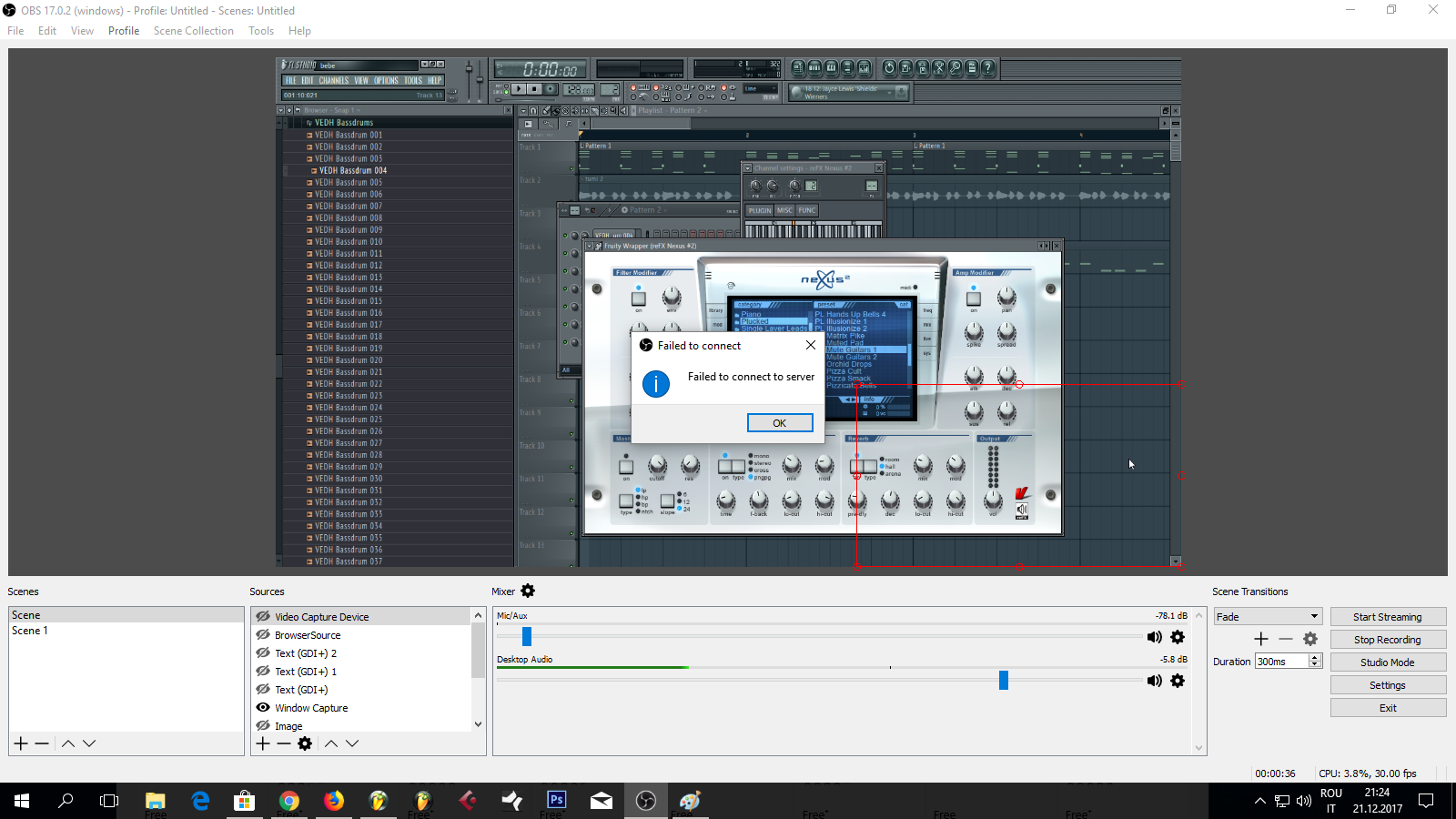
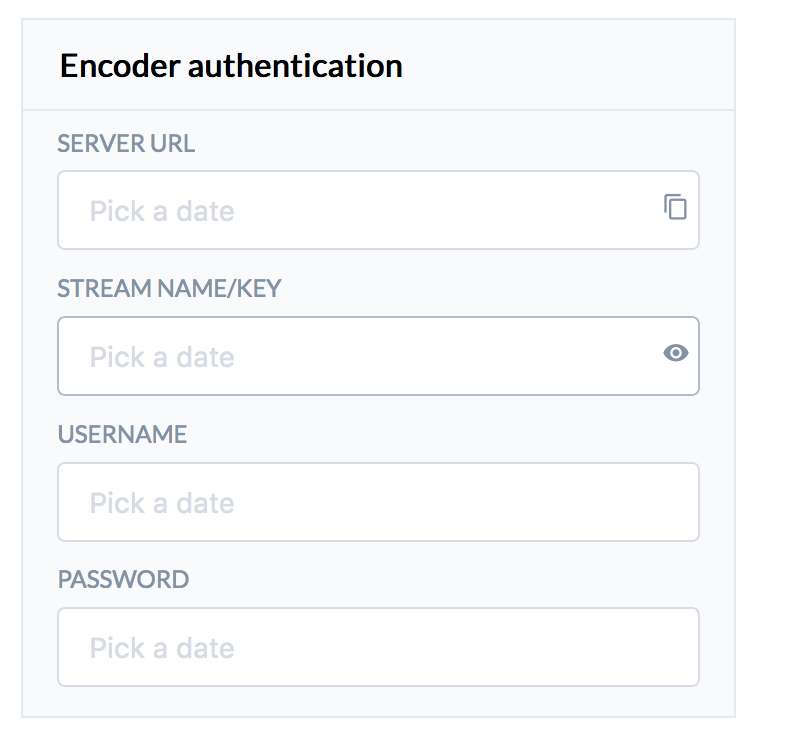
OBS setting, fill in the setting information based on the information in the DLive Live Streaming page.
https://i.imgur.com/9kdvLTP.png
https://i.imgur.com/BtObRC7.jpg
-
Start broadcasting: press the “Start Streaming” button on the OBS, then press “Start“ button on the DLive page.
https://i.imgur.com/Q9qeZ11.png
https://i.imgur.com/LF7wxEv.jpg
-
You can view your live streaming in your profile or new posts.
https://i.imgur.com/UUO8bfK.png
-
After the broadcast, you can press end to end the video section, and you can download it later.
https://i.imgur.com/ksVIFTp.jpg
Video Upload:
We are also supporting video upload on our websites. To upload, do the following:
-
Click Upload
https://i.imgur.com/dfzYT55.png
-
Select a video less than 1 GB, fill out the post information, then press “Submit.”
https://i.imgur.com/5vytrDS.png
-
Post the video on Steemit.
https://i.imgur.com/LXkzwQL.png
Technical Implementation:
If you are interested in the implementation of DLive, you can learn more at this link:
https://steemit.com/dlive/@dlive/dlive-answers-for-tech-teasers-bounty-survey-for-all-readers
Thank You and Follow Up
It has been an exciting month for us and we are very happy to have the community’s support.
A special thank you to all of the Alpha Testers:
@A1ronMan @ekushya @Hero333 @nuagnorab @PlanetAuto @teknow @bobdos @Simgirl @coffeenut @DeWallenBand @Flauwy @free999enigma @DenisKJ @globocop @BeekArt @sinned @IntuitiveJakob @MRJT @Ace @jmoriahVAVClub @Masterwriter @sinzzer @theaustrianguy @mgibson @Maximusmaximus @kevin44 @teamhumble @r0nd0n @RickNassar @skpjr001 @thesassysergio @shieha @sirlunchthehost @Huskyhunter @Techtek @Stuntworks @TerryBrock @vindy @Steemer @Vhailors @waiyee422 @alola
As always, please let us know if you have any feedback. You can comment the bugs you find in our feedback section in the DLive or Slack group. We are looking forward to serving you with better products.
DLive Slack
Steemit Chat
@j3dy | Dec. 16, 2017, 5:12 p.m. | Votes: 1 | [
VOTE ]
@ebargains Exactly! I was wondering what the results from the FCC were, I read the wikipedia for Net Neutrality it looks like it will be repealed 3 to 2 votes in favor :D...
@dlive I will be getting back in my gaming days, :) used to be part of the best team in my home country :) they are still playing brood war in clan wars
Thank you for the opportunity to provide more content to the platform and I hope everything works as well as in Twitch in a few months :)
Great addition to the Steem blockchain, we have everything :)
Hi there,
After a month of development and an alpha test, we are happy to bring DLive to the public and show you how to use it ( https://www.dlive.io ). We recommend Chrome as the test field.
What is DLive?
DLive is the first decentralized video live streaming platform on Steem! It can be seen as the Twitch on the Steem blockchain including, but not limited to, gaming contents. You can learn more through this link: https://steemit.com/dlive/@dlive/dlive-the-first-decentralized-live-streaming-platform-on-steem
Let’s start it!
Login:
We are using SteemConnect as our login tool because it makes STEEM login and key management much easier, and it’s officially run by @busy.org . Here’s the link: https://steemit.com/steemconnect/@busy.org/introducing-steemconnect-by-busy-identity-authentication-authorization-for-steem-blockchain-s-apps
https://i.imgur.com/be1gZxo.png
https://i.imgur.com/s4yakJn.png
https://i.imgur.com/kTmt2ER.png
Broadcast
-
We recommend broadcasters use OBS as our encoder.
https://i.imgur.com/yNIOmZO.png
-
Next, fill in the description information and upload a thumbnail image.
https://i.imgur.com/eZSZbPz.jpg
-
Fill in the post information and press post button.
https://i.imgur.com/MV82w8a.png
-
OBS setting, fill in the setting information based on the information in the DLive Live Streaming page.
https://i.imgur.com/9kdvLTP.png
https://i.imgur.com/BtObRC7.jpg
-
Start broadcasting: press the “Start Streaming” button on the OBS, then press “Start“ button on the DLive page.
https://i.imgur.com/Q9qeZ11.png
https://i.imgur.com/LF7wxEv.jpg
-
You can view your live streaming in your profile or new posts.
https://i.imgur.com/UUO8bfK.png
-
After the broadcast, you can press end to end the video section, and you can download it later.
https://i.imgur.com/ksVIFTp.jpg
Video Upload:
We are also supporting video upload on our websites. To upload, do the following:
-
Click Upload
https://i.imgur.com/dfzYT55.png
-
Select a video less than 1 GB, fill out the post information, then press “Submit.”
https://i.imgur.com/5vytrDS.png
-
Post the video on Steemit.
https://i.imgur.com/LXkzwQL.png
Technical Implementation:
If you are interested in the implementation of DLive, you can learn more at this link:
https://steemit.com/dlive/@dlive/dlive-answers-for-tech-teasers-bounty-survey-for-all-readers
Thank You and Follow Up
It has been an exciting month for us and we are very happy to have the community’s support.
A special thank you to all of the Alpha Testers:
@A1ronMan @ekushya @Hero333 @nuagnorab @PlanetAuto @teknow @bobdos @Simgirl @coffeenut @DeWallenBand @Flauwy @free999enigma @DenisKJ @globocop @BeekArt @sinned @IntuitiveJakob @MRJT @Ace @jmoriahVAVClub @Masterwriter @sinzzer @theaustrianguy @mgibson @Maximusmaximus @kevin44 @teamhumble @r0nd0n @RickNassar @skpjr001 @thesassysergio @shieha @sirlunchthehost @Huskyhunter @Techtek @Stuntworks @TerryBrock @vindy @Steemer @Vhailors @waiyee422 @alola
As always, please let us know if you have any feedback. You can comment the bugs you find in our feedback section in the DLive or Slack group. We are looking forward to serving you with better products.
DLive Slack
Steemit Chat
Today, I posted My first video. To be honest, I sent it to both Dlive and Dtube. After testing, I noticed that I can not see my video in the"new/lifestyle" area of DLIVE but almost immediately, I saw it next to another gals post. She too had posted to both platforms (?), here hours later, I still do not see my post, under new. I attempted to see if I could get another vantage point, but I do not have another account to test whether or not it was view-able and in sequence. If anyone can screen shot that and send it to me, that would be Great! Ultimately, while I had some multiple hiccup's with Dtube (uploading) I was able to upload fast and could use multiple Tags (I liked that). But even now Hours Later I can still see my post on Dlive in the new/lifestyle area and it has no issues being transparent to it's location and timestamp, but with the other DTube I notice that a few videos by tenured content creators appear (who multi posted when I did) and theirs shows up. In fact, Today I posted my first blog on steemit and can see it in the new section updated (10 minutes later). I am not sure why I can't see my own in the chain of new videos but It is not getting any traffic, Suggestions?



.gif)