How to install Ethernet (Linux Ubuntu)
- Download the etherium source code.
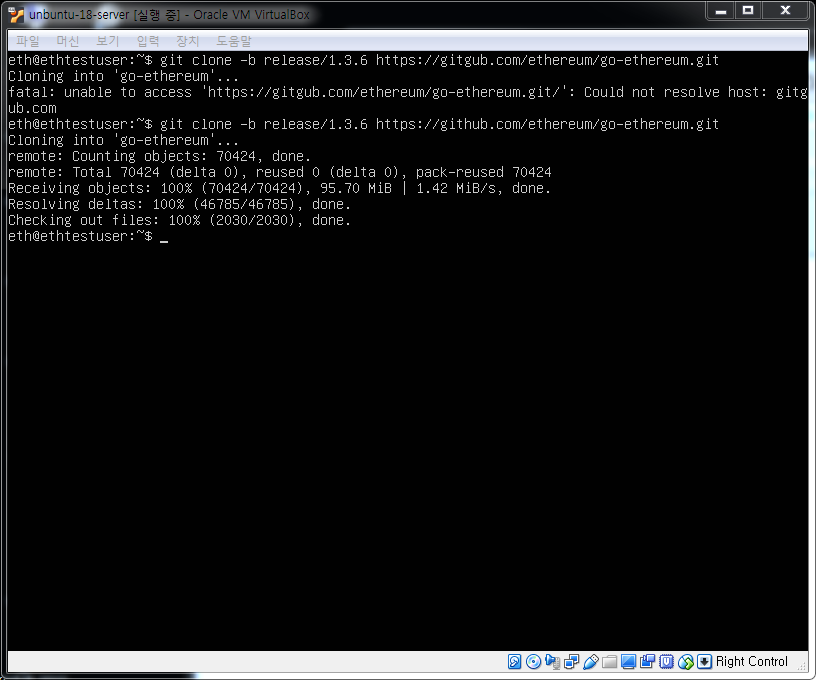
From the Linux prompt, type the following command to download the source code:
=> git clone -b release/1.3.6 https://github.com/ethereum/go-ethereum.git
[Downloading screen]
[IMAGE: https://steemitimages.com/DQmemNMB1Rqer4npUfc4vaZdnmpBSGxgq23SvteAR5aXytr/image.png]
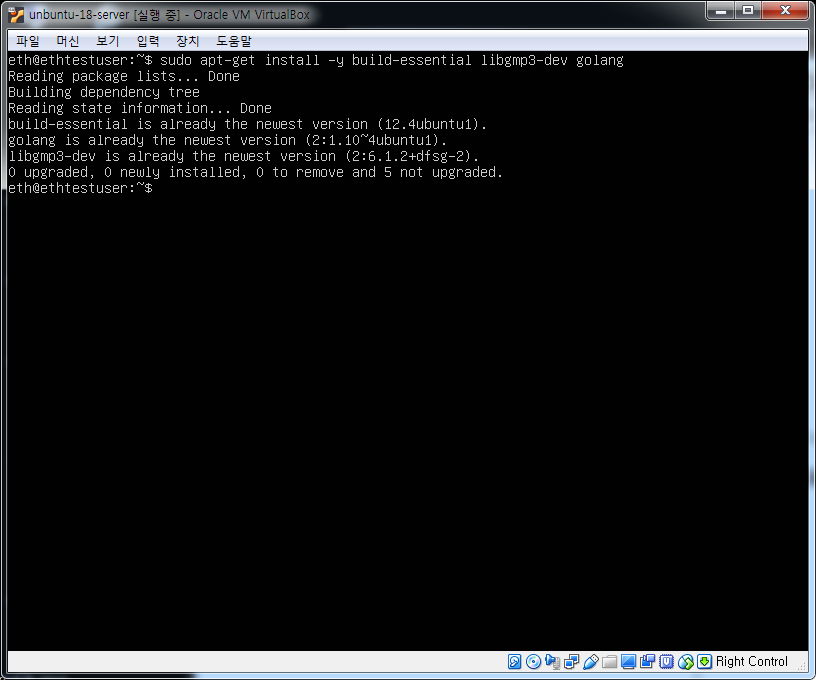
- Enter the following command to install the Google GO language
=> sudo apt-get install -y build-essential libgmp3-dev golang
[Installation Screen]
[IMAGE: https://steemitimages.com/DQmcqxJUDfWVHTwNsRDtV9rcYNszMaDoRecMnoPk6fZ6pE7/image.png]
- After installing the GO language, proceed with the etherium build.
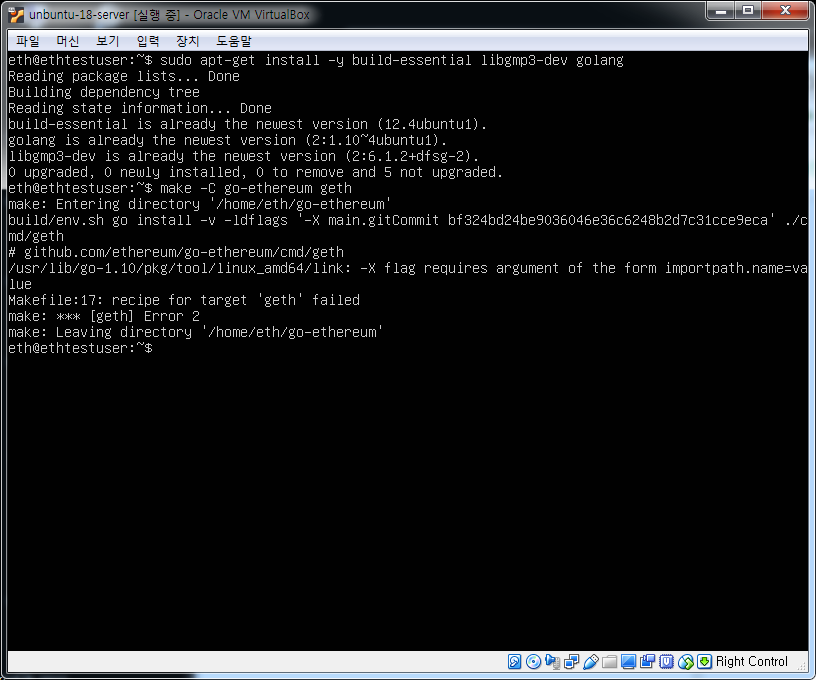
Enter the following command to proceed with the etherium build.
=> make -C go-ethereum geth
[Etherium build error screen]
[IMAGE: https://steemitimages.com/DQmQn2QLYwc3FYVaQoxVwVnJes9eBzEYDMBHQ5jtBbm6cyv/image.png]
[How to handle Ethernet errors]
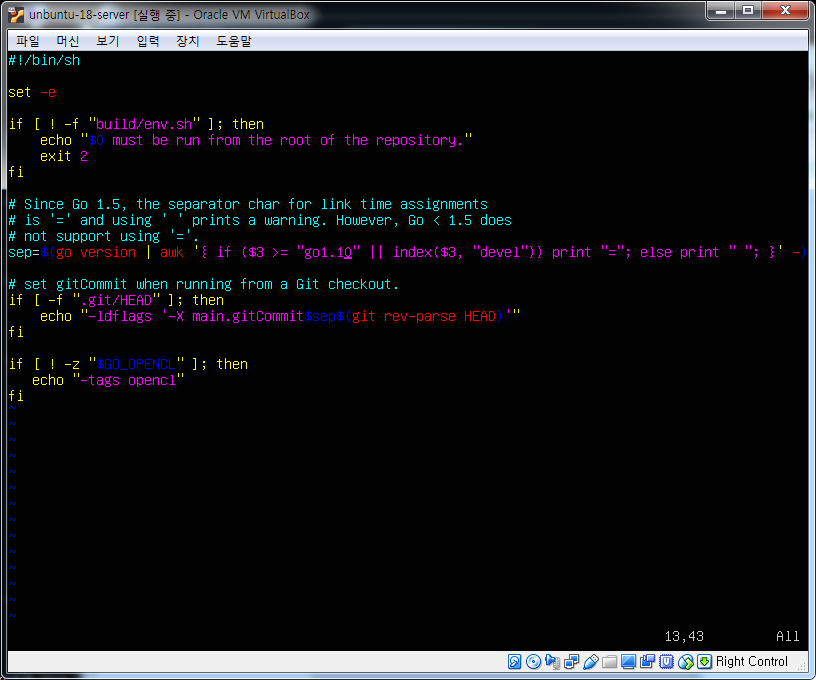
3-1. Go to the "go-ethereum / build /" directory.
cd go-ethereum / build
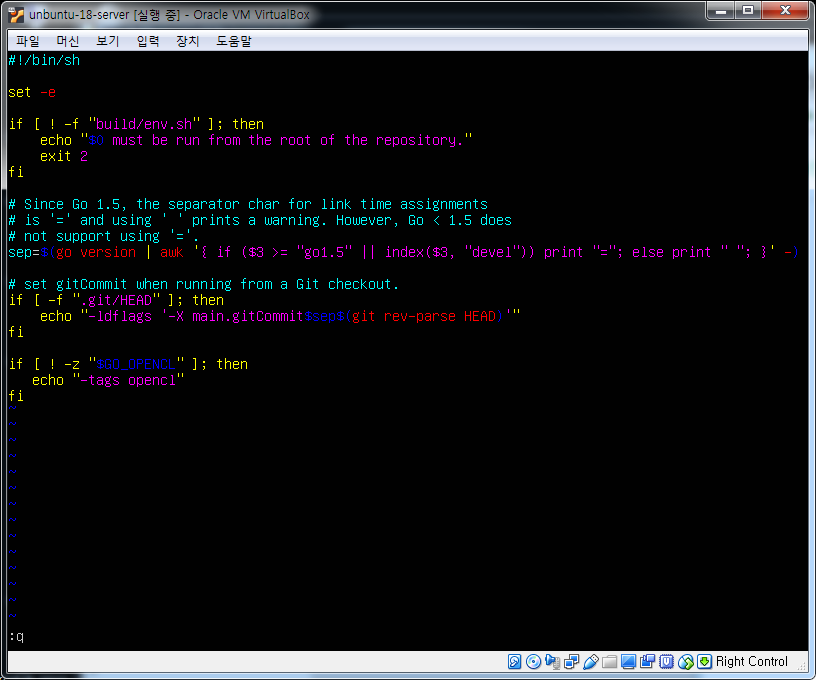
3-2. Modify the flags.sh file.
vi flags.sh
=> Change the "go1.5" part of line 13 to the version number of the "go version" go language.
[Pre-reform screen]
[IMAGE: https://steemitimages.com/DQmcedDSsA4xXThFtMixNLiWJdNUbWJ3c7fZskTcKUzq8st/image.png]
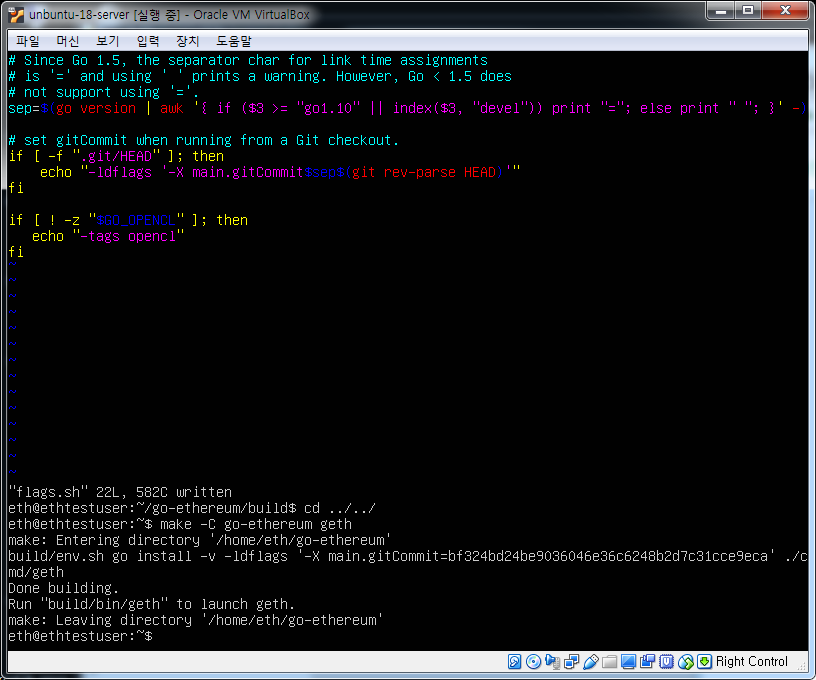
[After modification screen]
[IMAGE: https://steemitimages.com/DQmRre47rerRZMCB4CALJ9MvX21zmJawgJ2qzbKT9NjrDXN/image.png]
3-3. After saving, run the etherium build command again.
=>
[Etherium build complete screen]
[IMAGE: https://steemitimages.com/DQmVFeyK5fxHexQ88QiZ278w9xGMoYftP2PrFU4LpQZinYQ/image.png]
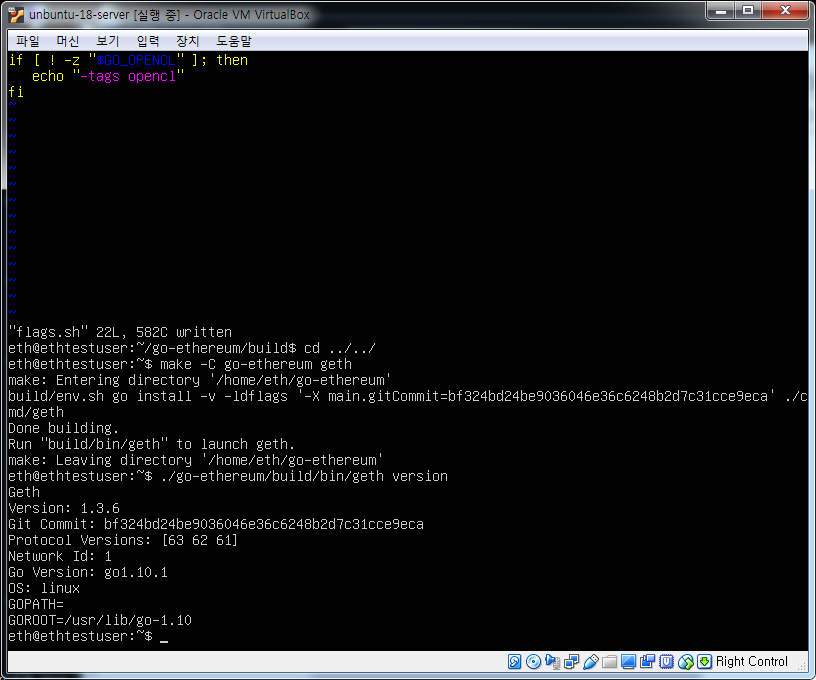
- Verify that the etherium build is complete.
Enter the following command at the prompt.
=> ./go-ethereum/build/bin/geth version
[Etherium installation confirmation completion screen]
[IMAGE: https://steemitimages.com/DQmc2uqN8deivZBRwgXUJZk4ecQPdBpUDmxdAq5YdMb1Czj/image.png]
- Finally, copy "geth" to the directory where the path is set.
=> sudo cp go-ethereum/build/bin/geth /usr/bin/
If you see the above screen, the installation of the etherium is completed.