Hey Everyone I wanted to let you all know that you can now automatically sync your Steemit posts to twitter! Here is how.
1) Log in or Sign up to https://steemengine.net
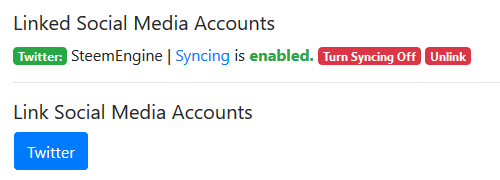
2) Once logged in go to the "Link" section. https://steemengine.net/link
3) If you haven't already, link your Steemit account
4) Click "Twitter" to allow permissions
5) Click "Turn Syncing on" and your Steemit posts will now automatically sync to twitter!
[IMAGE: https://cdn.steemitimages.com/DQmW8TfNNCEPSAzxcVGRpfFJ1hDhUsgypbMe8Z2ZkBEDUqv/image.png]
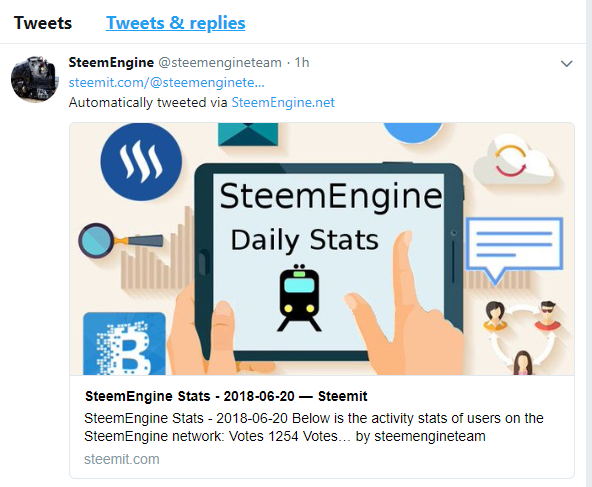
Once you have syncing enabled, your posts will automatically be shared on twitter!
[IMAGE: https://cdn.steemitimages.com/DQmTC8ZrbdpeMyZnP6KBNguqfFW8BXCSsaZBDppVouFuzAk/image.png]
FAQ
What is Social Account Syncing?
Social Account Syncing will automatically share your latest Steemit post to other social media platforms like Twitter and Facebook.
How quickly will my steemit posts sync?
It can take up to 30 minutes for your steemit posts to be synced to other platforms.
Should I enable this?
It's up to you. Having your Steemit posts automatically tweeted will likely get your posts more exposure and help you grow your audience.
Can I ever turn this off?
Yes you can disable post syncing at anytime or completely unlink your social media accounts.

