Vessel is a versatile STEEM / SBD wallet written by @jesta
You can download the latest version from Github
-
choose the version for your Operating system (Windows, Linux, macOS etc)
-
Once you install the correct version for your OS, the application looks like below.
[IMAGE: https://steemitimages.com/DQmebPsehsMumzNwayV7yUQSDz2xENYKNaEHS2354iuAkqi/image.png]
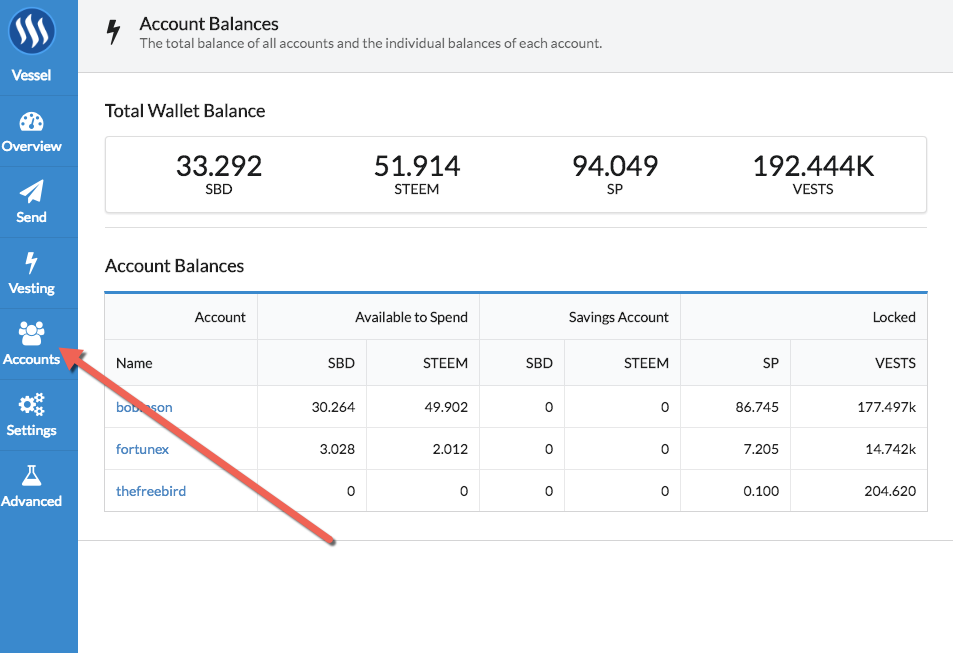
- Go to accounts as shown in the screen shot and import your steemit.com account
[IMAGE: https://steemitimages.com/DQmPjaw8SwqrrzDU9XzLBMbjHK6bj4jQ12HWamdxoooJiob/image.png]
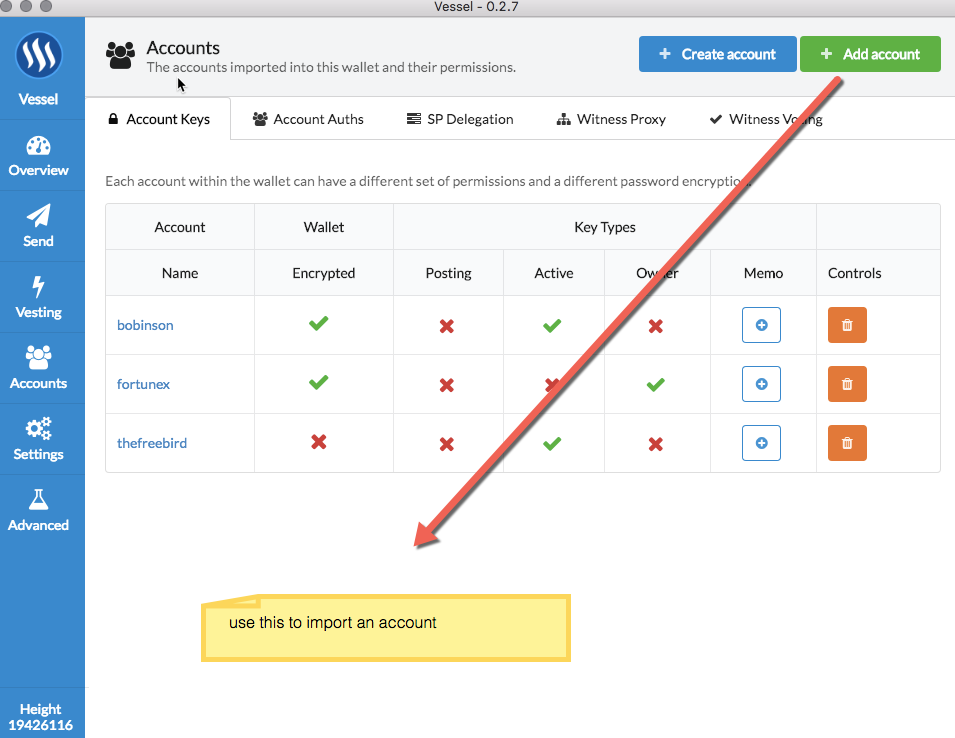
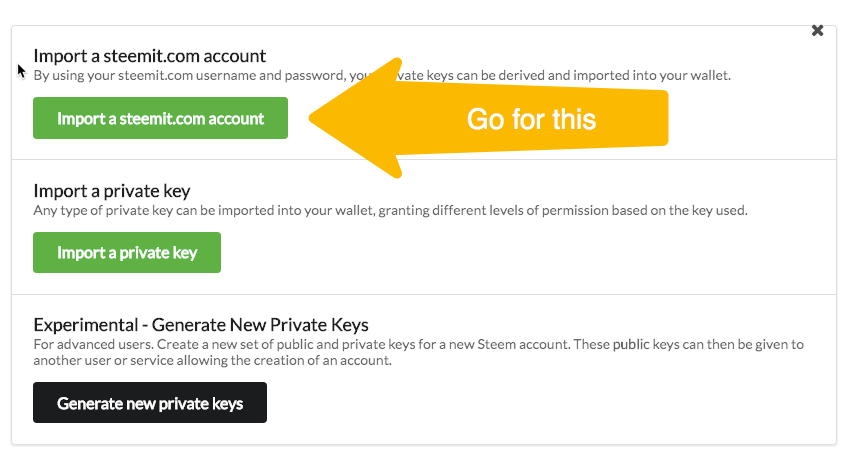
- You will be greeted with a screen like below & choose the import steemit.com account option as shown below
[IMAGE: https://steemitimages.com/DQmSxF4d13wLAVNzx7MhhjhTBQ1kQKPb5NozjHjkeH9iaxA/image.png]
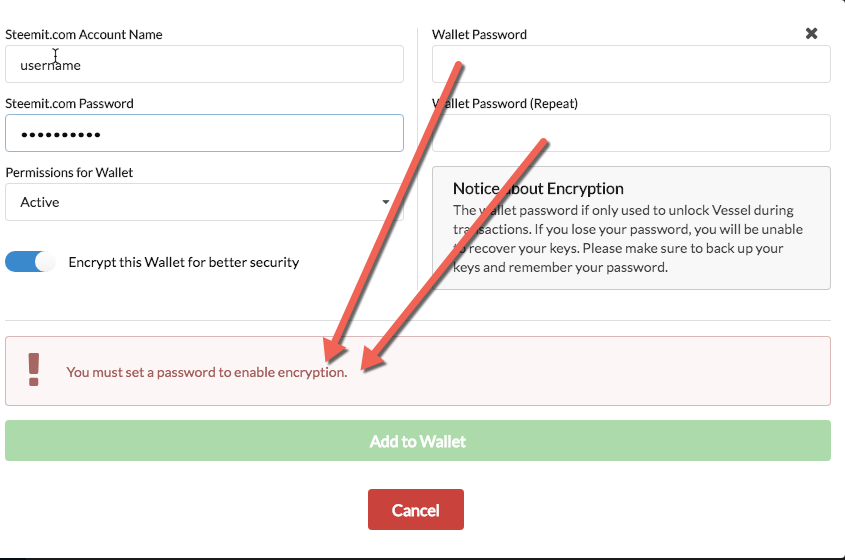
- Enter your Steemit.com user name & password. You should import your active as below and encrypt everything safely as shown below.
[IMAGE: https://steemitimages.com/DQmRnb3MfwvRYXvpavvwEKwcAnBEf6dwKbGhsX389FTprT1/image.png]
now you are all set of manage your STEEM and SBD from a secure wallet !
How to delegate STEEM Power ?
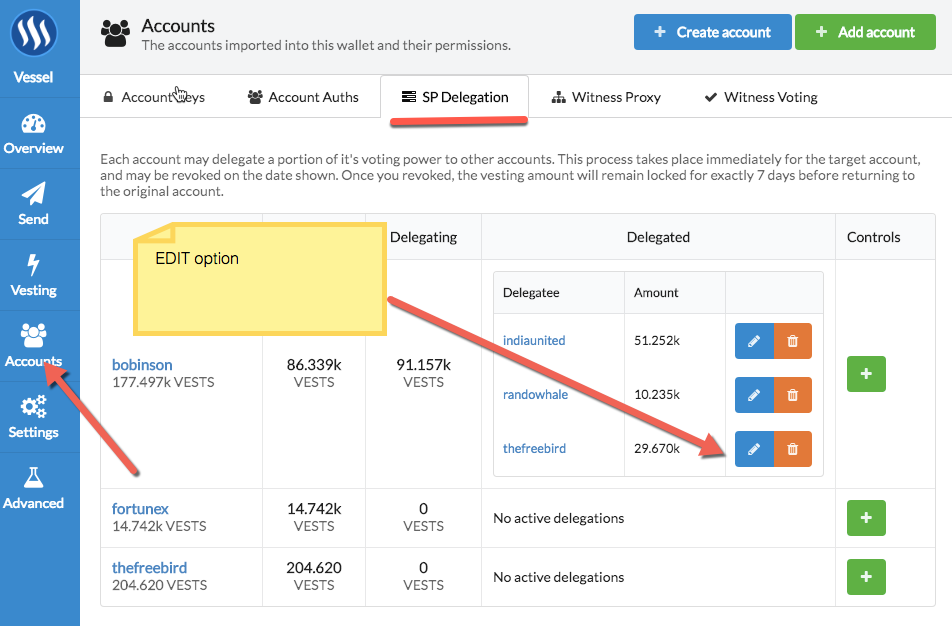
- Go to accounts as shown below and click on EDIT against the account that you want to delegate from
[IMAGE: https://steemitimages.com/DQmaAPjzGAzgirvjew7GfnE1gwSu2BT3g8UKWQYiTuFoWqp/image.png]
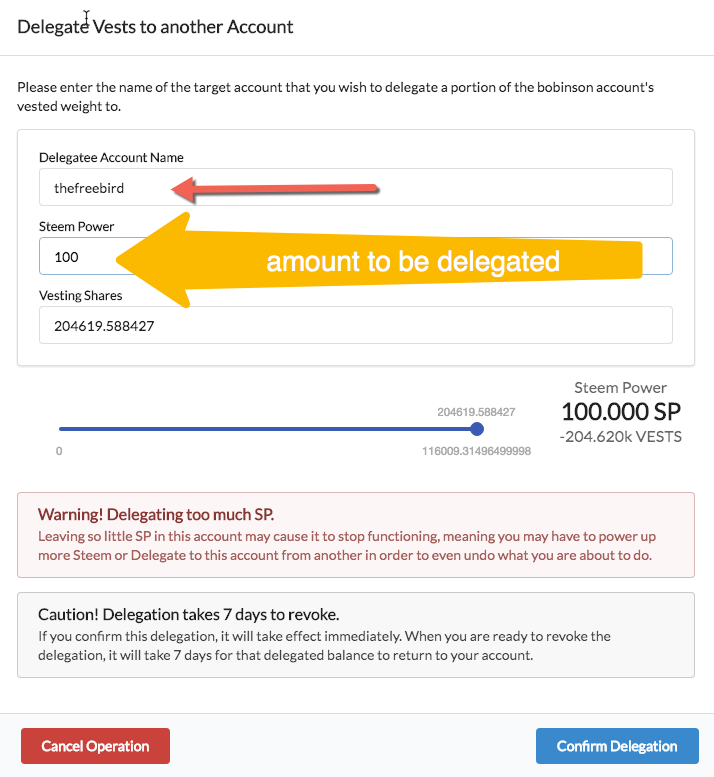
- Finally, enter the account details and amount you plan to delegate as shown below
[IMAGE: https://steemitimages.com/DQmdMZMr1e7YBGPejS8Wu4gUMo2fbDNdfiGD7Rhqf36MCqS/image.png]
That's it! you are all set.
You can mange delegation in the same way. ie cancel, increase/decrease the amount etc.