____  ___    _  _     _   _ _____     _______
 / ___|/ _ \  | || |   | | | |_ _\ \   / / ____|
| |  _| | | | | || |_  | |_| || | \ \ / /|  _|
| |_| | |_| | |__   _| |  _  || |  \ V / | |___
 \____|\___/     |_|   |_| |_|___|  \_/  |_____|

 --- A GOPHER-LIKE INTERFACE FOR HIVE BLOCKCHAIN ---

Make your Mac check for updates more often!

BY: @gm-weazel | CREATED: Jan. 23, 2018, 9:16 p.m. | VOTES: 0 | PAYOUT: $0.00 | [ VOTE ]

By default your Mac checks for Updates once a week. For me personally I want it to check more often. So here is what I did:
1. open Terminal
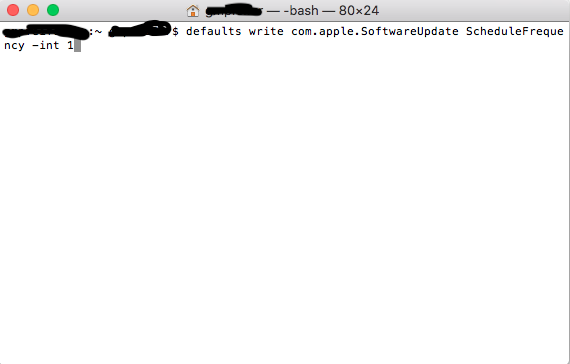
2. enter this command: defaults write com.apple.SoftwareUpdate ScheduleFrequency -int 1
3. Hit Enter & you're done!

This command will make your Mac check for Software update once per 1 day. So 1 is the number of days.
You can of course change the number at the end after "-int". It will then check once every "number of days you want".
[IMAGE: https://steemitimages.com/DQmVhMWyWHvggmHKHNahvzVESLqSTBeSJRLE6y3jxDRDtzK/Bildschirmfoto%202018-01-23%20um%2022.19.54.png]

TAGS: [ #mac ] [ #macos ] [ #updateschedule ] [ #techtip ] [ #technology ]

Replies

NO REPLIES FOUND.

[ BACK TO TRENDING ] [ BACK TO MENU ]
CMD>