PERSONALIZE WITH NAME:
[IMAGE: https://steemitimages.com/DQmXcdkvsAgguKdCEPqu1fCVXp1N5LoukVgX52UaYyT9hH9/aa.jpg]
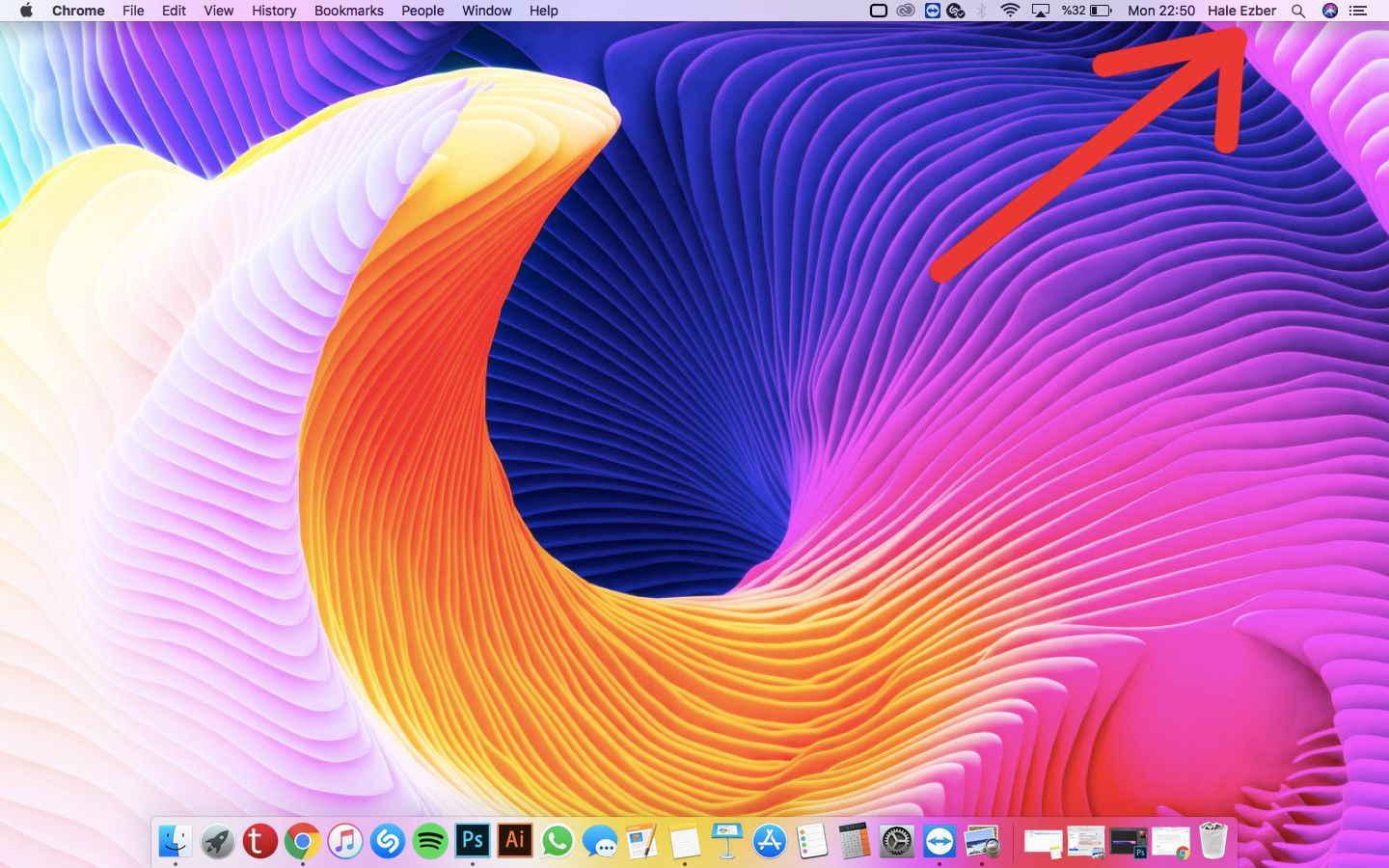
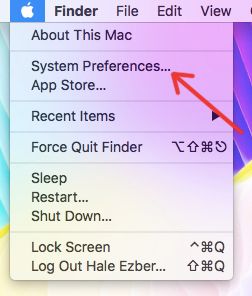
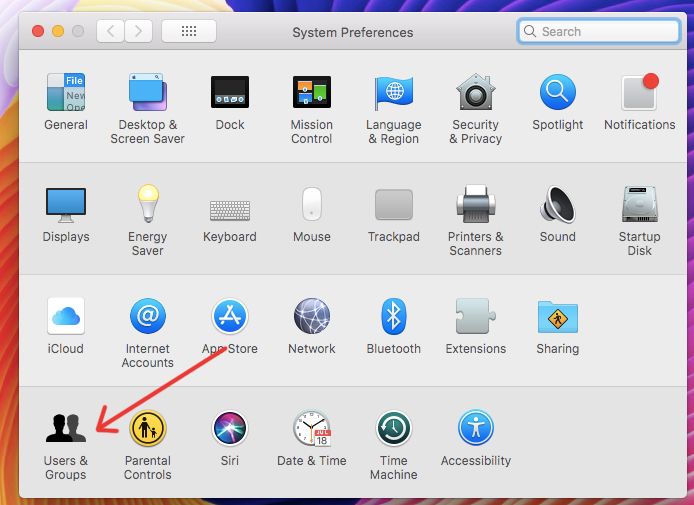
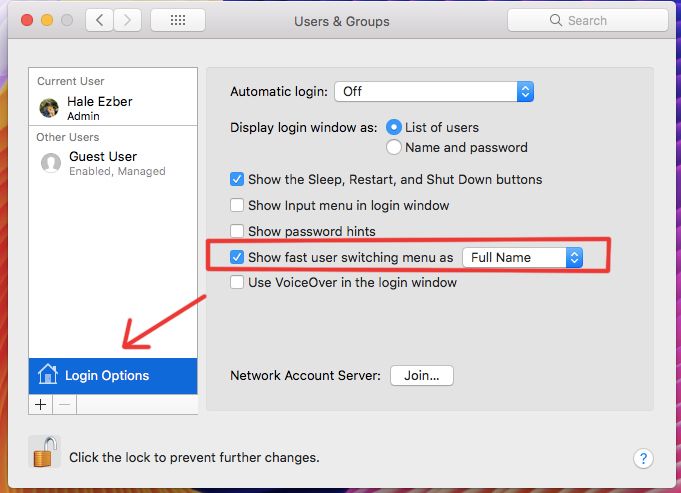
1) In the top left, click apple icon> System Preferences> Users and Groups> Login Options.
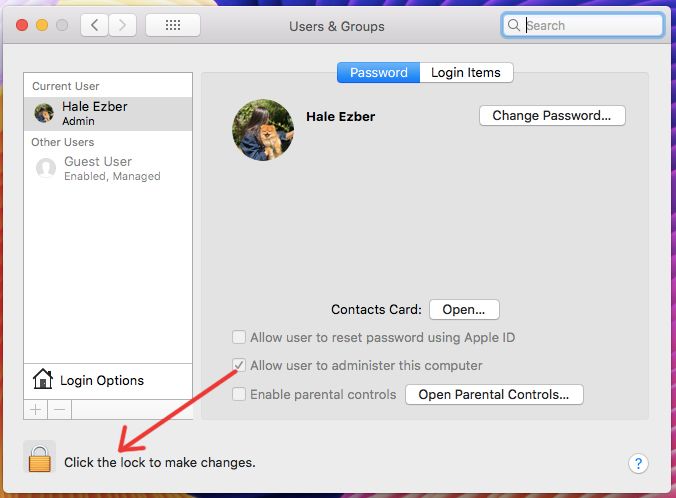
Click the lock icon to open> enter an administrator name and password.
Select the "Show fast user switching menu as" item, then choose whether to show up as a username in the menu bar of users from the drop-down menu.
[IMAGE: https://steemitimages.com/DQmWAcJZscuV5LCWUQEDjKRNVnF5eD7HRnUPxhrtELuLcMt/1.jpg]
[IMAGE: https://steemitimages.com/DQmUKCRYx7z9hnxjfgo9TbHAZ7Ew21aNynV2HzAc7F8qEBU/2.jpg]
[IMAGE: https://steemitimages.com/DQmbTkYFMXS18PZ1aAAcxD2jA4Nhqwndv4nKgWE8P5hsUMs/3.jpg]
[IMAGE: https://steemitimages.com/DQmcLKBfjqvgU74yPwPEb8jKr3qZajLLPHcAz3gQ4qkWJJx/4.jpg]
[IMAGE: https://steemitimages.com/DQmQZ3aiibqA1wtyULmktTzXrNUFBWxKzRSycx5pppvSWgL/ssss.jpg]

2-HIDE DESKTOP FOLDERS:
Download "HiddenMe" application from app store.
Click the icon in the image.

[IMAGE: https://steemitimages.com/DQmSgwh9hezLKD9jPuGkegs6KLcHXNgK4GGR7bCNUBQf34L/5.jpg]
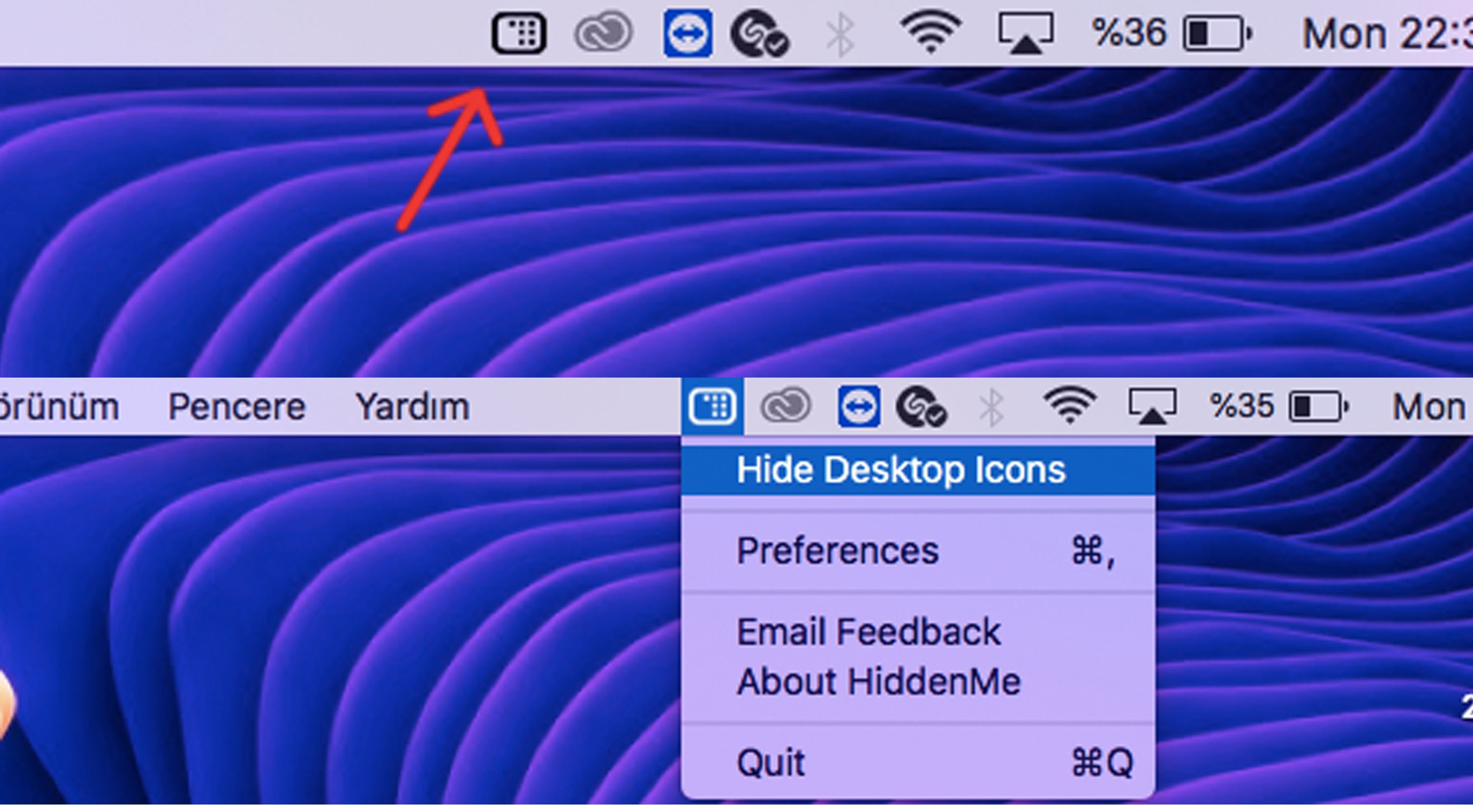
So you can hide folders on the desktop.
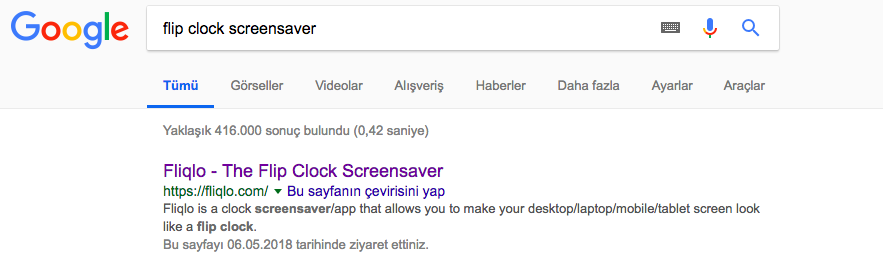
3-DOWNLOAD THE CLOCK SCREENSAVER:
[IMAGE: https://steemitimages.com/DQmcWzhYkeJqe4VAoBmcHJ2rziWo8LAq6SBwZTv3vURgYVZ/1.jpg]
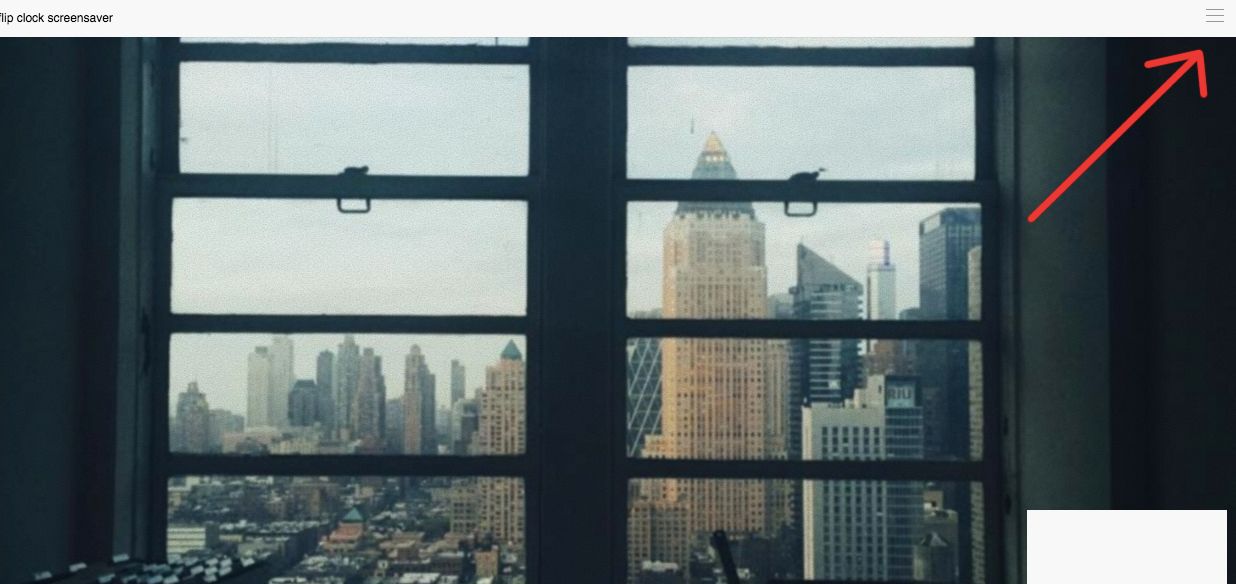
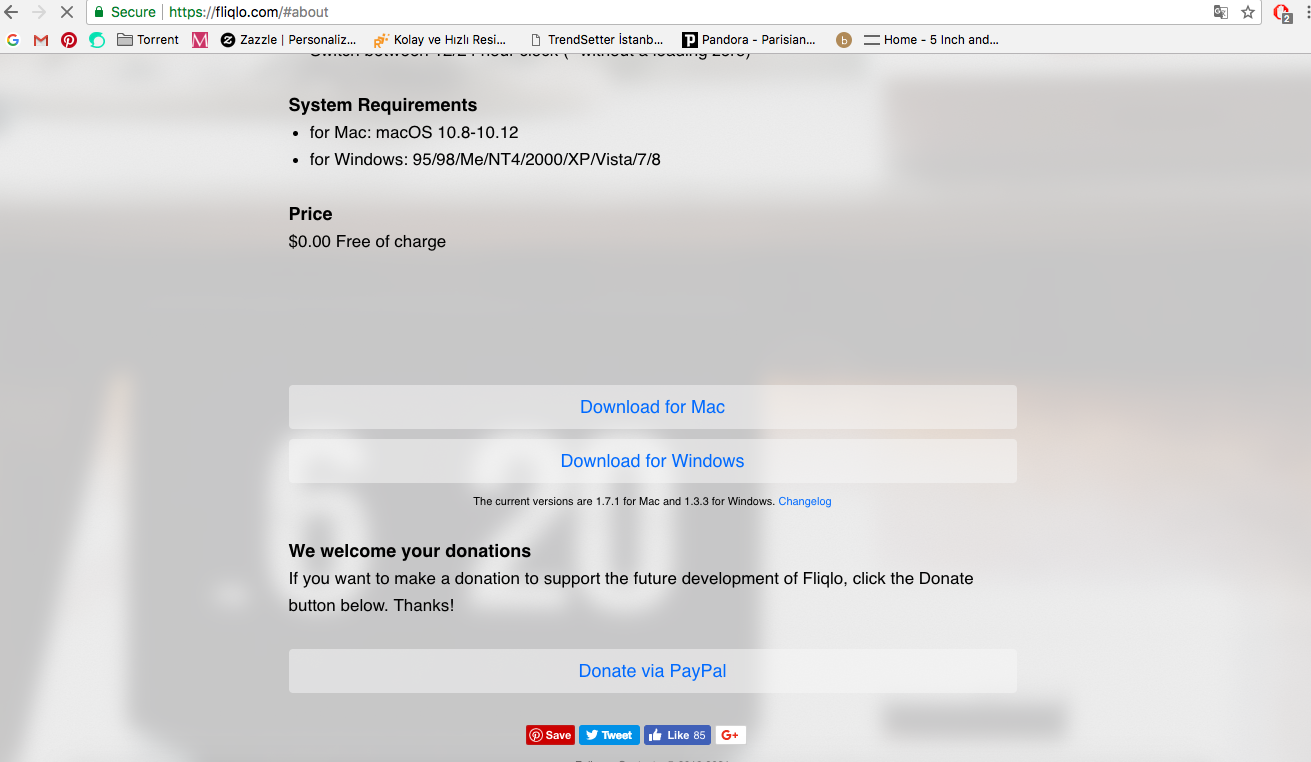
Download For Mac
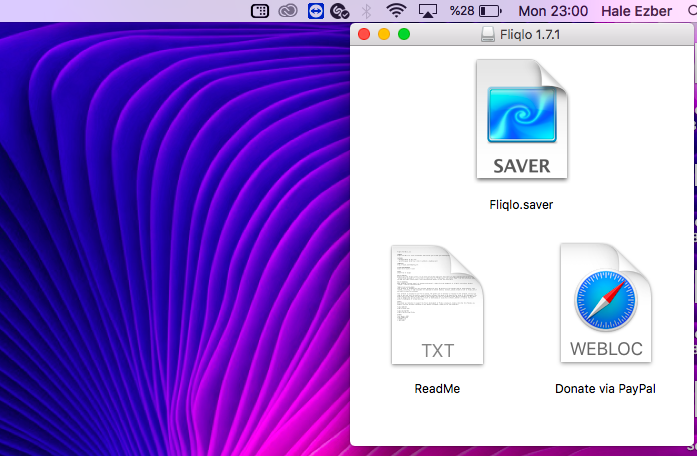
Click on "saver"
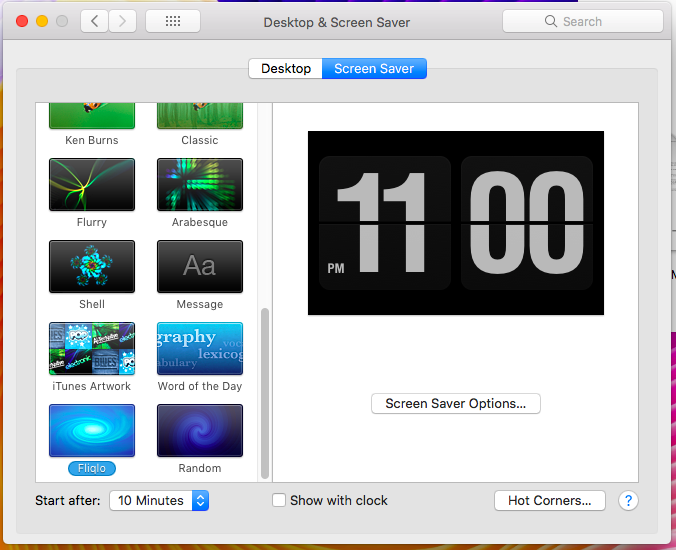
Click Fliqlo. that is all! :) I hope you find it useful.
See you!
