___  ___    _ _    _  _ _____   _____
 / __|/ _ \  | | |  | || |_ _\ \ / / __|
| (_ | (_) | |_  _| | __ || | \ V /| _|
 \___|\___/    |_|  |_||_|___| \_/ |___|

 --- A GOPHER-LIKE INTERFACE FOR HIVE BLOCKCHAIN ---

Cashing Out on Snapcart

BY: @klborillo | CREATED: Nov. 22, 2018, 10:55 a.m. | VOTES: 47 | PAYOUT: $0.15 | [ VOTE ]

>Snapcart is a cashback app that incentivizes consumers to take photos of their receipts in exchange for rewards. -crunchbase

I've been using Snapcart for a few months now. I usually take pictures of receipts of my groceries and things I buy from 7eleven. There are several receipts that are allowed on Snapcart: receipts for groceries, medicine and cosmetics; the receipt should be printed, not handwritten; it should be from your own country; should be not more than 3 days from transaction. Someone I know even snap his receipts from Starbucks. It only takes seconds to snap your receipt.

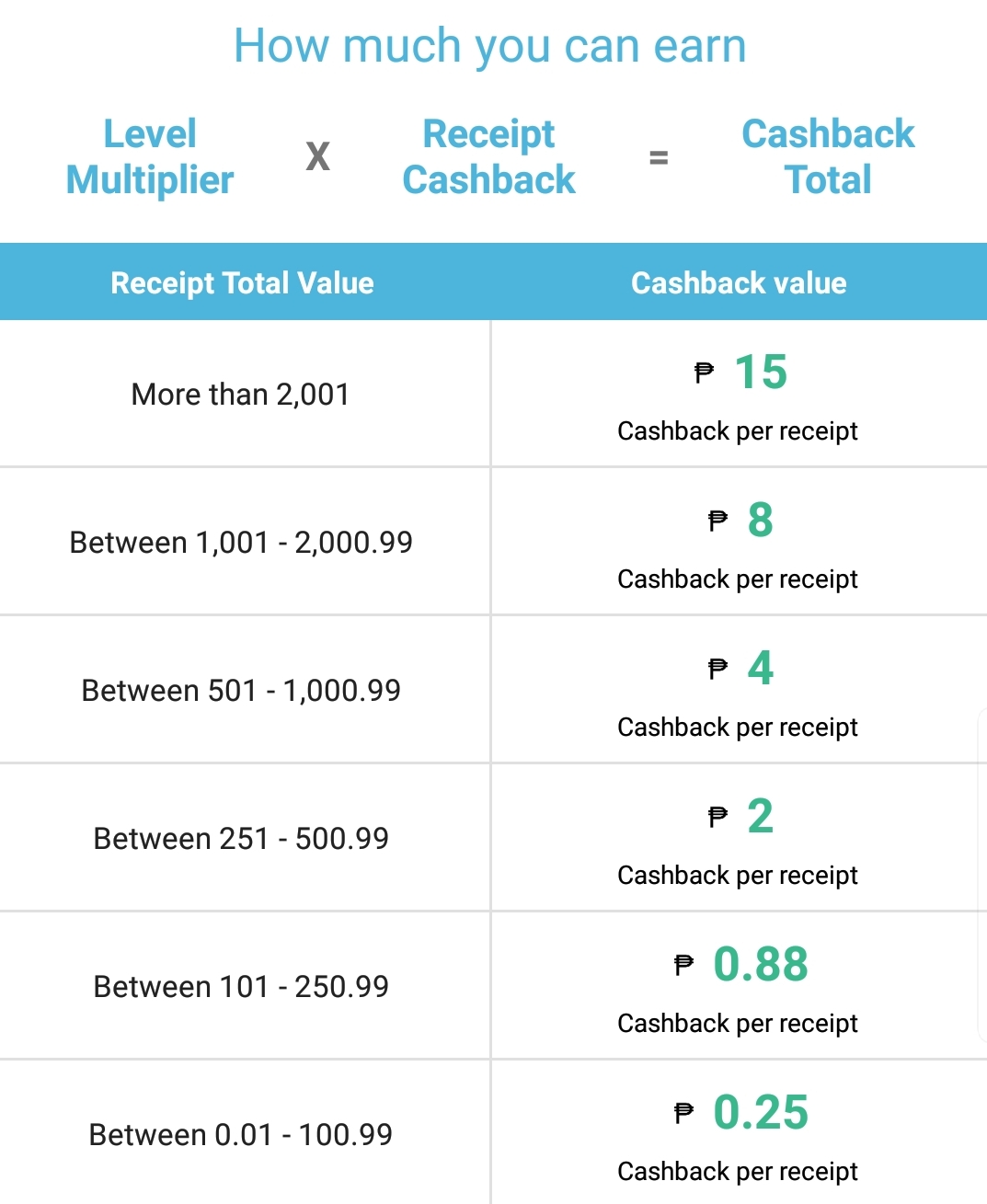
Your receipt value have a corresponding cashback value. Here's the rate.
[IMAGE: https://cdn.steemitimages.com/DQmYNv95YWTVZXFtx6Hmo8TNuNtFxHtNhqnuMzWUoCau2CQ/Screenshot_20181122-181234_Snapcart.jpg]
It's my first time cashing out on Snapcart and I want to share how I did it. It wasn't complicated and anyone can do it easily without reading this. 😂

How to Cash out on Snapcart
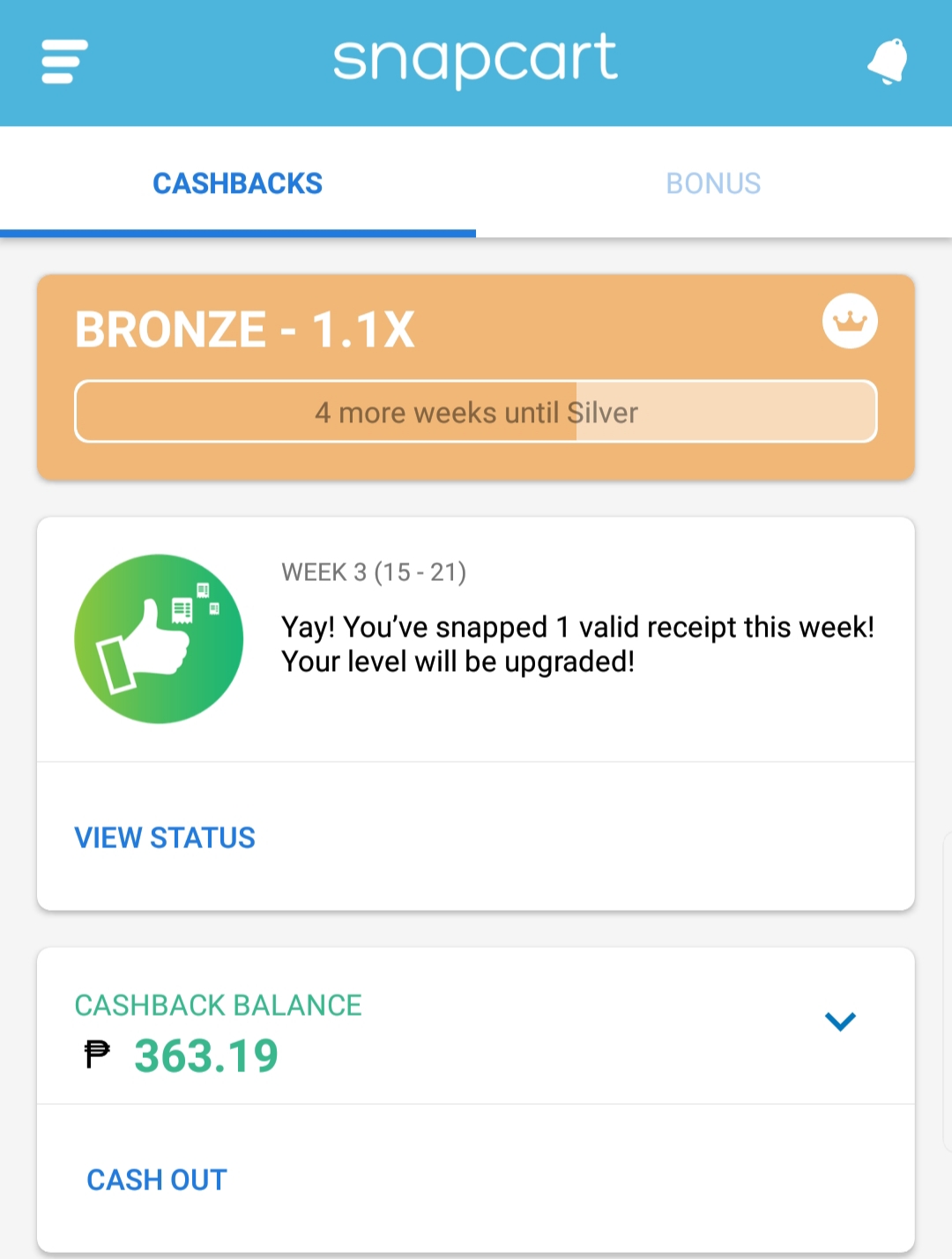
1. Open your Snapcart app then click Cash out
[IMAGE: https://cdn.steemitimages.com/DQmdKmd5g8bug6r79ZxX9StqFcF7ragyr7eQAnKP8MzwVFx/20181121_150230.jpg]
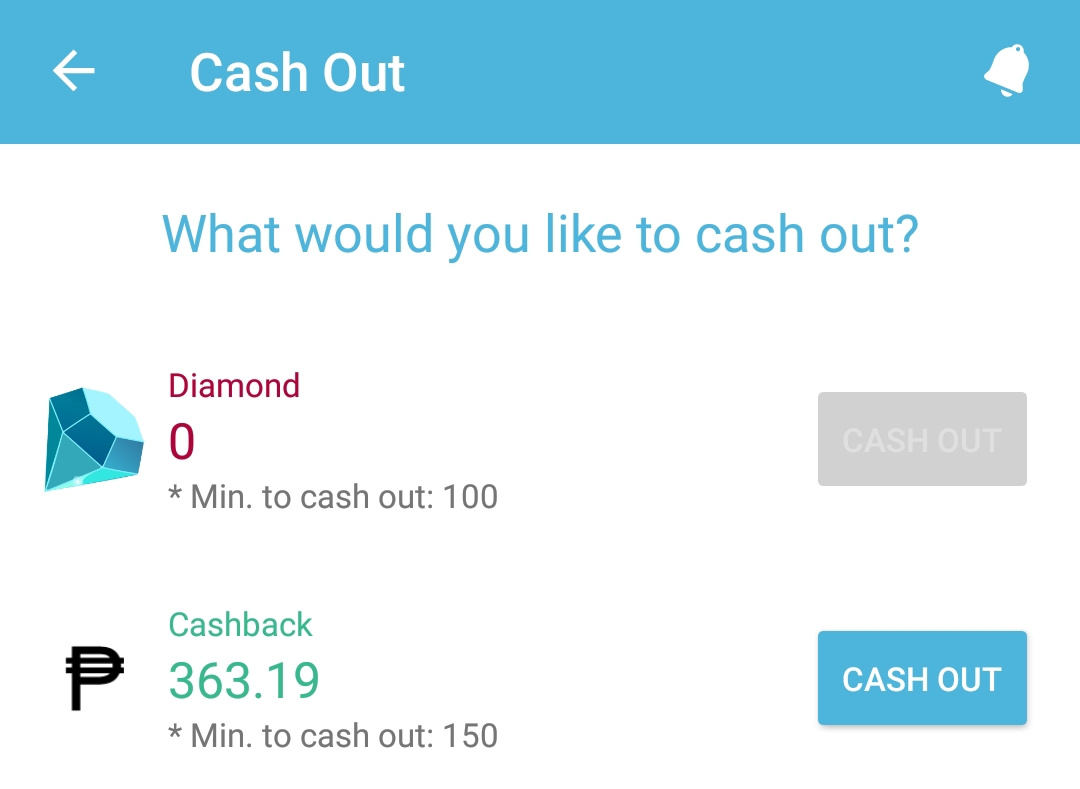
  1. You'll be asked which one to cash out, , click 'Cash out' beside 'Peso'
    [IMAGE: https://cdn.steemitimages.com/DQmP8wNJwEFHkCXbzryUZQk8TwxrurAN79iKTfD2PZZgCj1/20181121_150253.jpg]

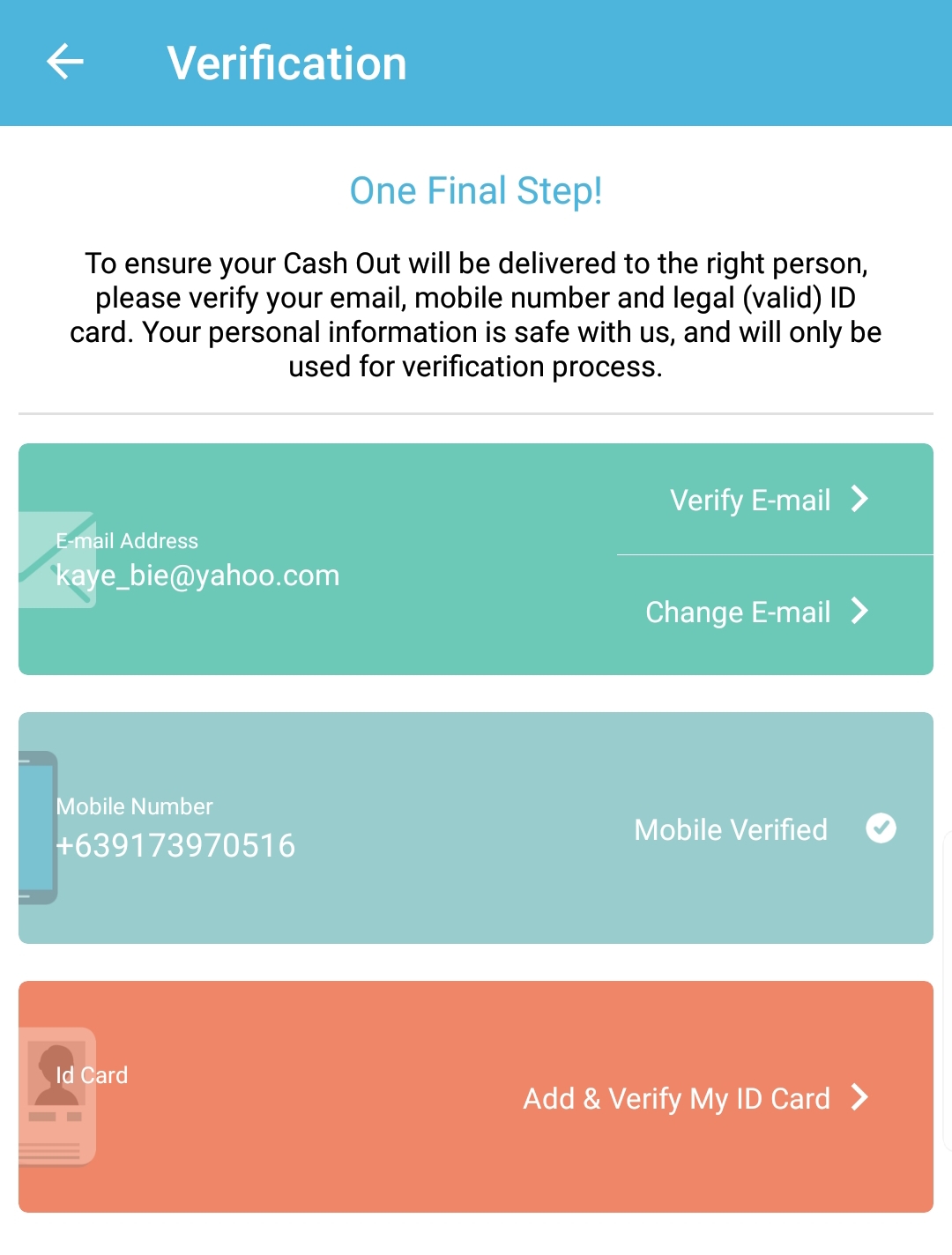
  2. Finish all verification process
    [IMAGE: https://cdn.steemitimages.com/DQma6AK5mruwFiWq6DLVw385jn4yH3eJMJMj2SHEMyEqpFv/20181121_150336.jpg]

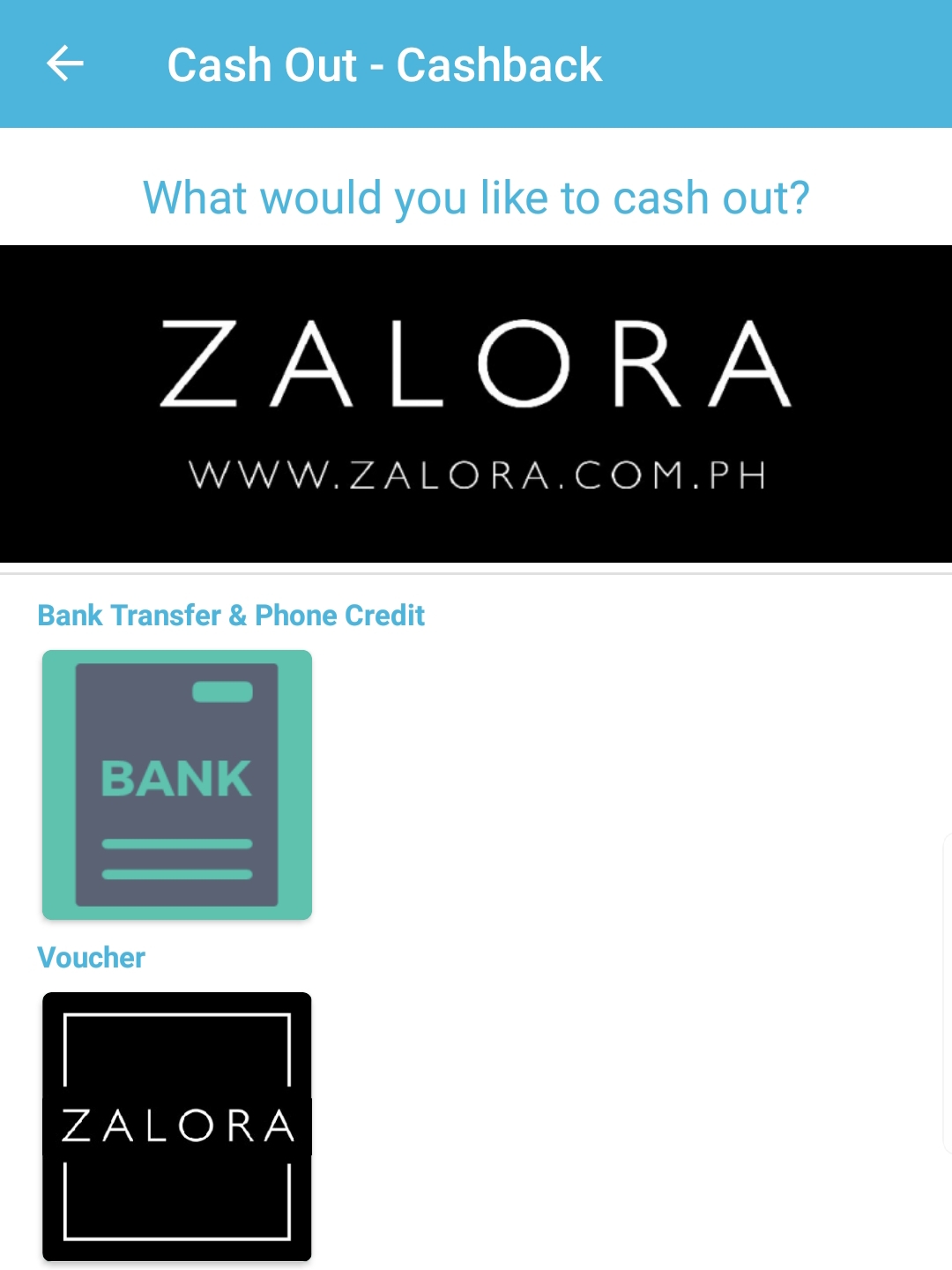
  3. Click 'Bank Transfer & Phone Credit'
    [IMAGE: https://cdn.steemitimages.com/DQmT8iJJtY5hsdZxieNn4aEFaVi2rmLg9JhbVSSTraaFtRE/20181121_150400.jpg]

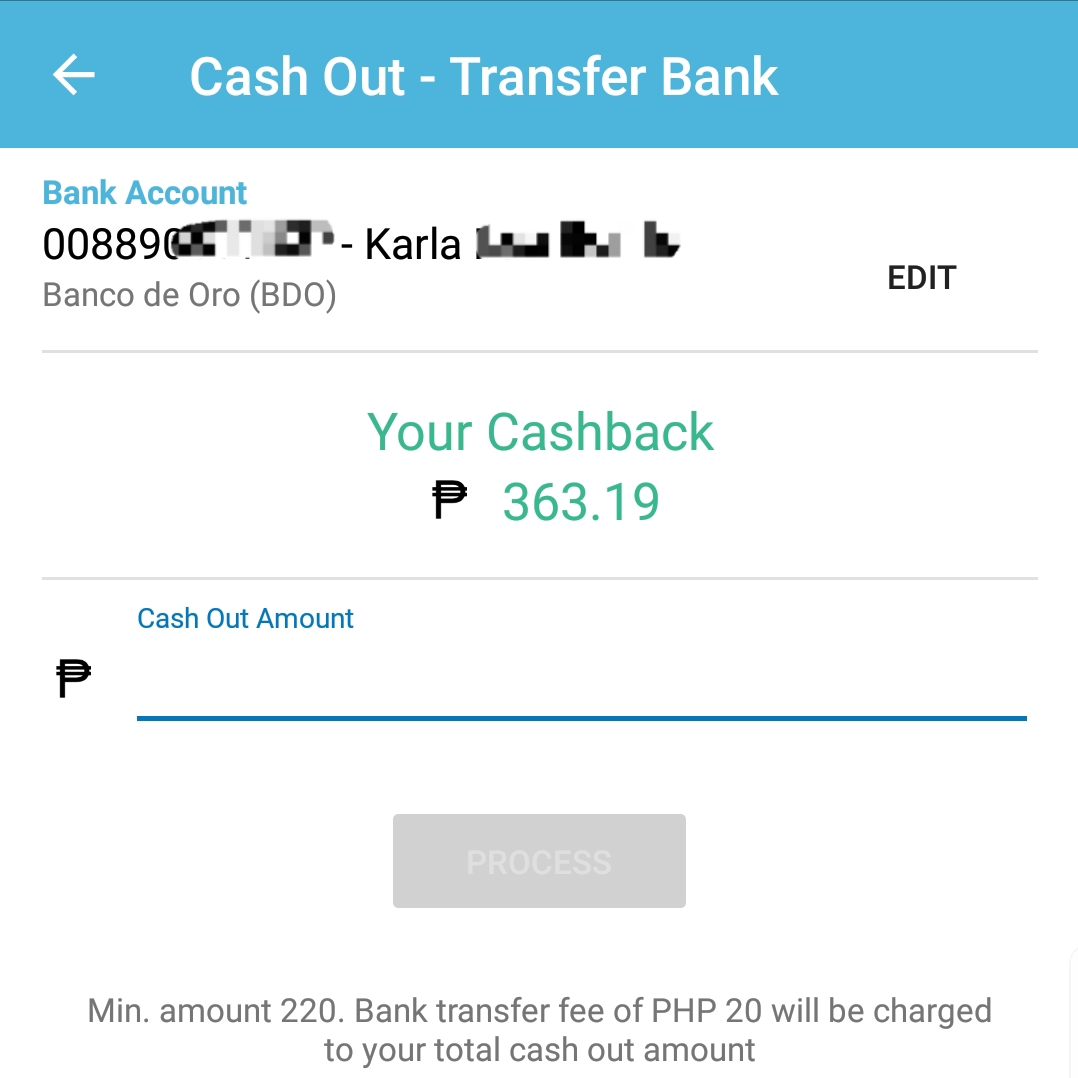
  4. Place your bank account details and the amount that you want to cash out, then click 'Process'
    [IMAGE: https://cdn.steemitimages.com/DQmQicCJ6eRbuXtfs1wPHUYHALHt1LbDh222gKUZJvKvfdZ/20181121_150534.jpg]

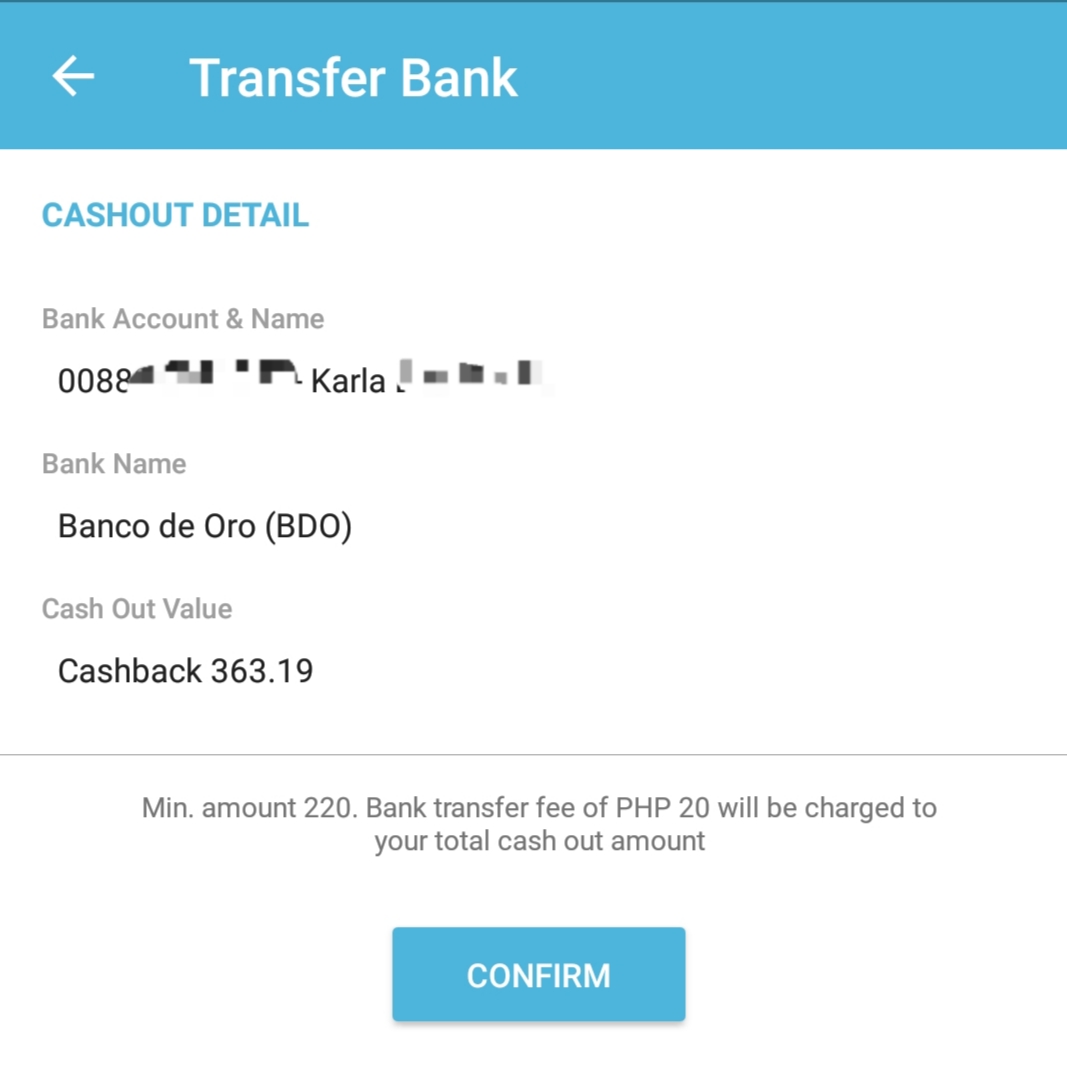
  5. Check cash out details then click 'Confirm'
    [IMAGE: https://cdn.steemitimages.com/DQmWQu1uVs3fsyYX8M19F2E9YbE3d5zEmCzQ6SfLUabpw35/20181121_150613.jpg]

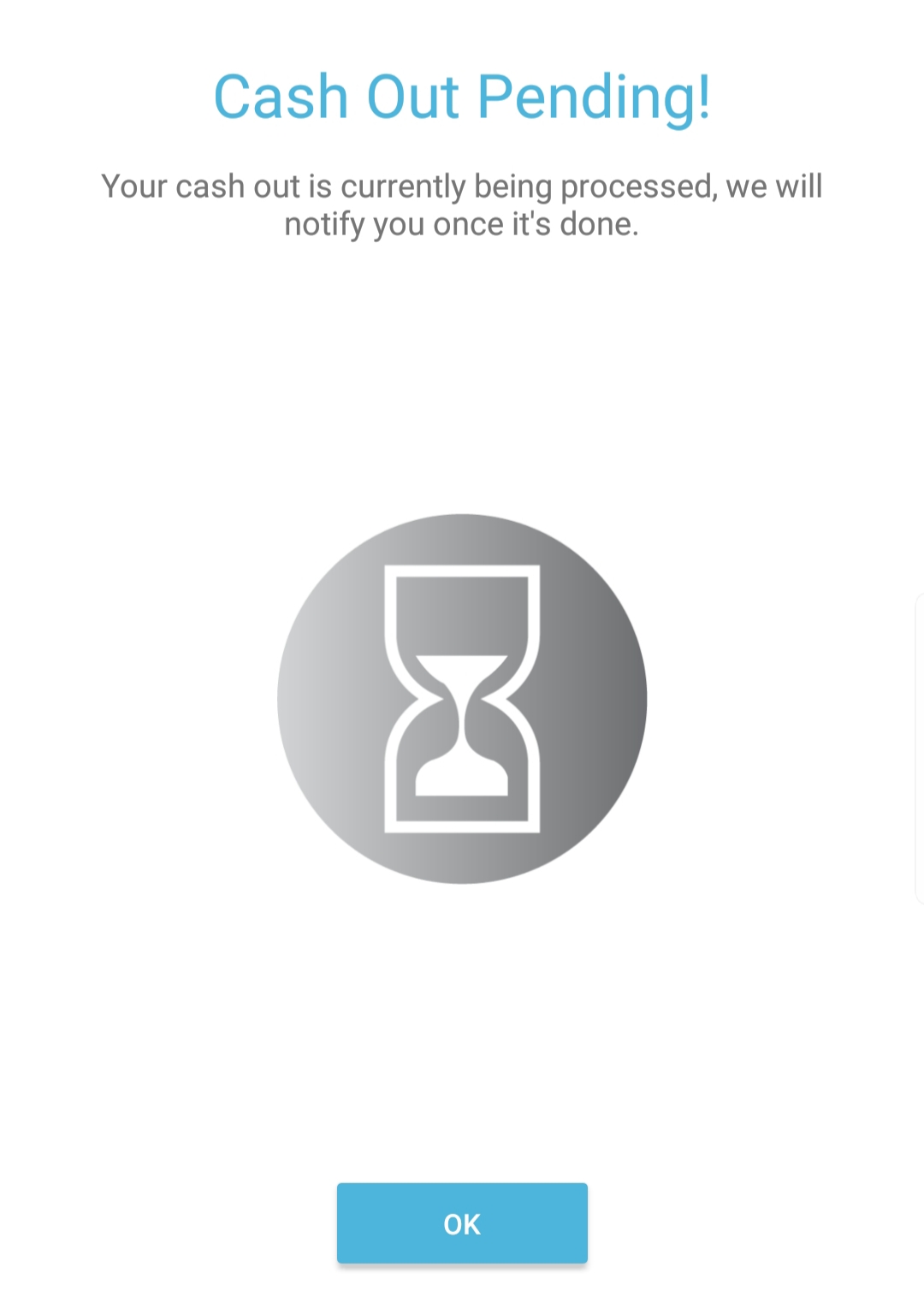
  6. You'll see this "Cash Out Pending!". Just click 'OK' then wait for your money to get transferred to your bank account.
    [IMAGE: https://cdn.steemitimages.com/DQmcuN3Yq6Y8U33qvttiDdoaFRZL5WWvrAttPMWV9BhUCUb/20181121_150641.jpg]
I did this process yesterday and got notified today that my cash out completed.
[IMAGE: https://cdn.steemitimages.com/DQmXPbBkmSzkq3GMysyaRaex5EvUtecbPmPxpYMJYPwTca5/20181122_180530.jpg]
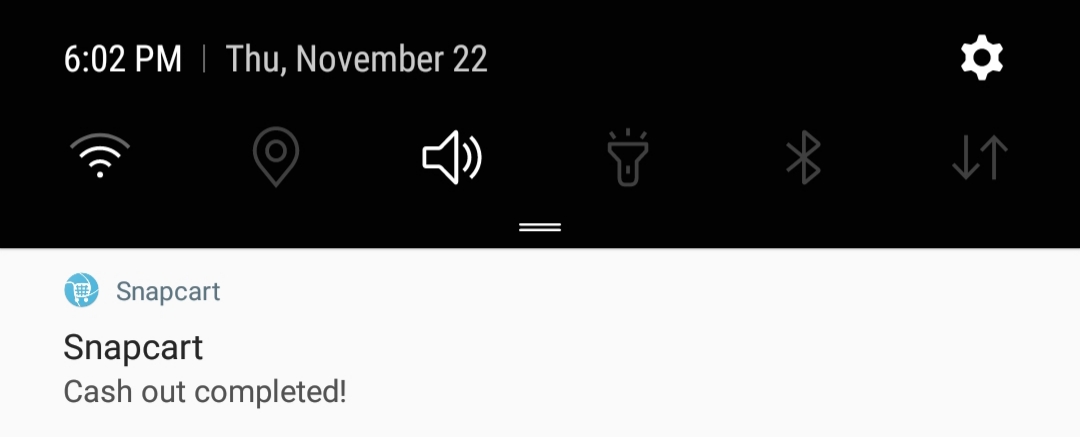
I check my BDO account through their mobile app to see if I really got the money. Yes, I received it. I can buy a whole pizza with this. :)
[IMAGE: https://cdn.steemitimages.com/DQmQZgwykSrb5morsR7SHWeRVpWz2soXvbXJX1GRkjau5ir/20181122_180610.jpg]
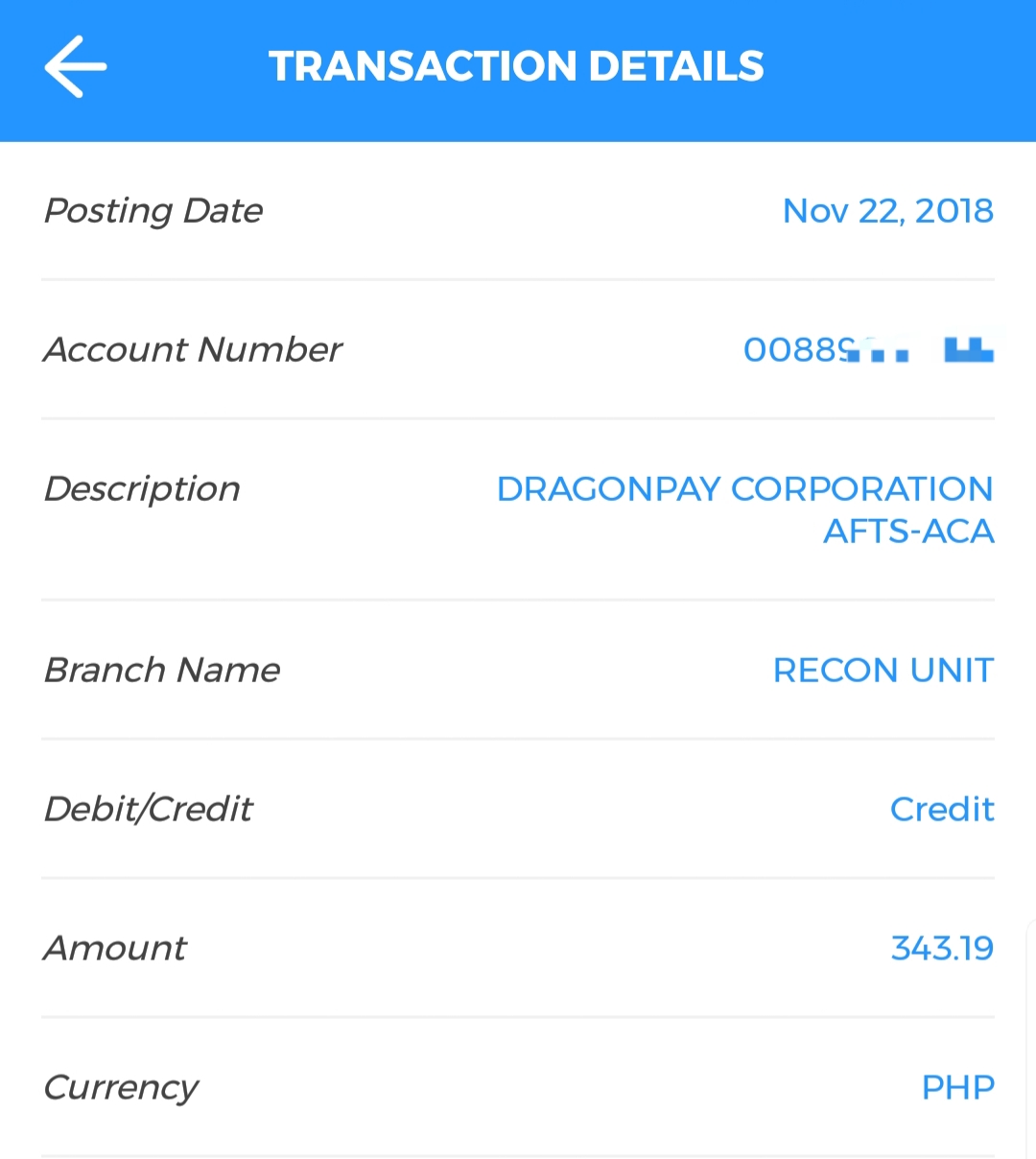
Let me know if you're using this app as well and how was your experience cashing out. What did you buy with the money you cashed out? :)

TAGS: [ #snapcart ] [ #cashback ] [ #money ] [ #philippines ] [ #untalented ]

Replies

@minnowsupport | Nov. 23, 2018, 2:46 p.m. | Votes: 0 | [ VOTE ]

Congratulations! This post has been upvoted from the communal account, @minnowsupport, by klborillo from the Minnow Support Project. It's a witness project run by aggroed, ausbitbank, teamsteem, someguy123, neoxian, followbtcnews, and netuoso. The goal is to help Steemit grow by supporting Minnows. Please find us at the Peace, Abundance, and Liberty Network (PALnet) Discord Channel. It's a completely public and open space to all members of the Steemit community who voluntarily choose to be there.
If you would like to delegate to the Minnow Support Project you can do so by clicking on the following links: 50SP, 100SP, 250SP, 500SP, 1000SP, 5000SP. Be sure to leave at least 50SP undelegated on your account.

@steemitboard | March 3, 2019, 9 p.m. | Votes: 0 | [ VOTE ]

Congratulations @klborillo! You have completed the following achievement on the Steem blockchain and have been rewarded with new badge(s) :

https://steemitimages.com/60x70/http://steemitboard.com/@klborillo/votes.png?201903031949You made more than 8000 upvotes. Your next target is to reach 9000 upvotes.

Click here to view your Board
If you no longer want to receive notifications, reply to this comment with the word STOP

Do not miss the last post from @steemitboard:

Carnival Challenge - Collect badge and win 5 STEEM

Vote for @Steemitboard as a witness and get one more award and increased upvotes!
@steemitboard | Oct. 9, 2019, 8:45 a.m. | Votes: 0 | [ VOTE ]

Congratulations @klborillo! You received a personal award!

https://steemitimages.com/70x70/http://steemitboard.com/@klborillo/birthday2.pngHappy Birthday! - You are on the Steem blockchain for 2 years!

You can view your badges on your Steem Board and compare to others on the Steem Ranking

Do not miss the last post from @steemitboard:

The new SteemFest⁴ badge is ready

Vote for @Steemitboard as a witness to get one more award and increased upvotes!
@steemitboard | March 7, 2020, 4:40 p.m. | Votes: 0 | [ VOTE ]

Congratulations @klborillo! You received a personal award!

https://steemitimages.com/70x70/http://steemitboard.com/@klborillo/community.pngThank you for the witness votes you made to support your Steem community and for keeping the Steem blockchain decentralized

You can view your badges on your Steem Board and compare to others on the Steem Ranking

Do not miss the last post from @steemitboard:

Downvote challenge - Add up to 3 funny badges to your boardUse your witness votes and get the Community Badge

Vote for @Steemitboard as a witness to get one more award and increased upvotes!
[ BACK TO TRENDING ] [ BACK TO MENU ]
CMD>