🎀 𝐻𝑒𝓁𝓁💙 𝐹𝓇𝒾𝑒𝓃𝒹𝓈 🎀
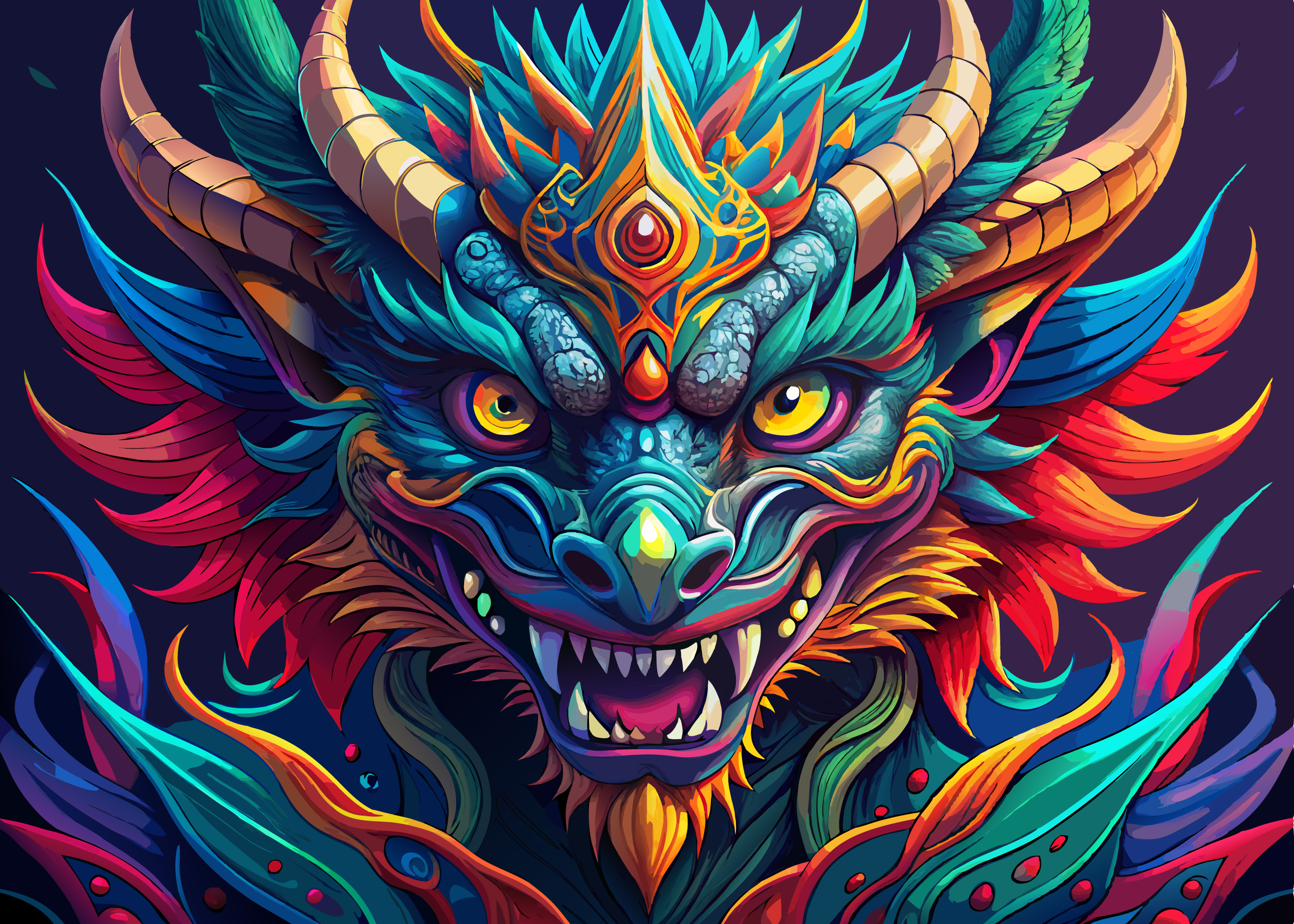
Salam/Adab, How are you all, I am very good, and I hope you are also good by the grace of God. Actually, I really like doing digital art, I am a professional graphics designer. I found this committee and expressed my interest in doing art here. So today, I am bringing myself here with a great dragon art among you. I mainly do art with Adobe Illustrator software. So today I will try to highlight each step of the art with my Adobe status. So friends, see each step I have given and finally see my final output I hope you like it and if you like it, comment and support me.
[IMAGE: https://images.hive.blog/DQmUUr8NknET7hJ3f5wyEdz4Fdge8k8kmFbekQv3GBVGy2Z/Dragon-Art.jpg]
🎨 Ingredients🎨
𝐀𝐝𝐨𝐛𝐞 𝐢𝐥𝐥𝐮𝐬𝐭𝐫𝐚𝐭𝐨𝐫
I HAVE SHOWN THE STEPS OF ART
[IMAGE: https://images.hive.blog/DQmQF6Eq22GTe6NMDZYk3ykHkVruMMmCjvrx6kfUD2D5hpX/0%20(1).png]
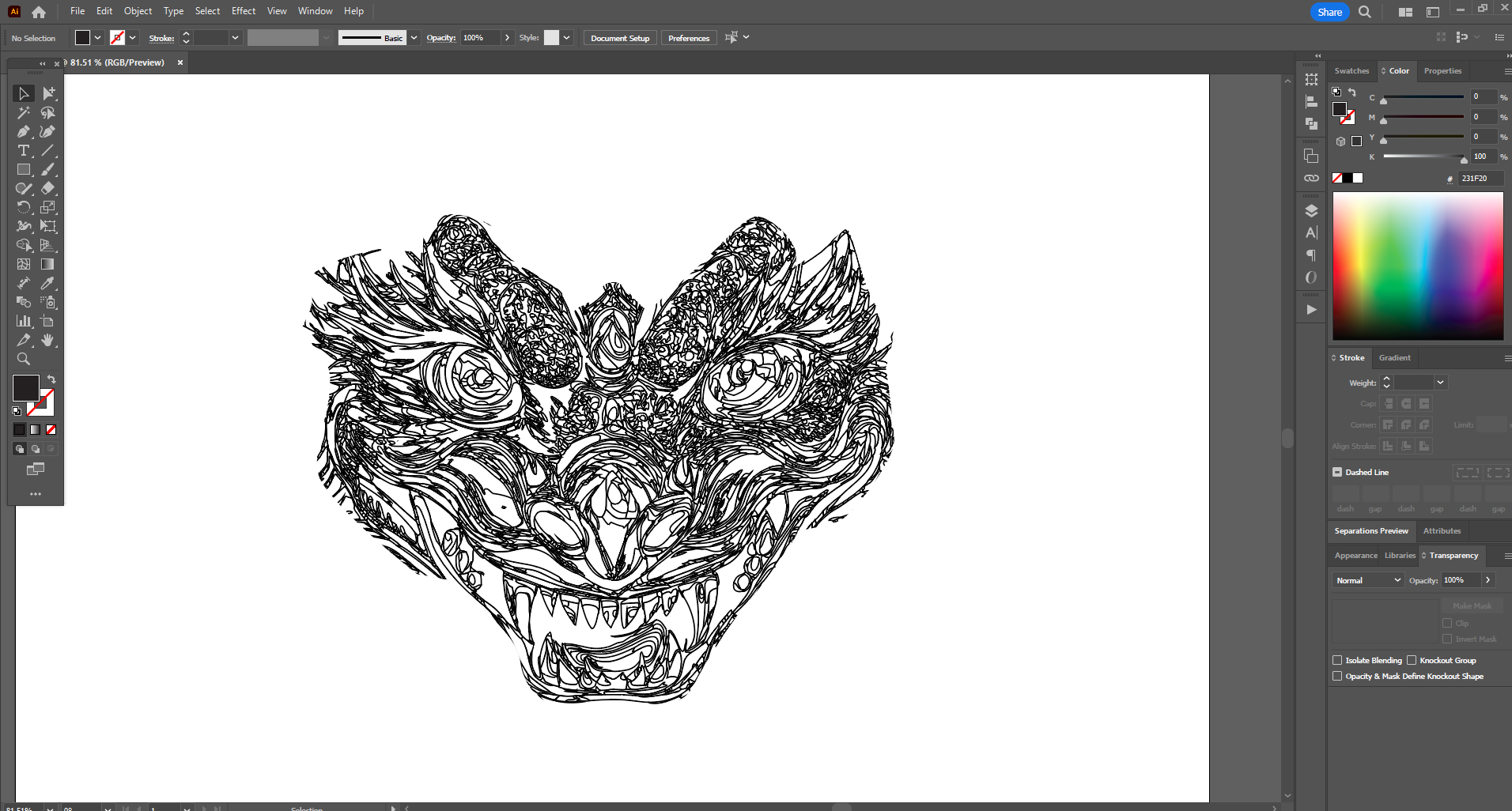
In the beginning, I drew the two terrible eye lines of the dragon and drew different fatten lines inside the eyeballs which will help in coloring the eyes later and make it attractive.
.png)
[IMAGE: https://images.hive.blog/DQmNWaEPRDiWGaxuAErhrPZv8LjgAPnZx6exSkVoR35FCt3/0%20(2).png]
In this step, I drew the vector line of the nose between the eyes in the art, and then I drew some more fold vector lines on both sides of the nose. Next, I drew the vector lines of the tongue and the lines of the many small and large teeth in the middle of the dragon's gaping mouth.
.png)
[IMAGE: https://images.hive.blog/DQmQTTzBBiPQKsPRLMiVtoiaf7pbYJbok4FKCbHtb6F3Xsg/0%20(3).png]
Then I drew the lines of the eyebrows that curled up above the dragon's terrible eyes. I basically drew them from both sides of the eyes evenly on both eyes. Then I drew some more parts on both sides of the face with lines, which increased the shape of the face a little.
.png)
[IMAGE: https://images.hive.blog/DQmUoYE7aEsqzyaXon7eD7zuY2CP2kmLvdP9tEMHHHrYTd1/0%20(4).png]
In this step, I drew many vector lines that looked like leaves on both sides of the dragon's face. Then I drew a terrible moon on the forehead. Then I drew some more lines like sharp fur on the top of the head. In between, I drew some lines of horns evenly on both sides of the head. I made the horns curved, which looks very scary.
.png)
[IMAGE: https://images.hive.blog/DQmcdy7eUh96MC4ehNxZSTs2XX1rAdZsLZWV971rMquvvuK/0%20(5).png]
In this step, I basically drew some parts of the dragon's neck and some of the body and drew vector lines of a terrible imaginary costume on the body. So far, I have drawn many lines and boxes, which I will start coloring little by little in the next steps.
.png)
[IMAGE: https://images.hive.blog/DQmdLAwr9okDHxnE6GEXJ9PLnKQNUHjdkSuxB35zoSV44V5/0%20(6).png]
After drawing each line and box of the dragon's face, I started coloring. First, I made a color combination between the two scary eyes, then I colored some small shadows on both sides of the eyes, and then I colored the middle of the wrinkled scary nose.
.png)
[IMAGE: https://images.hive.blog/DQmSpon6yfyuq4LYnys1icNzcJgQwXTYEB7MHcLcwMuGW75/0%20(7).png]
In this step, I colored the eyebrows on top of the dragon's scary eyes. I basically did this color on both sides of the eyes evenly. Then I did some more wrinkled and scary color combinations and color settings on both sides of the nose.
.png)
[IMAGE: https://images.hive.blog/DQmSCddm56LYEwcojVq2d9GNh7REENBzpFv5v5GU6rZKx6t/0%20(8).png]
In this step, I colored the middle of the scary mane on the dragon's forehead and colored a wrinkled and scary part starting from the eyebrow in the middle of the eyes. Then I colored the scary lips under the nose. Then I colored the scary teeth inside the mouth. Then I colored the middle of the tongue and colored them on both sides from under the lips.
.png)
[IMAGE: https://images.hive.blog/DQmTc77DzBexoeeQ6Nbinb49rMmJLvnAQn487z4dttNb44k/0%20(9).png]
In this step, I set the color of some colorful lines and boxes on both sides of the dragon's face. These are basically the dragon's ears and I set the color in them. Then I set the color in the curved horns drawn on the dragon's head. Then I set the color in different colors between the other lines and boxes drawn on the dragon's head.
.png)
[IMAGE: https://images.hive.blog/DQmQfeN87WRKF6fCv4LPfS5UpEqtvqhvxJ8ZCfh6esxgArA/0%20(10).png]
Finally, I colored the lines and boxes drawn on the dragon's neck. Then I colored the lines and boxes drawn on the dragon's body. Finally, I added a dark gradient background. Thus, I completed my colorful and scary digital art of the dragon's face today.
.png)
𝒇𝒊𝒏𝒂𝒍𝒆 𝒐𝒖𝒕𝒑𝒖𝒕
[IMAGE: https://images.hive.blog/DQmUUr8NknET7hJ3f5wyEdz4Fdge8k8kmFbekQv3GBVGy2Z/Dragon-Art.jpg]
❀Post❀ ❀Details❀
Category Digital-ART Device Desktop Computer Software Adobe Illustrator 2024 Artist @map1 Location Bangladesh𝐓𝐡𝐚𝐧𝐤𝐬 𝐄𝐯𝐞𝐫𝐲𝐨𝐧𝐞