[IMAGE: https://cdn.steemitimages.com/DQmf8KU3fquw6QKy2AVRoW5DiHSZS9yQuf6yxKzrb7zMz6N/ssssssd.jpg]

Repository
https://github.com/Mike-Baljinder-Singh/git-test
Next step What will we learn?
How to create new free hosting account?
How to open freenom account for domain?
Are We Done All Step?
Difficulty
beginner
Requirements
Prior basic internet website knowledge
Basic understanding of the domain and hosting
A desire to learn :)
First One : How to create new free hosting account?
that here I want to refer to byet.host hosting. this is easy use for interface and unlimited ad-free load balanced free web hosting service and bandwidth. if you don't understand this bandwidth.
that is link to learn here https://en.wikipedia.org/wiki/Bandwidth_(computing)
there are including PHP, MySQL, FTP, Vistapanel and more specially designed control panel in byet.host hosting.
also you can use the awesome Softaculous script installer inside the free hosting control panel. This great application installs over 333 of the most popular scripts such as Blogs, Photo Galleries, Online shopping carts, Social networks and much much more.
that great news for as us as beginner. so let start open new account. click the Sign up for free hosting under Free Hosting Menu in website or this link.
and fill the ensure subdomain name inbox your domain name not must include www and .com like this '' myfreedomain '' . next continue be fill password and your email.
and you can choose site category. I have choose with personal. write down inbox security code as give as. click on register. Let start look like below image!
[IMAGE: https://cdn.steemitimages.com/DQmSZhCEsNRbDVddzAjPRPEPizF2KjLhh9Yfyh9JVYJ83vn/Gif%2011.gif]
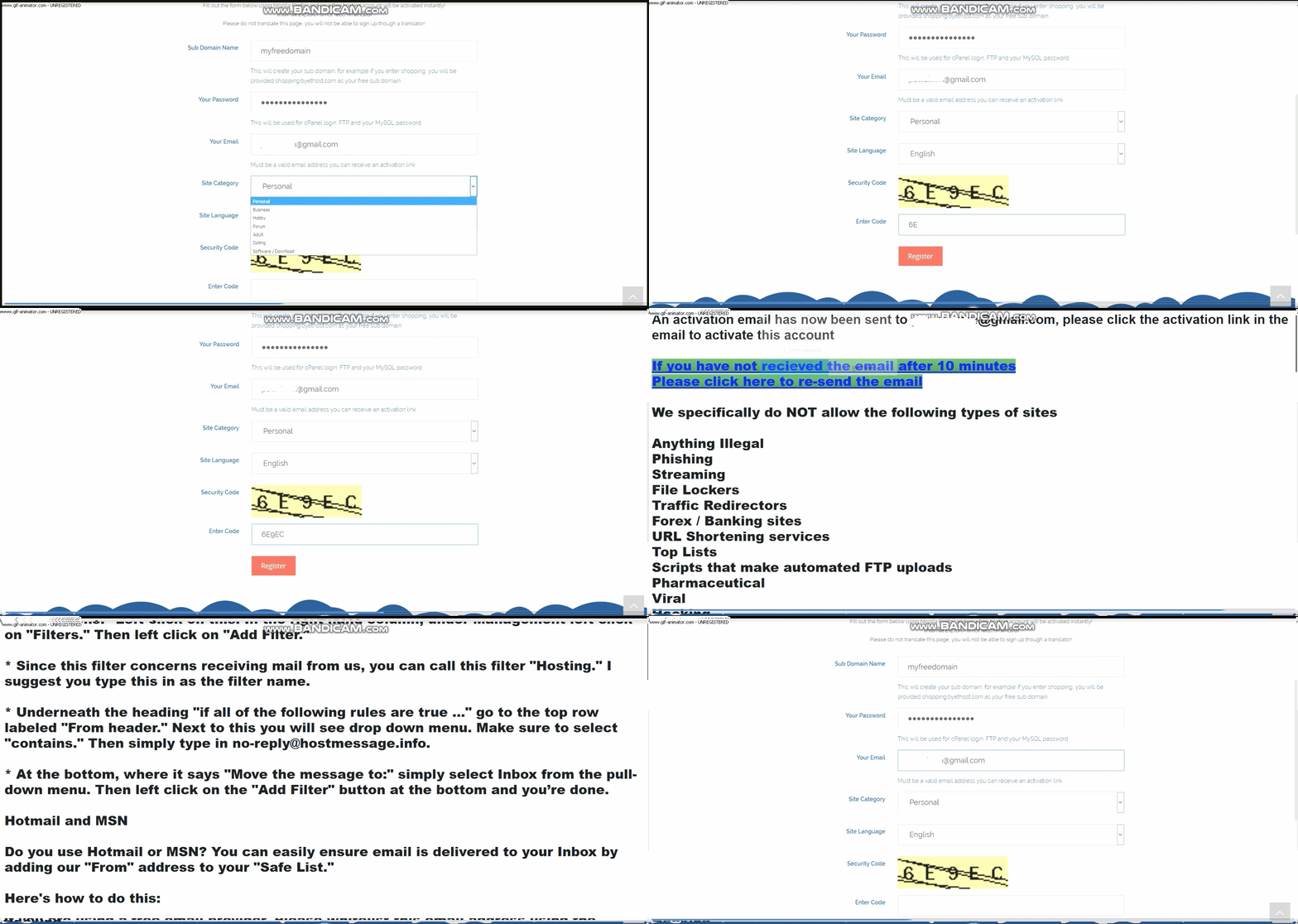
So they will sent to you an email for account comfirmation.
look to your in email or spam folder. look below image.
[IMAGE: https://cdn.steemitimages.com/DQmZY4M1Xz6Bfn1PS9wm1AZCTQonoNXRKgHaYVfcHNgFgKU/Steemit%20post%201.jpg]
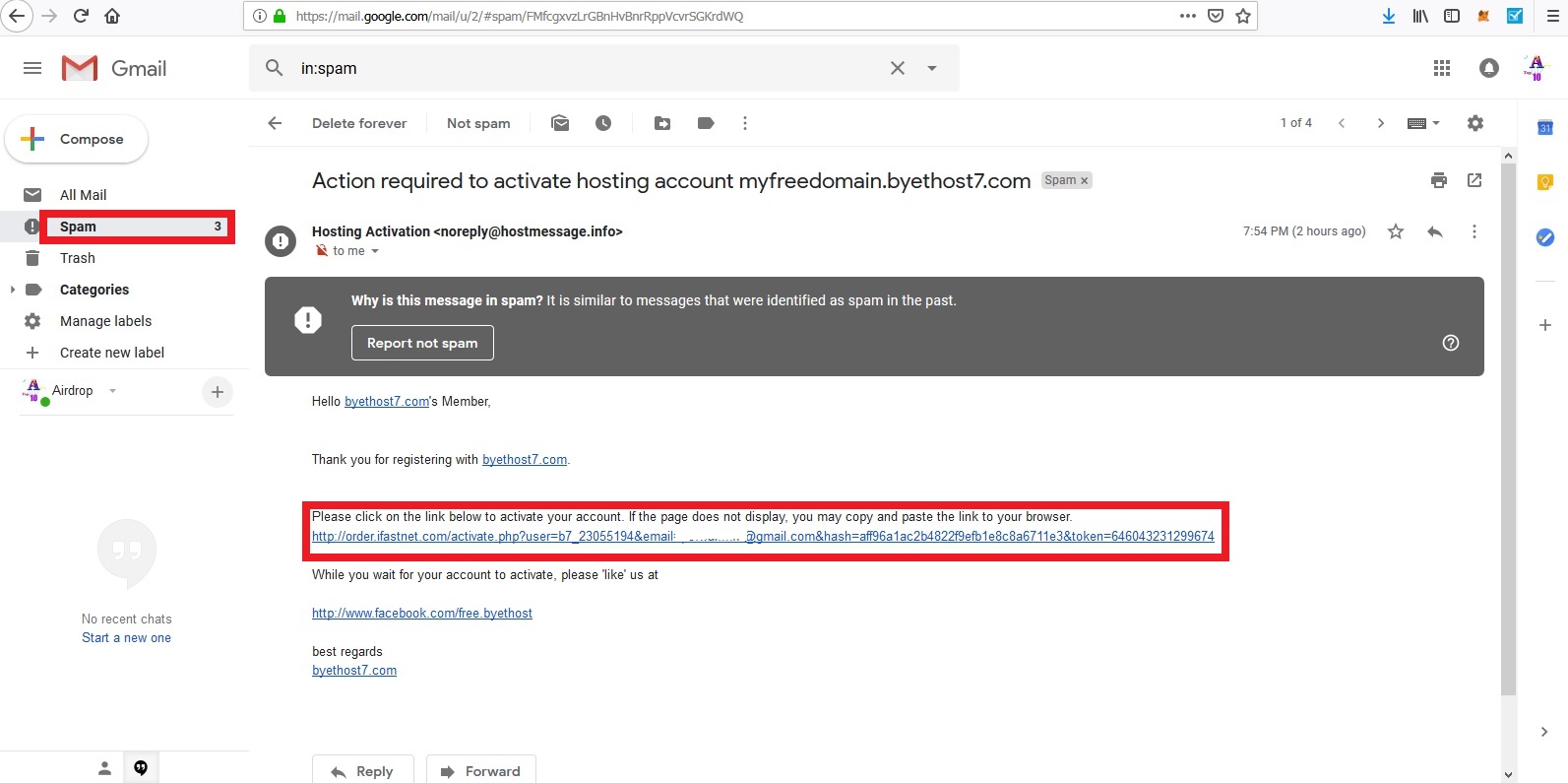
this is login information for your cpanel account and mysql,ftp onfo.if you can't see perfectly infomation on comfirmation link. they will sent to your inbox of email. there you can find it.
[IMAGE: https://cdn.steemitimages.com/DQmcL986ygnsNwB3B7sUZehwE2iBXDtU9cxpf2JwurdAEmr/Steemit%20post%204.jpg]
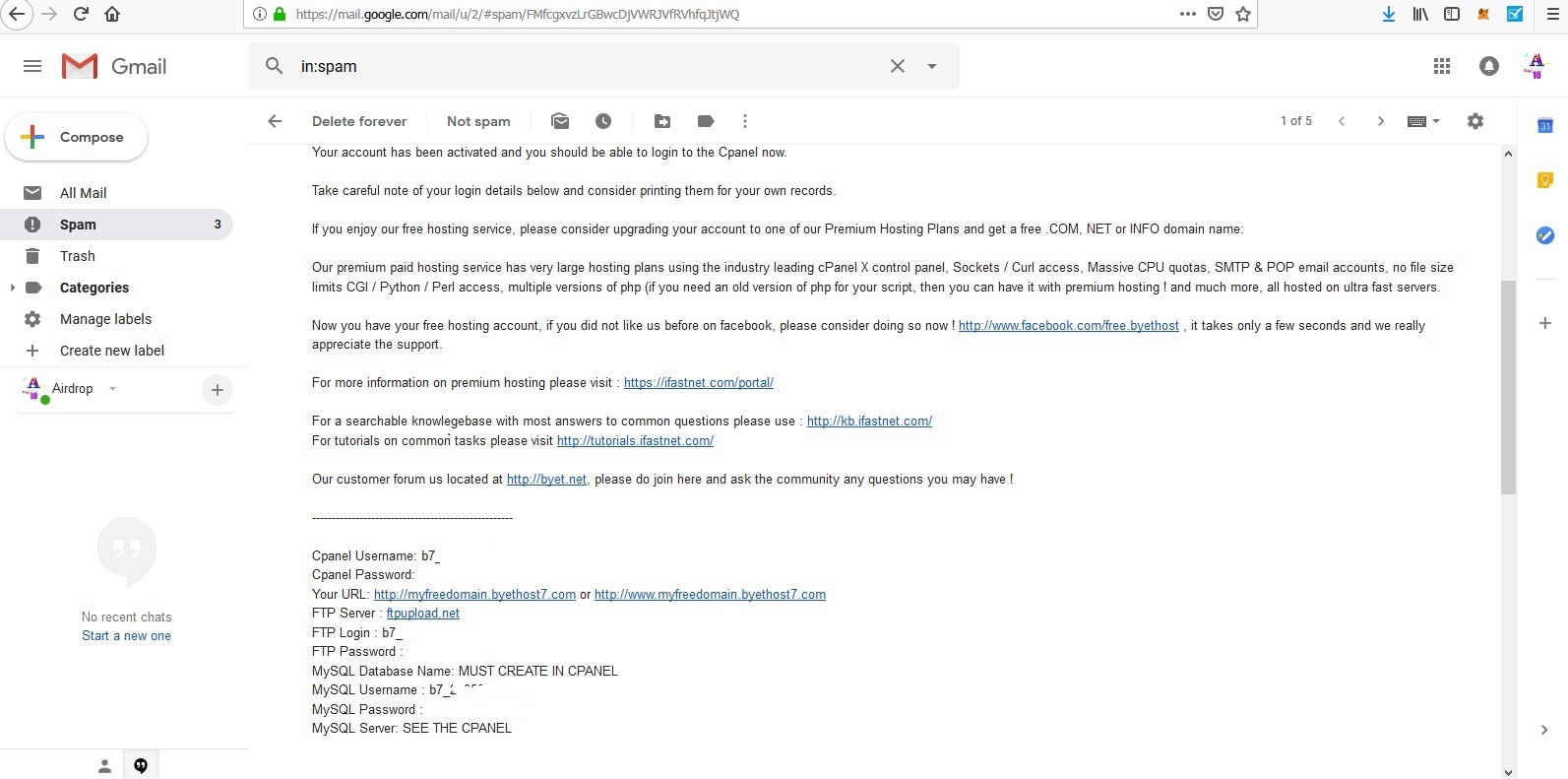
So we have one own free hosting account. that login to get for domain name server.
[IMAGE: https://cdn.steemitimages.com/DQmWHdmsDNemxQ1Hkan5ZHU9691VN1PHHdNfbkAEbZNeCp5/steemit%20post%205.jpg]
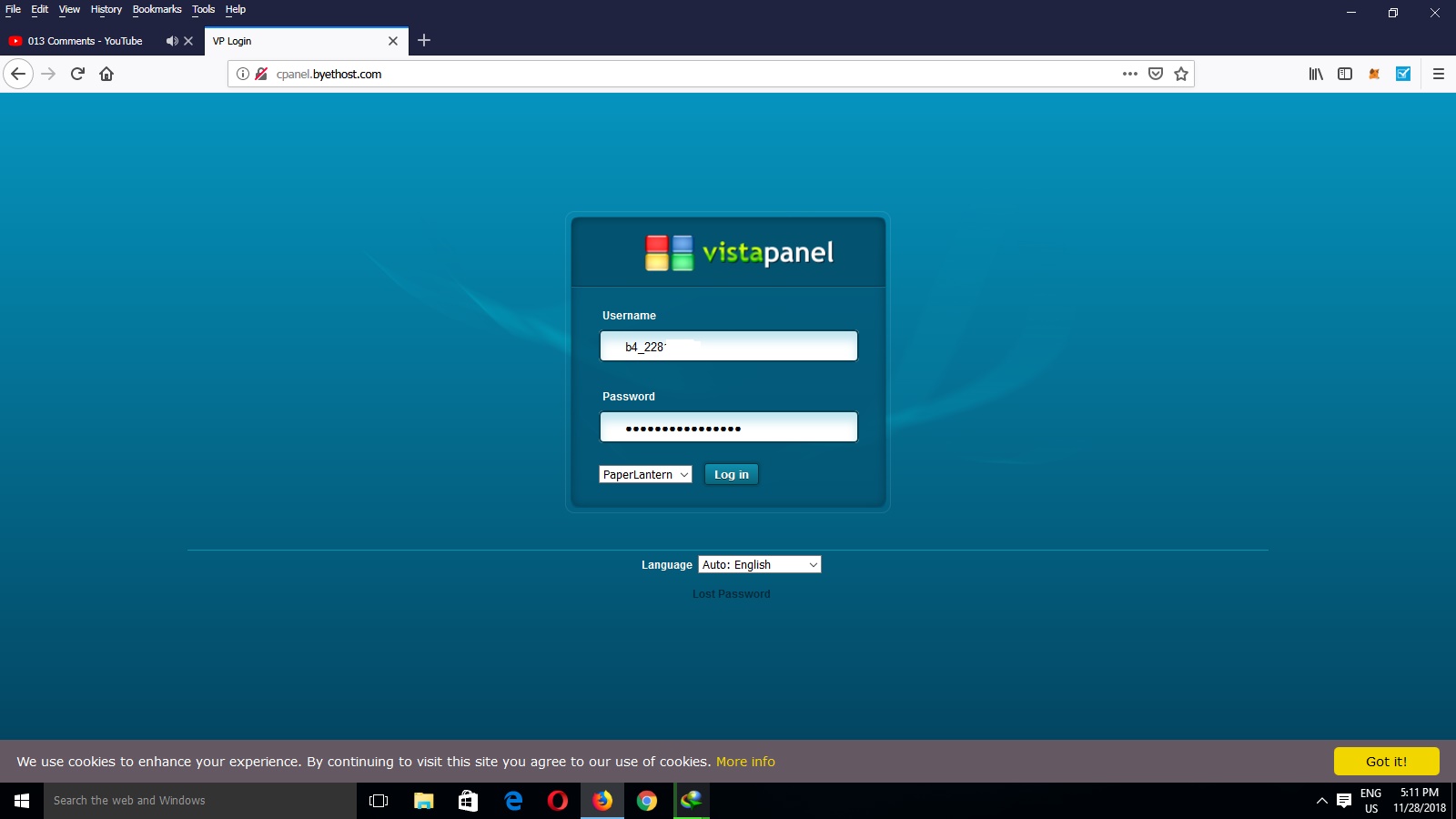
How to open freenom account for domain?
So let start we go next open free domain account. click to www.freenom.com and choose your domain name.
but it will not get same other people using domain name with which you choose domain name. so change your name so you will get perfectly as you like.so it ok as you like that click on check availability.
[IMAGE: https://cdn.steemitimages.com/DQmX3FN7MaCBKzg5vgMWinZFHGxKGaJPaHng7sxAhJy7LWb/steemit%20post%208.jpg]
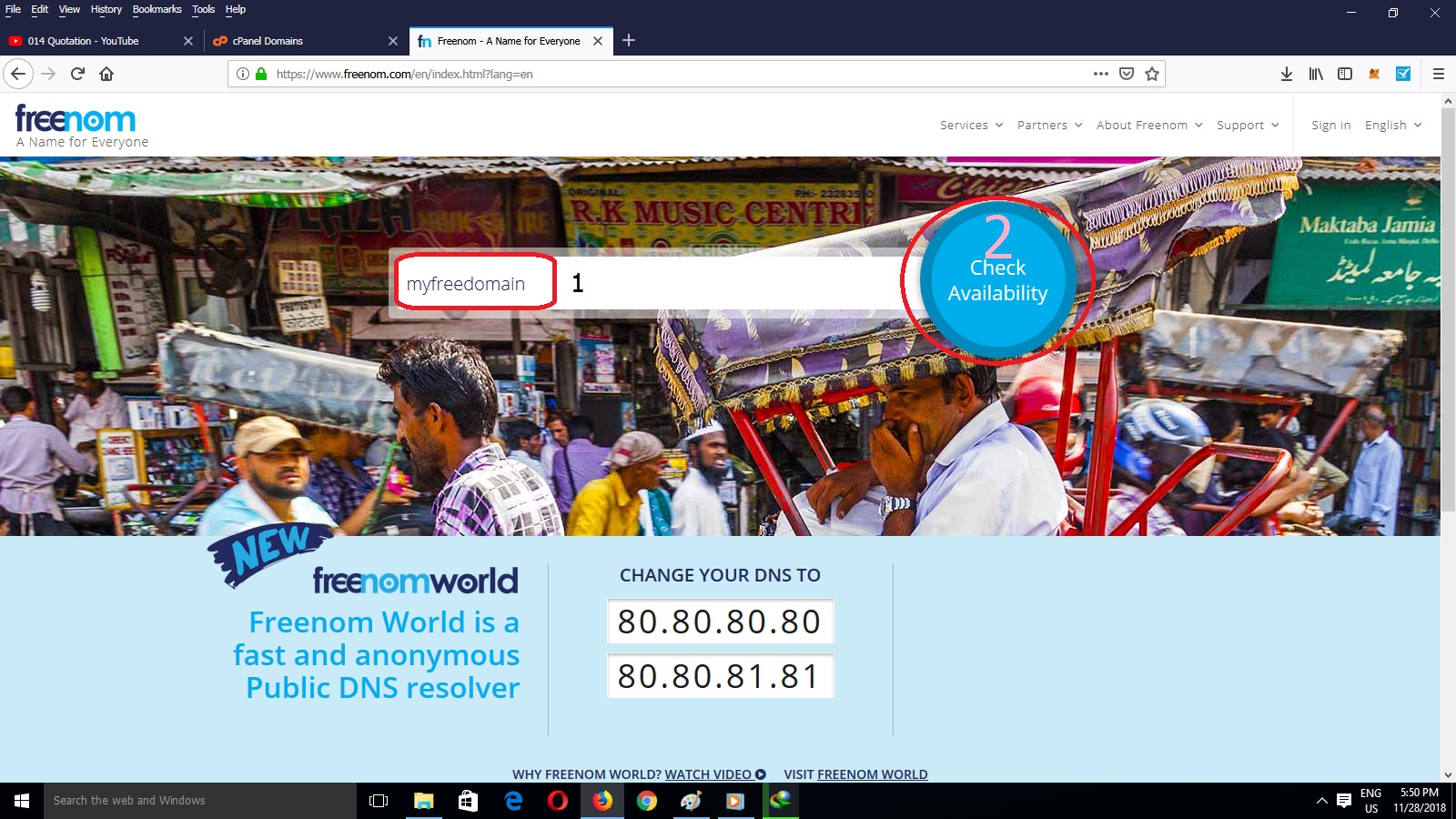
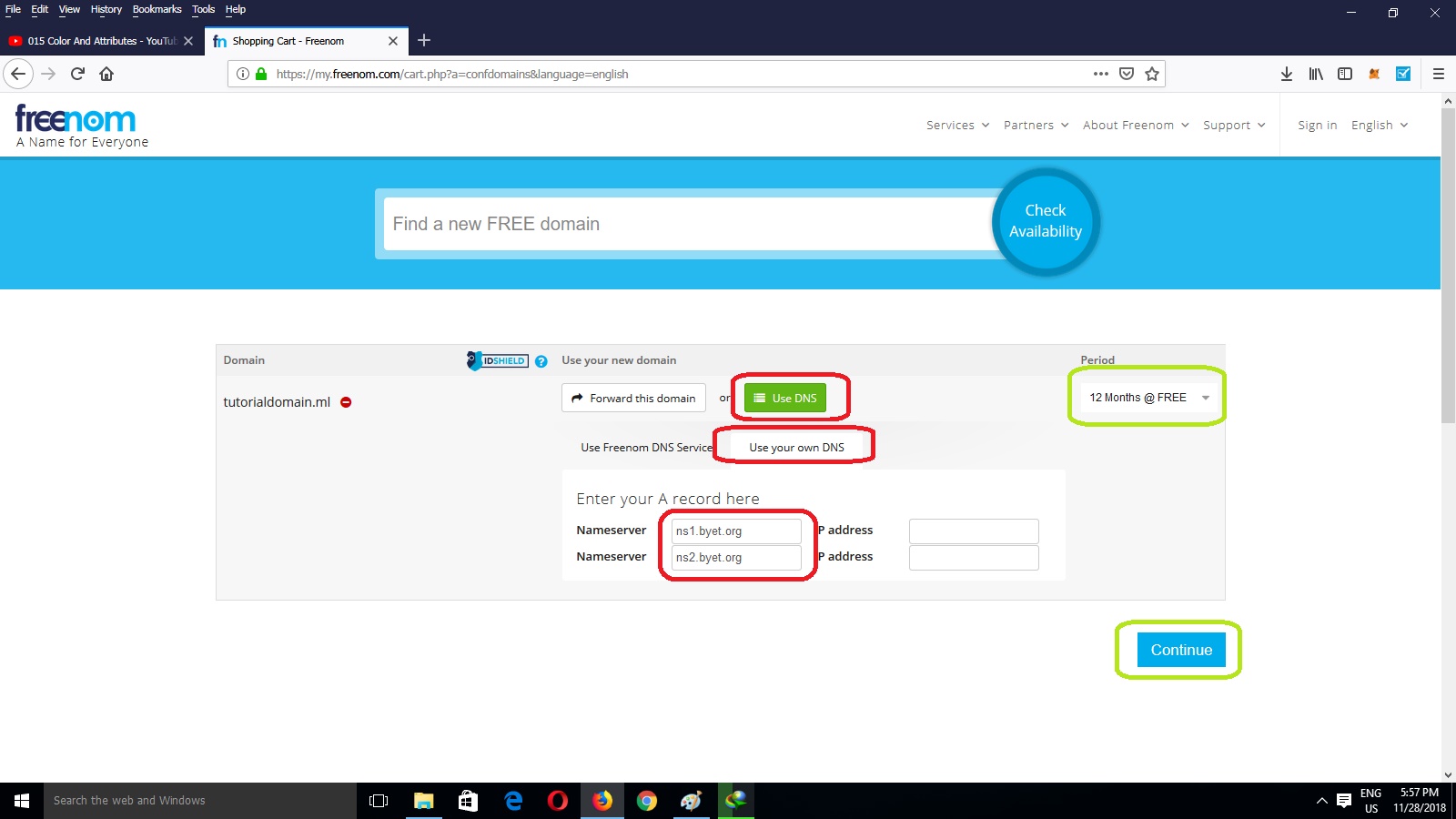
next step we have to check out their product domain.previous i was tell like this , be choose use DNS and
Use your Own DNs. so we need to name server. that is point to domain and hosting. choose period @12 Month free that is your easy for renewable. It Done click on
Continue
[IMAGE: https://cdn.steemitimages.com/DQmQRHBMRbXTPHK2spJrRemkDCVmZd5b2L1fP6QusoPhF5X/steemit%20post%209.jpg]
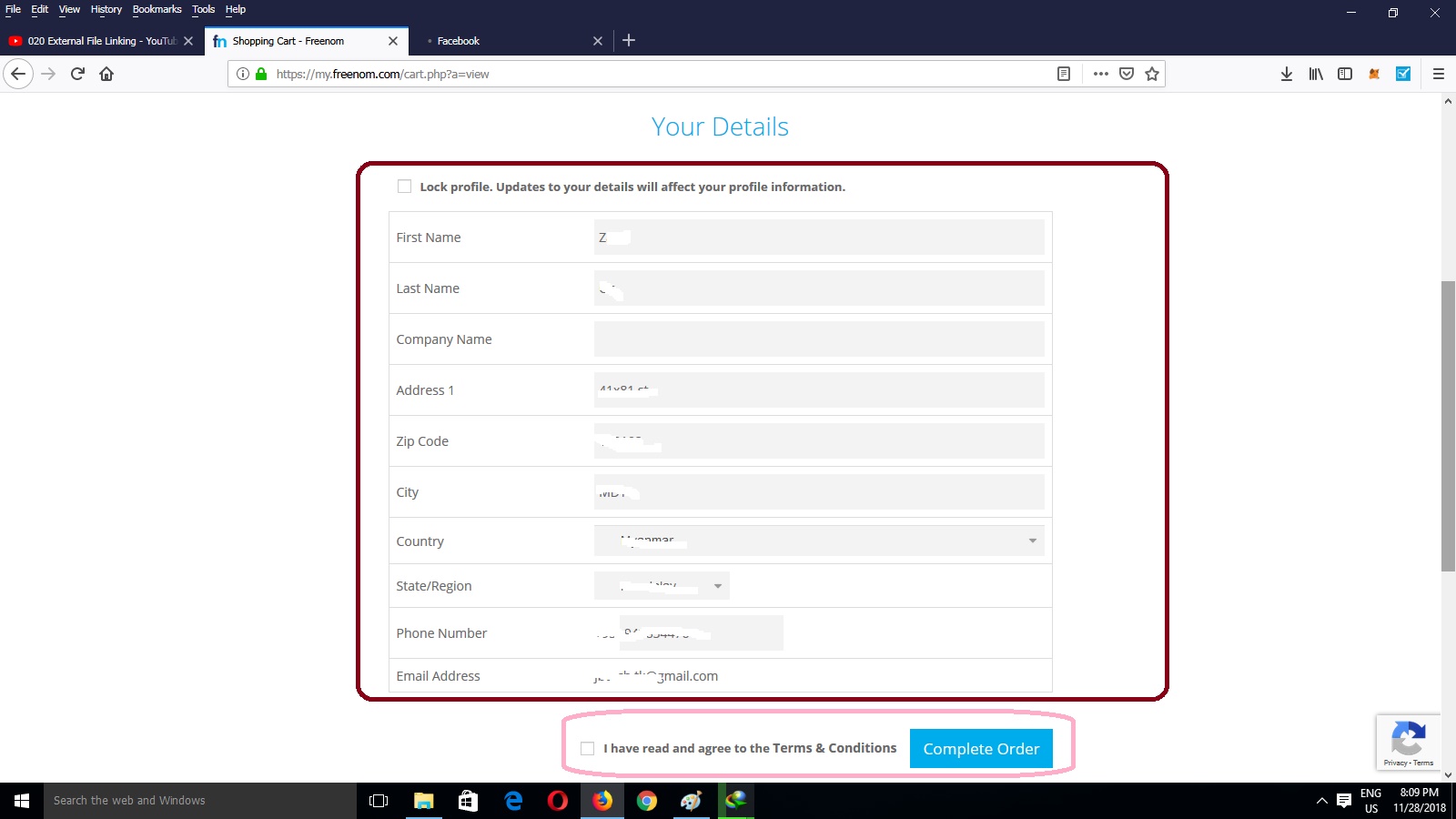
next on page we have to fill the detail form for domain . that is product comfirmation. so fill the detail in the form as you like.
[IMAGE: https://cdn.steemitimages.com/DQmbCef5Aw3Fs59SAixiWJM1zXuWpnLUKApnThX5xcWqWn3/steemit%20post%2011.jpg]
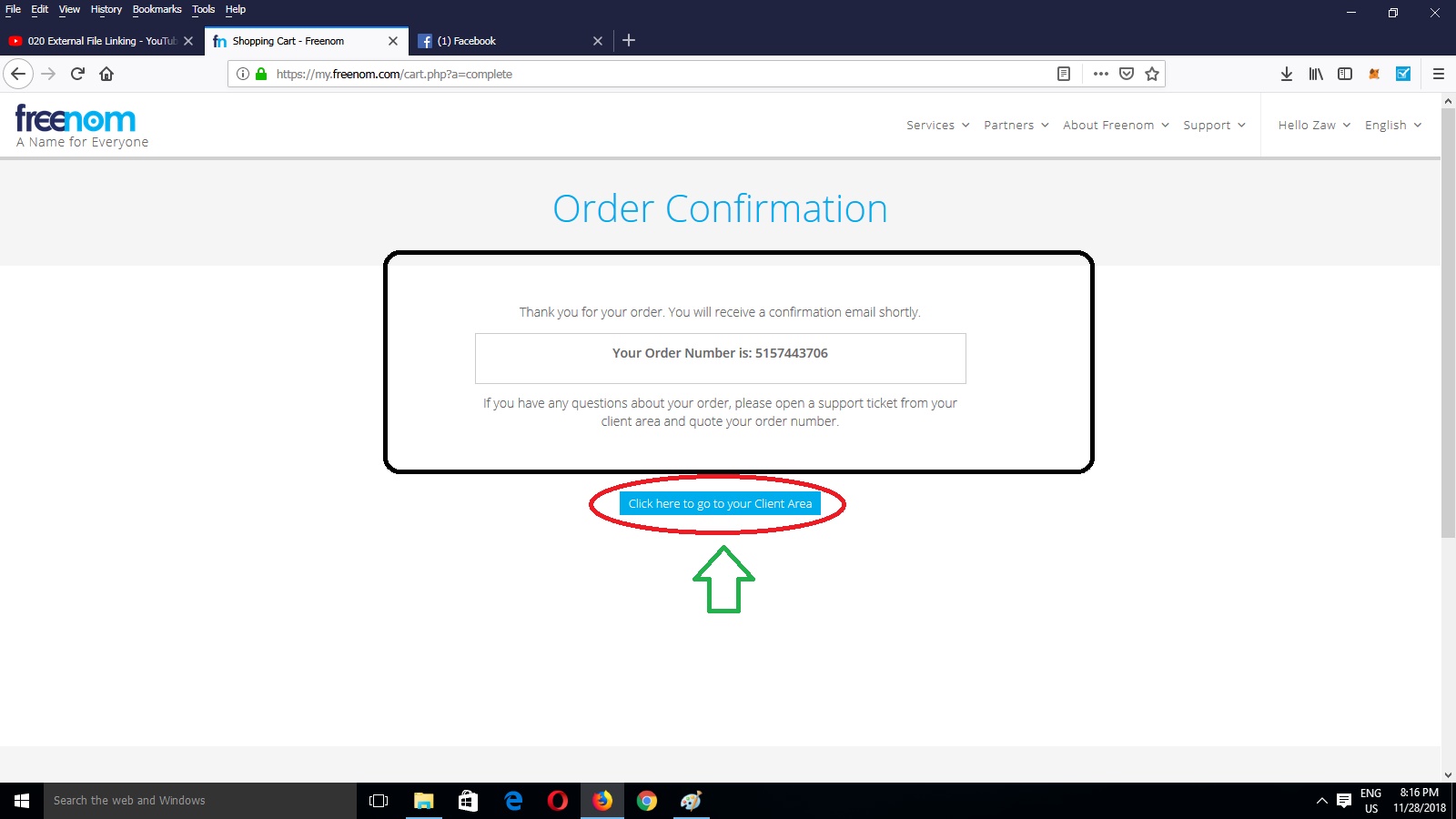
under you will see like that. so it is successful your free domain account.
[IMAGE: https://cdn.steemitimages.com/DQmdAWMHJfMv4BdhU1aur7AoAqeErEmafwaoDoCQGVV1XJA/steemit%20post%2012.jpg]
Are We Done All Step?
No we Done yet. we have to install website in hosting. so please be patient next tutorial. this tutorial i hope you will understand and good helpful for you!
Thank for Reading
Appendix
Also You can learn This Tutorial :
https://www.youtube.com/watch?v=U2kDB_8B9-s
https://www.youtube.com/watch?v=xhRkhUm_HRI