[IMAGE: https://steemitimages.com/DQmbLoBhQ2hpqSHmv1KR6wizwCqYtfFFxGNMiYzRPkARtxR/pre-release.png]
We are just entering final stage before a release of SteemProject. Most of projects are already in the database, as a drafts. Today I will sent to all project members links to their projects with a request of reviewing those drafts.
So... Is project live? Kinda...
Project is currently in pre-release alpha stage, still contain A LOT OF BUGS
But now it's time to make sure that, we will have database full of Steem Projects :)
Before adding a new project
The most important thing which you should do before adding a new project is checking whether project is already in the database (as published project or as a draft):
[IMAGE: https://res.cloudinary.com/hpiynhbhq/image/upload/v1511121428/deyrzhviq3m3ir8izyal.png]

Who can edit drafts?
- author of a draft
- team members of particular project
- trusted users
Ok, let's learn how to add a new project :)
Adding a New Project
[IMAGE: https://steemitimages.com/DQmXUcCekbwi3hBRjvh7c5WLgFuU5UutbDXdTQ4YtD7Woou/Selection_534.png]
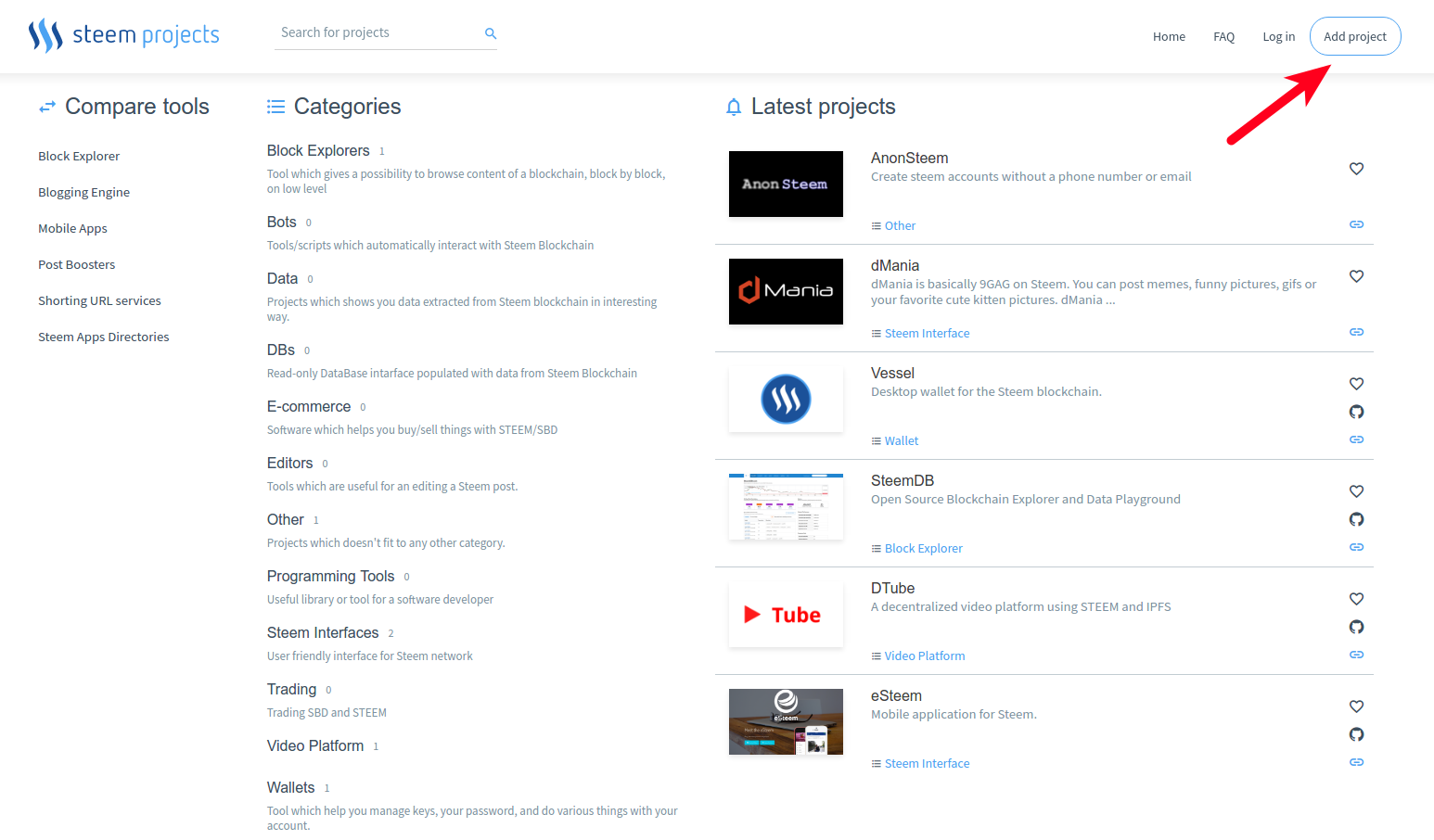
if you are not logged in, then you will be redirected to login page, when you can choose from two options:
[IMAGE: https://steemitimages.com/DQmdBMbqTgSVU8aEtFKadfRMPJQ5vGx1CHRSzbhqHf74RuJ/Selection_537.png]
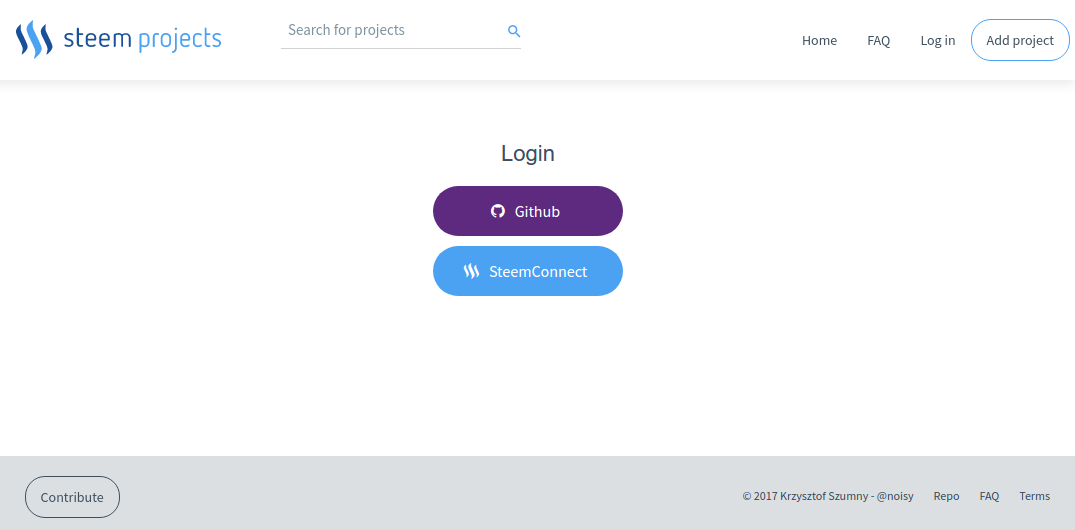
Log in with Github
Besides confirming your identity, SteemProjects will also request a read-only access to your email address.
[IMAGE: https://steemitimages.com/DQmeCcUvDeV7FJofwuWwznnN5o7L7HQwgm2vSZbgzAuj9qd/Selection_538.png]
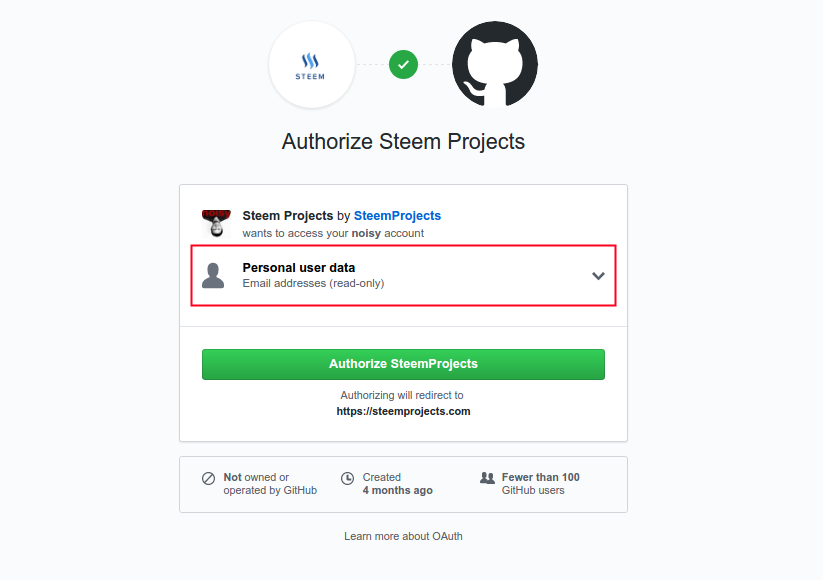
Email address will be later used to send periodical newsletters about your favorite projects.
Log in with Steem and SteemConnect (with only a memo key)
If you will decide authenticate yourself with your Steem account, then you will be redirected to SteemConnect page:
[IMAGE: https://steemitimages.com/DQmdNi8Qf9CQdLvPhTbTHjaqdWys9Gb3GfTPFhMQQoCX9FW/Selection_539.png]
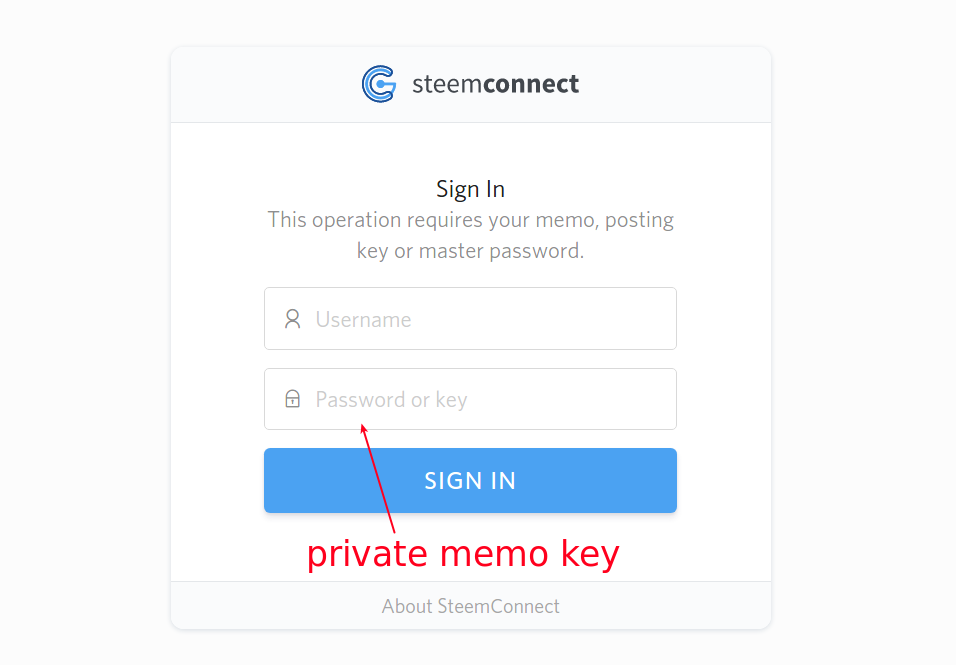
Please use your Private Memo Key for that. If you do not know, why using a password is not the best idea, please read this post.
Before your account will be created, you need to provide and verify your email address. Steemit do not store your email address in Steem blockchain, that's why you need to provide it on your own:
[IMAGE: https://steemitimages.com/DQmUarDJFDm1rWcBaoJaesmqLsntPQQWPE4twkcyFhaU6vR/Selection_540.png]
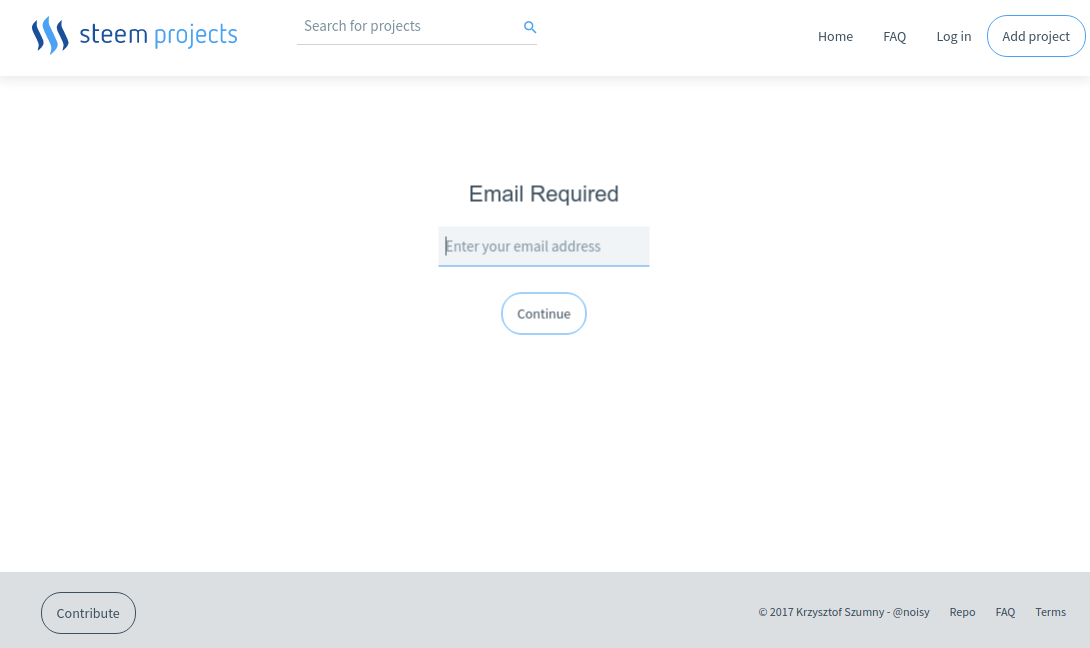
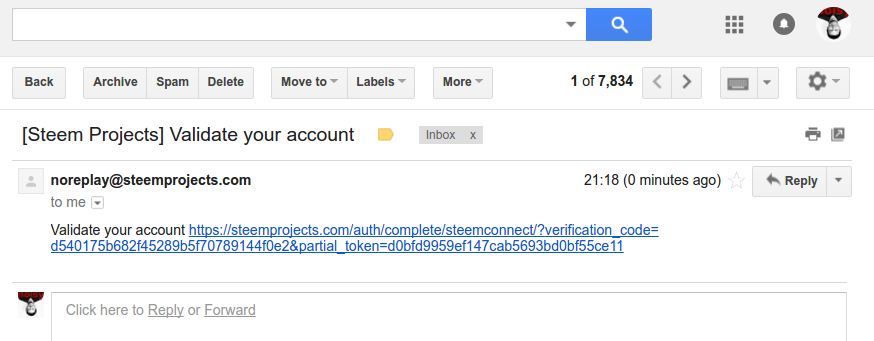
Within 2-3 minutes, you should get an email with a link which will validate that this email is truly yours. If an email didn't arrive, please check a spam folder.
[IMAGE: https://steemitimages.com/DQmQdWX3Ay6NJHxqxTWwypfi5Rd4trw4QmH7n2KGSFS2uLD/Selection_541.png]
How to properly fill the initial form (phase 1)
Now it's time to write down everything what you know about project which you want to add:
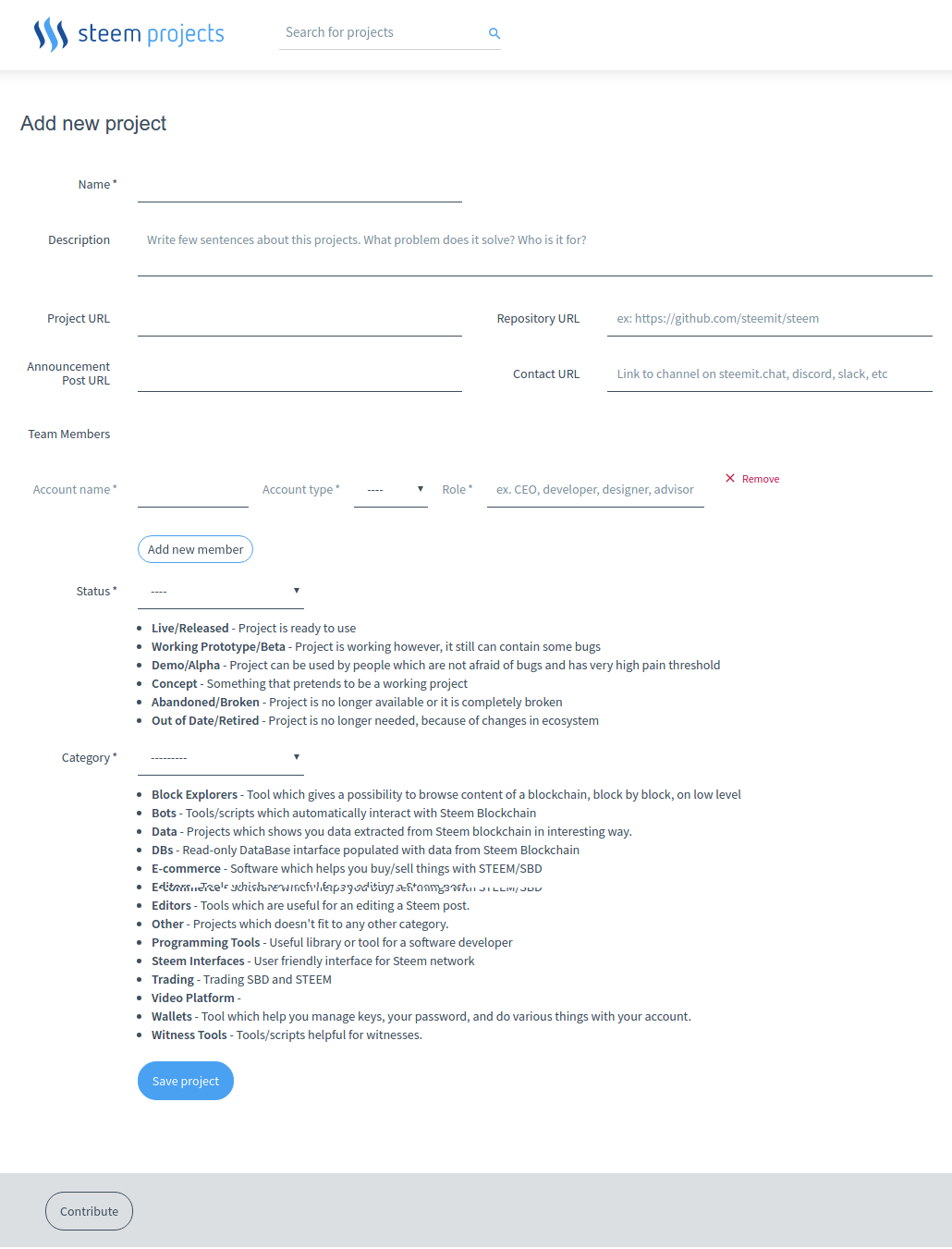
Let's focus for a second on three sections:
* Basic data (name, description, project website, repository, announcement post, contact)
* Team Members
* Status & Category
Basic data
[IMAGE: https://steemitimages.com/DQmZPdgwQbnJwVSqqASyd8pWD3ySYs1EnR9sB6e9RohdNrj/Selection_547.png]
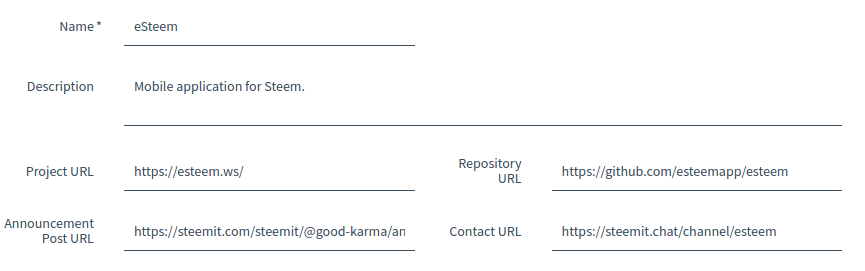
-
NameProject name should be unique. If there is another project with the same name (like in case of steemphp libraries [1] [2]), then please add a suffix like: (by jesta)/(by davidk).
-
DescriptionThis should be brief. In most cases this should be 1-3 sentences. If you as a project owner want to tell more about your project to the world, make sure that your project page tells everything what is needed, then link you project page in field:
-
Project URLBasically, this should be a link to the page about the project, from which you would learn the most about the project. In most cases this shouldn't be a link a post about the project. Personally, if a project like eSteem would not have a dedicated page like esteem.ws, i would consider adding as a project page a link to place from where an app can be downloaded, like eSteem Google Play page, however that would be problematic in case of this app, because there is also a version for iOS.Sometimes a place which gathers all information about the project is a github, but it would be best if you would avoid placing here a link to repository. It would be better to setup simple Github Page instead, if you are a project owner. In case of micro-projects like Steemit ↔ Steemd, a link to announcement post on Steemit is acceptable.
-
Repository URL (a link to a place with source code of a project)On SteemProjects we are going to promote open-source as much as possible. We believe, that this is not only better for community, but what is more important, much more secure for users.All open-source projects will get a significant additional boost in calculated reputation, by which projects always will be sorted (in search results, newsletters and in comparison grids).
-
Announcement Post URLIn most cases this should be a link to Steemit post in which project was revealed to the general public. Don't worry if you have many announcements post (demo, pre-release, beta, etc). You can add all those links to the Timeline of the project, which is described later in this post.
-
Contact URL This should be a link to place, where a user can have real-time conversation with team-members. Very often this will be dedicated channel on Steemit.chat, sometimes this will be a link to discord, slack or telegram. If a project is not very big and do not have dedicated communication channel, then this can be a personal contact to developer/project owner.If a project has multiple communication channels, please add the most popular one.
Team Members
Many team members can be assigned to a project. A team member don't have to have account on SteemProjects to be added to a project.
[IMAGE: https://steemitimages.com/DQmRmXWBEjzhELsJxuNyPZNjvgNMR9QHxkb5pSMLByXKCGc/Selection_551.png]
(Real team members of SteemProjects)
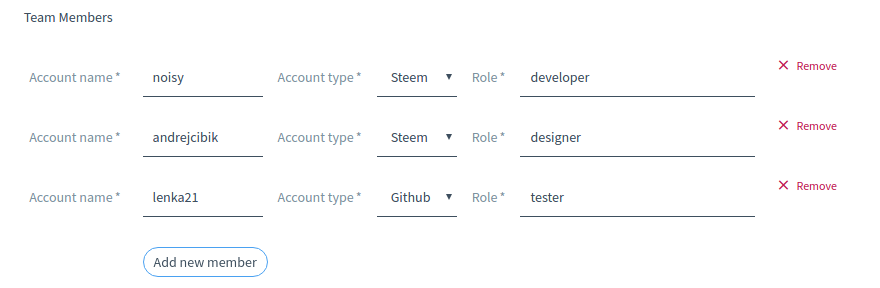
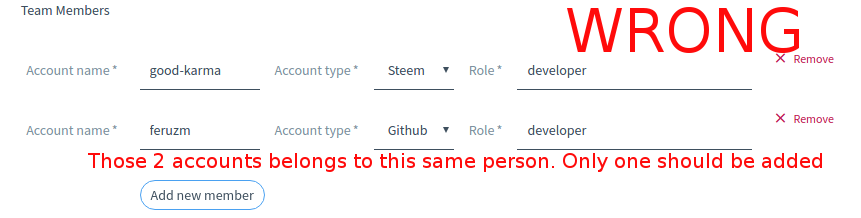
For convenience, you can add a team member by Steem or Gihub account, however every team member should be added only once! For example we know, that @good-karma use different nickname on github (@feruzm)
[IMAGE: https://steemitimages.com/DQmQGnCfq4zYja14eQCpStGGj9wqjnT2WZ5CAxSwRCmCLLo/Selection_550.png]

[IMAGE: https://steemitimages.com/DQmUnYtGfSEM89TmQwAPZzRP3x85wm5D4GwhwZTBtmYWBqw/Selection_548.png]

[IMAGE: https://steemitimages.com/DQmPPbUvmsAcAe87pwQBfDxLaqiAm59o677zDE68jUMKcXz/Selection_549.png]
Status & Category
Last two dropdowns can be really difficult to choose, because you cannot add new option (at least not right now).
[IMAGE: https://steemitimages.com/DQmWsQcMVhda61QSDVPadM5T2UZe3RCdcqMfpqPoUGDogyq/Selection_553.png]
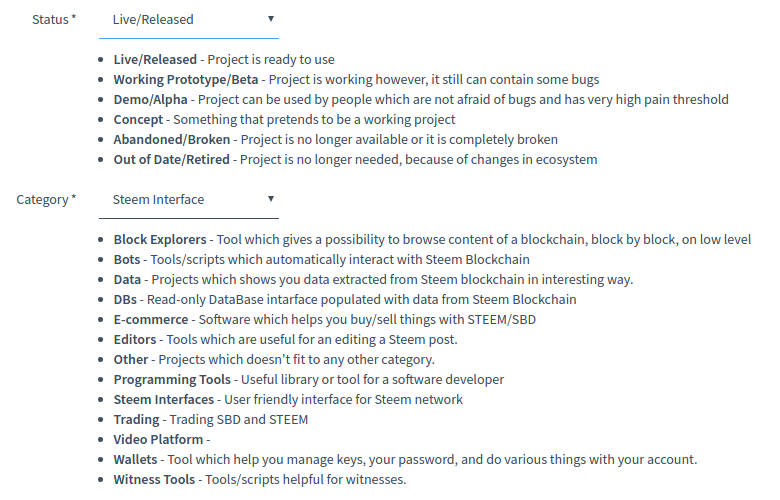
If you are not sure about category/status which should be chosen, you can ask for our advice on #steemprojects channel on Steemit.chat :)
After that, you should click the button:
[IMAGE: https://steemitimages.com/DQmTjHBddxFhewP1VTsPRtGCd2TXWxXcNsqTQDTe4xwV8kw/Selection_555.png]

... and don't worry. Project will not be published yet, you will have a chance to review it.
[IMAGE: https://steemitimages.com/DQmYykbfKY1LfMLdR33tNJ8bmrJPmcWvScmFxuUZzvxFR9M/Selection_556.png]
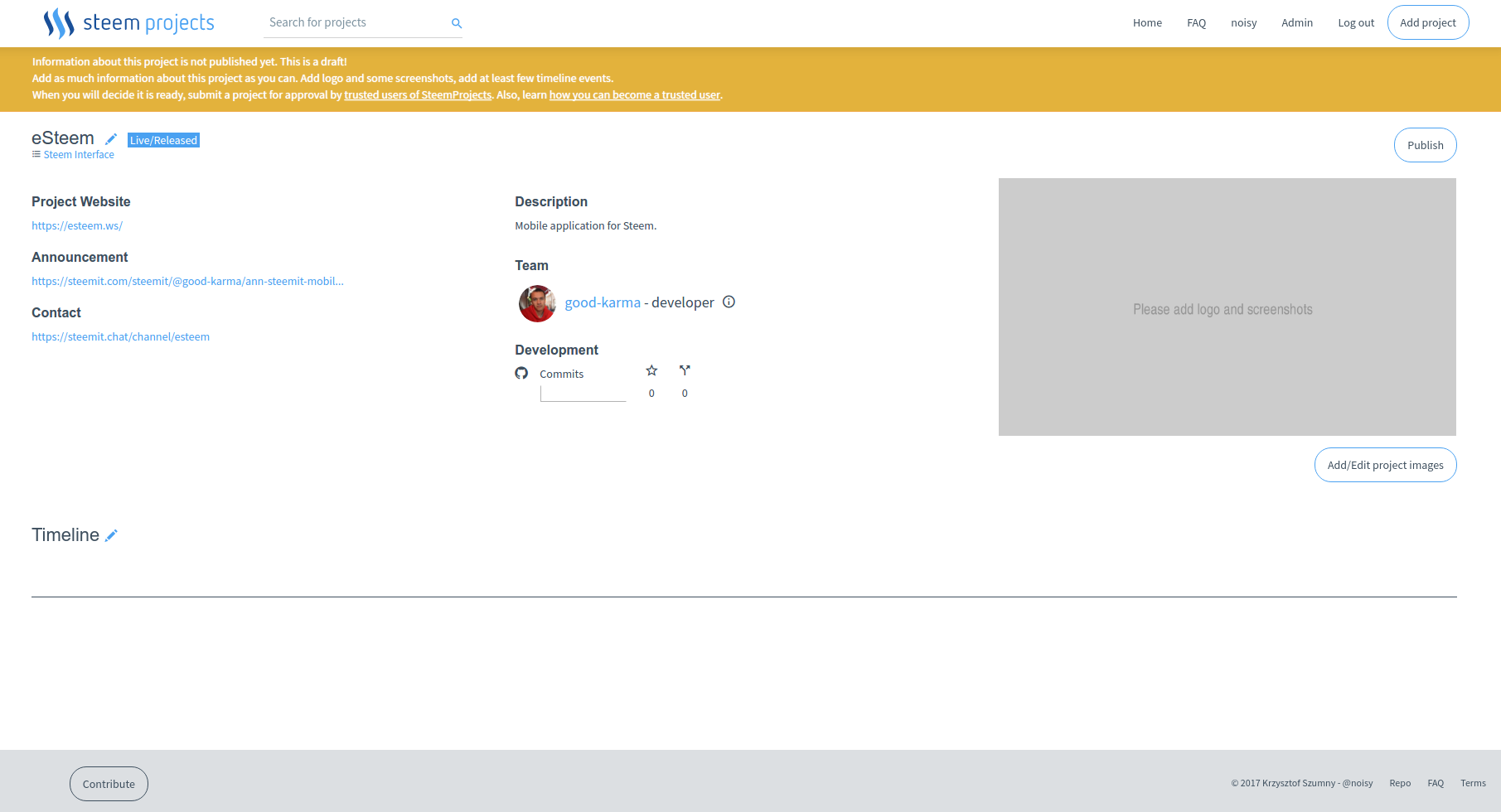
If a link to github repository was provided as a Repository URL, then SteemProjects will add Development section:
[IMAGE: https://steemitimages.com/DQmQiDzwBo4sdkrpb6K4fqEHMVW5ywtv1yoS2ChhYkoAnWu/Selection_558.png]
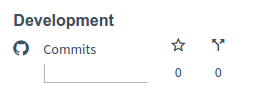
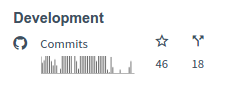
SteemProjects refresh those data on regular basis, but this can take a while before those data will be updated. Don't worry ;)
[IMAGE: https://steemitimages.com/DQmWnJ9ntkog5PXk9xY69f9h5zCtErghMkWiYFaoy152E4H/Selection_557.png]
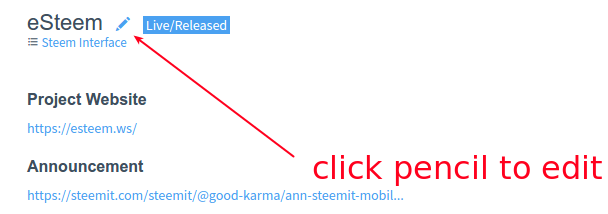
If you will notice some mistake, you can return to initial form by clicking pencil icon:
[IMAGE: https://steemitimages.com/DQmcw4VjgViyhpkGJMq5aYGcGGFP7CLq6RrNsmHLYvUGgKF/Selection_556.png]
Adding images (logo, screenshots) - phase 2
As Steve Jobs used to say, we are leaving in post-PC era. Nowadays design of application matters more then ever. Projects without any images will not be accepted. So let's learn how to add the best possible images to project page.
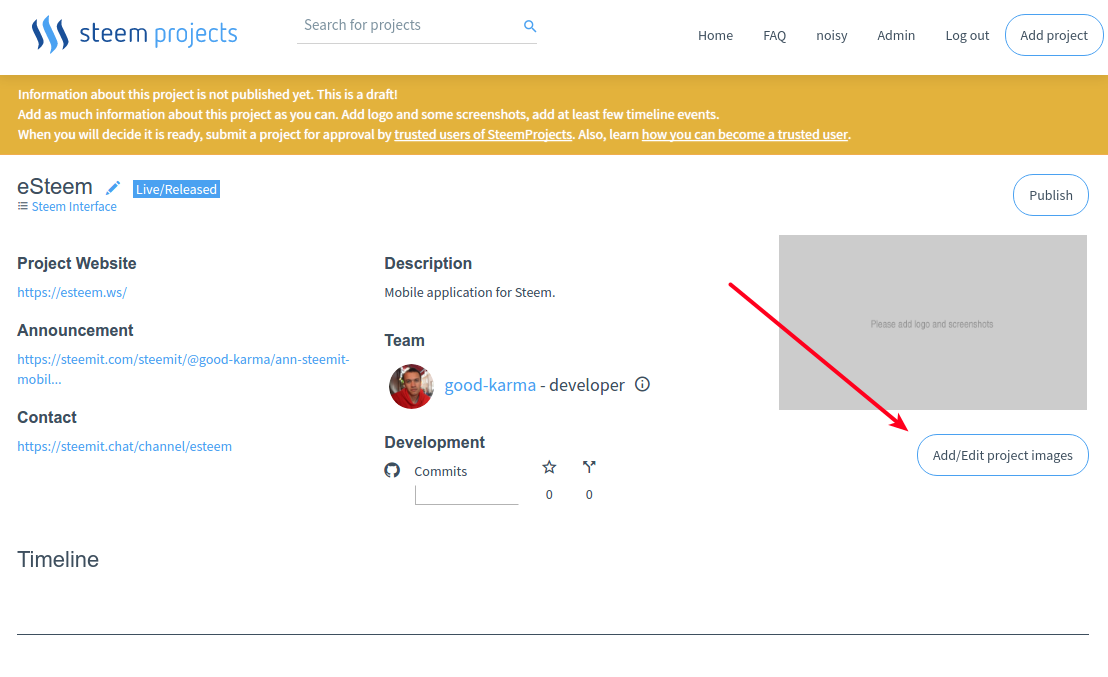
First you need to click Add/Edit project images button.
[IMAGE: https://steemitimages.com/DQmTafBMFjva6uyBaRfznxutaUa6s5MLPiHcUVtjvXULXXe/Selection_559.png]
[IMAGE: https://steemitimages.com/DQmY8AivkWwZCuF2yuzt3eLPCmz4xXeCn2F9mFJftNueutY/rec1-2.gif]
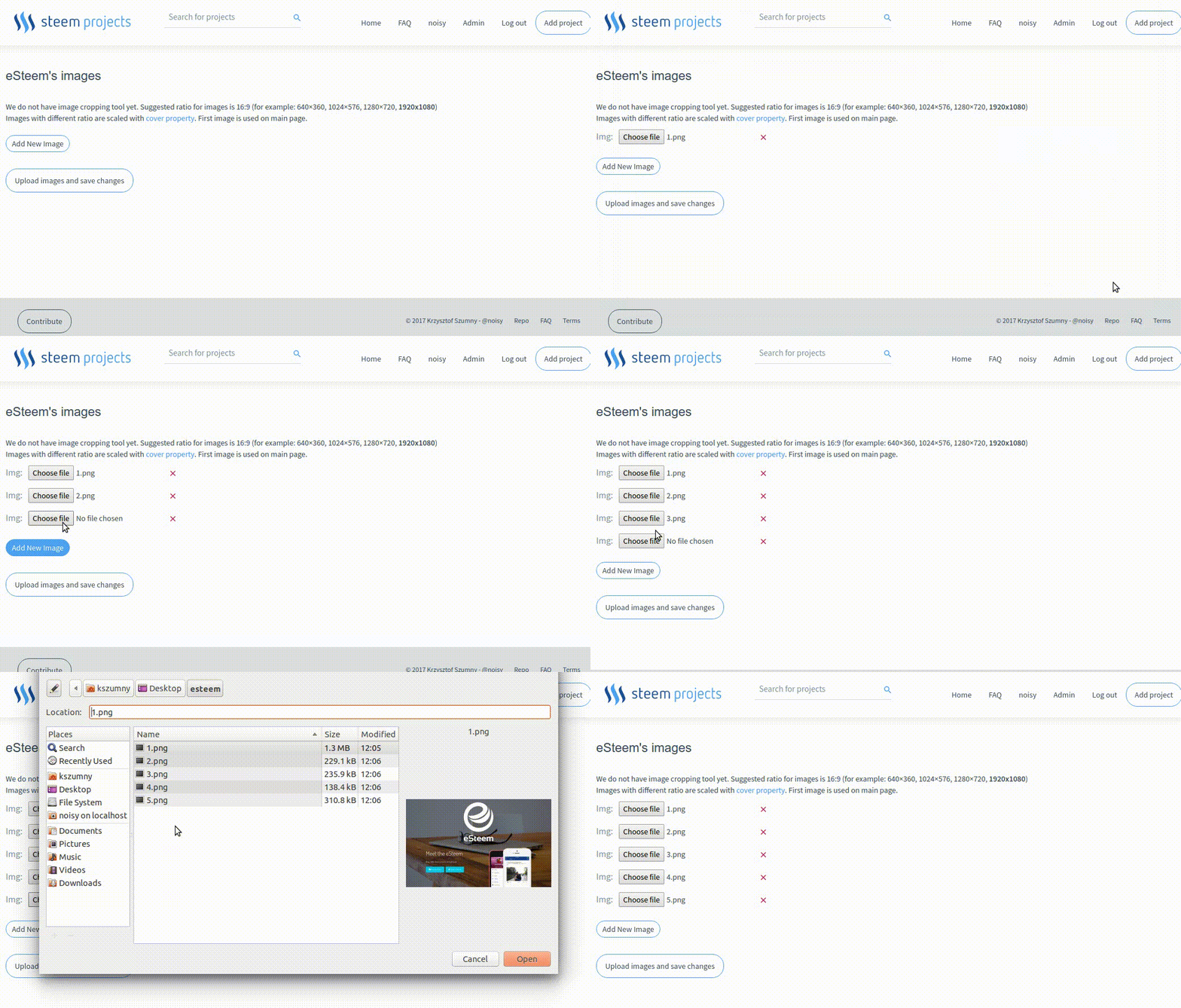
> We do not have image cropping tool yet. Suggested ratio for images is 16:9 (for example: 640×360, 1024×576, 1280×720, 1920x1080)
For now, you need to prepare an image on your own. Tools for cropping with proper ration, like https://croppola.com/ can be useful for you.
First Image, main image
Make sure, that you will upload first an image you like the most, because it will be used in a lot of places, like main page, all project page in thumbnail view, newsletters, etc.
To simplify development of first version of SteemProjects, right now there is no possibility of manually choosing which image should be consider as main. If after uploading 10 images you will realize that you want to make different image a main one, then you will need to delete those 10, and upload all images again with your favorite image as first one - sorry for inconvenience.
Resolution
Please use images with high resolution (1920x1080 is recommended). We are going to add gallery, where people will be able to view all project images in full screen mode.
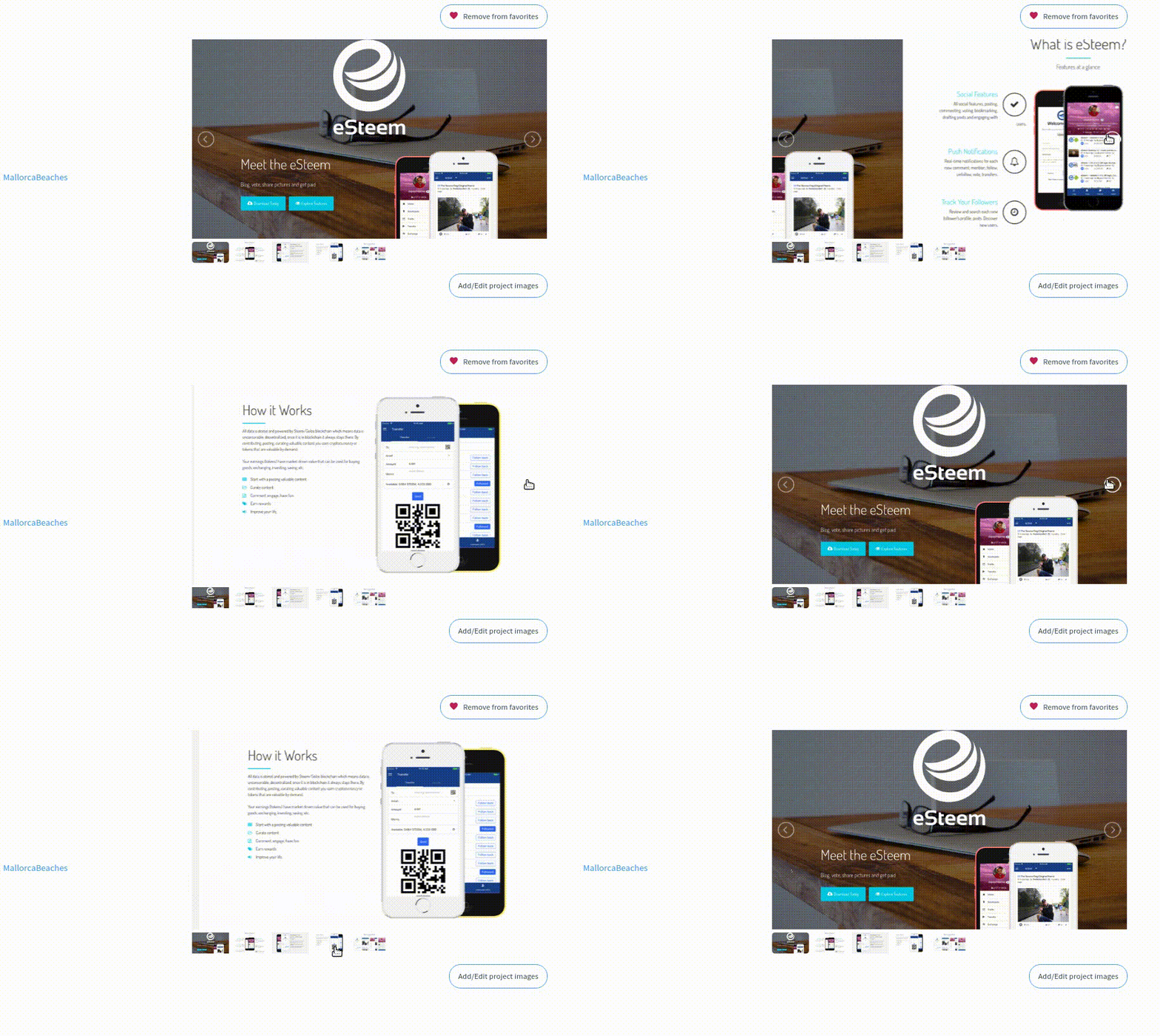
End result
[IMAGE: https://steemitimages.com/DQmPM23xg42huX2kuZbwwzCg34yZPFbrTppmfmhNc9tNvJQ/rec1-3.gif]
Timeline
To be honest, I really love this section, and if I am not mistaken, a lot of people will also love it too! This section will show the world how active our best projects are!
This is how properly prepared Timeline can look like:
[IMAGE: https://steemitimages.com/DQmTafGED7az6dte4KcJfk9prREQWUbWMTxNn9rMR6DL33m/Selection_560.png]

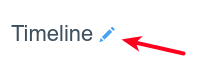
To start building a timeline of a project, use a pencil icon:
[IMAGE: https://steemitimages.com/DQmYcbn63sej55hNDyAKri4by4C71SbDRua5JL3Tu17WDXh/Selection_561.png]
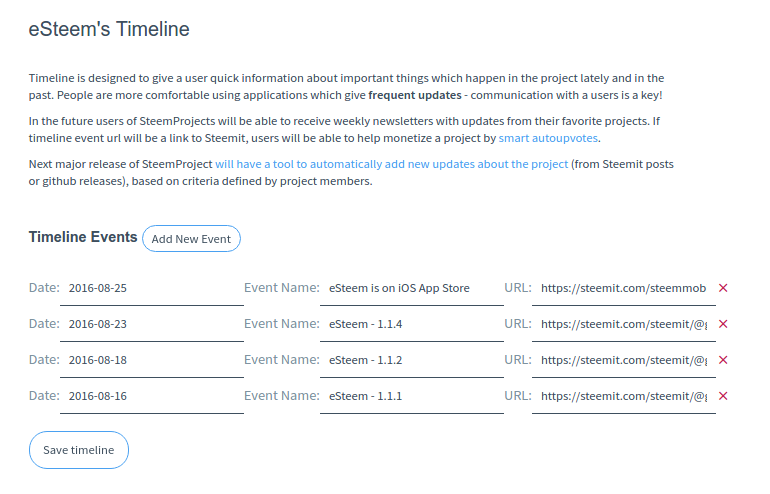
Then add as many relevant timeline-events/updates as possible:
[IMAGE: https://steemitimages.com/DQmXfEj6GLDURgXUpLmjZSUgM8XTSdJY8cWDJvtUtVsRiwq/Selection_562.png]
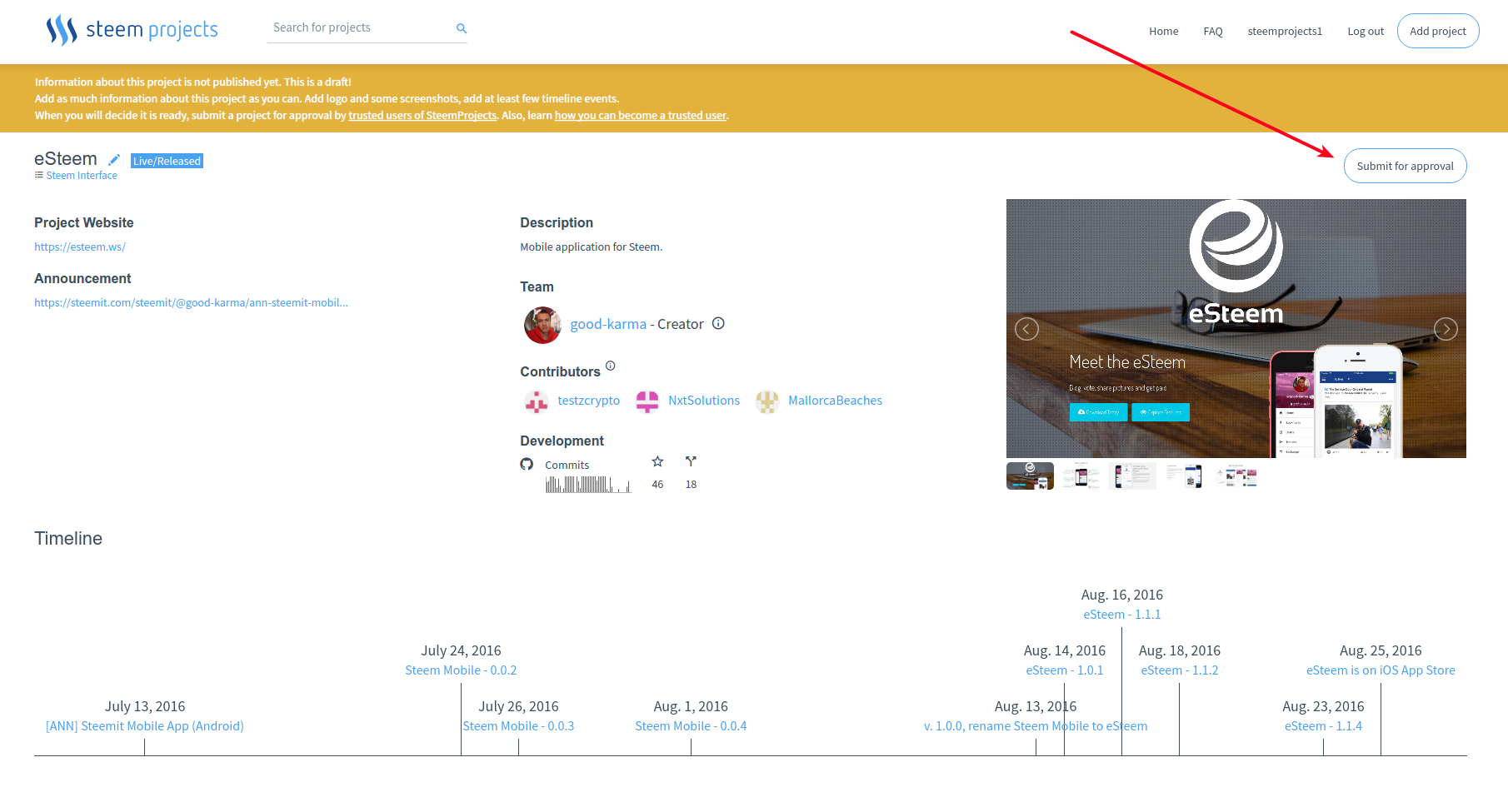
Submit for approval
Because of reasons which I explained in post "Community Driven Website vs. Moderation. How to achieve scalability without worrying about quality of data", every project needs to be reviewed and approved.
[IMAGE: https://steemitimages.com/DQmaKHLbC6qnhb5A1tPH4kJ16c6Ncziy6jqA1aqnfbxvUf6/Selection_563.png]
Final Publication
I created this tutorial, to make sure that all projects will have some time to polish their SteemProjects pages. I hope that during upcoming week project owners will to take care about that.
During this week I will focus on finishing implementation of comparission grids and on fixing as many bugs in SteemProjects backlog as possible.
When SteemProjects will be ready, all projects will be published simultaneously.
If you want to be notify about final release, please create account on SteemProjects.com and add SteemProjects to your favorites projects :)[IMAGE: https://steemitimages.com/DQmfUZYVPWdsNxhbjz2VouyhrkNLBDQum6PChBEJJVxRs9o/output4.gif]

Posted on Utopian.io - Rewarding Open Source Contributors
