Down on this page I will keep track (on a sort of live/keep_in_progess-mode) of the best trick solutions that helped me on solving some kind of Linux issues on my day by day basis user life.
- HOW I CHANGED (AND KEPT...) MY DNS CONFIGS editing in progress...
[ALERT!!⚠️ these configs are strictly reserved to experts & admins!!!]
Here below you can see my customizedresolv.conffile with the google dns. This is as special kind of (sort of) dynamic file being it a symlinked one, so any changes must be made in the right (recommended) way as you can notice in the comment-part.
# This file is managed by man:systemd-resolved(8). Do not edit.
#
# This is a dynamic resolv.conf file for connecting local clients to the
# internal DNS stub resolver of systemd-resolved. This file lists all
# configured search domains.
#
# Run "resolvectl status" to see details about the uplink DNS servers
# currently in use.
#
# Third party programs must not access this file directly, but only through the
# symlink at /etc/resolv.conf. To manage man:resolv.conf(5) in a different way,
# replace this symlink by a static file or a different symlink.
#
# See man:systemd-resolved.service(8) for details about the supported modes of
# operation for /etc/resolv.conf.

# nameserver 127.0.0.53
# options edns0 trust-ad
# search homenet.telecomitalia.it

#IPv4
nameserver 8.8.8.8
nameserver 8.8.4.4

#IPv6
nameserver 2001:4860:4860::8888
nameserver 2001:4860:4860::8844

nameserver 2001:4860:4860:0:0:0:0:8888
nameserver 2001:4860:4860:0:0:0:0:8844
Here below is how I proceeded on my "Linux Mint 20.3" system running systemd-resolved to maintain customizations and prevent overwriting by processes or daemons. The first step is to run the following two commands:
# systemctl disable systemd-resolved
# systemctl stop systemd-resolved
It is also necessary a similar intervention on the NetworkManager daemon by editing the /etc/NetworkManager/NetworkManager.conf integrating it with the addition of the follow two lines under the [main] section:
dns=none
rc-manager=unmanaged
As last trick it could be necessary to replace the bare /etc/resolv.conf file with a symlink to your custom one:
# ln -sf /etc/resolv.conf.custom /etc/resolv.conf
-
FLUXBOX KEYBOARD SHORTCUTS [Full Article]
The keyboard-shortcuts-file is defined in Fluxbox’s init-file. By default~/.fluxbox/keysis used, you can modify it to your liking or use a new empty file if you want. After editing the keys file, you need to tell fluxbox to reload the shortcut definitions by running the fluxbox commandreconfigure.
There’s also a dedicated man page fluxbox-keys -
FLUXBOX (and not only): "Enlarge Cursor Size".

- TROUBLES WITH THE UPDATE MANAGER
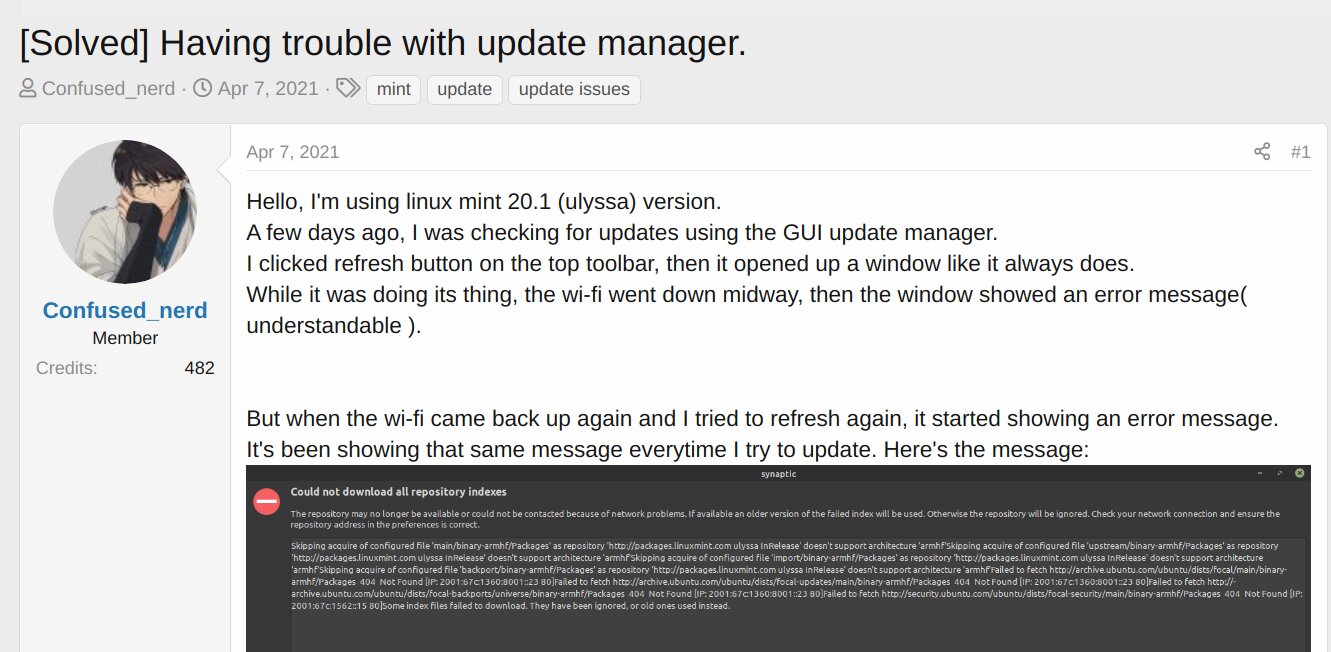
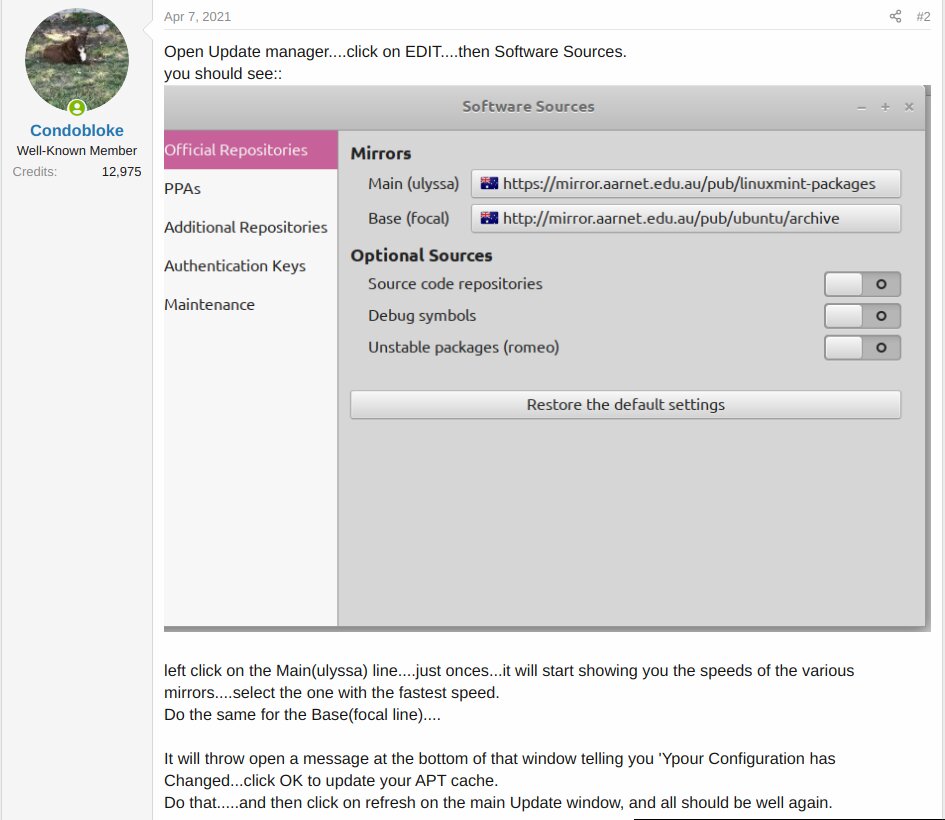
Here we go on starting with the first one, a very big trouble with my Mint-ULYANA distro while I was trying to update&upgrade it. A lot of brokenpackages lostdependencies missingrepositories and so alerts prevented me to make the system update. The entire process at some point stopped and no way there was to keep it away. After some online searches finally I found on a forum the topic that solved me the trouble.
[IMAGE: https://files.peakd.com/file/peakd-hive/oneshot/243qWLWT4w5D3vRxJRqYCukCM7TESc1o9aubfiqAvN7Ej2wawWBw9NrAMkvXRnVBb68Vx.jpg]
And here below the exact answer to the question: