Repository
https://github.com/pars11/AndroidQuizApp
History
- Android Quiz App
- Reimplementing Android Quiz App
- Reimplementing Android Quiz App (UPDATE: Play Quiz)
New Features
Update Category
- To give a user flexibility over the app functions, it would be nice to edit the category created.
The code below shows theCategoryDao.javaclass which has the query for update. Here theupdateCategorymethod takes in two params (category and category id). This is to fetch the category to update from the db using the id since the id is a unique param (i.e Primary Key)
@Query("UPDATE categories_table SET category = :category WHERE id = :id")
    void updateCategory(long id, String category);
- The
CategoriesPresenterclass gets the action from user via the View, does the logic of updating the category and passes the result to the View.
@Override
    public void updateCategory(long id, String category) {
        categoryDao.updateCategory(id, category);
    }

@Override
    public void getCategoryToUpdate(Category category) {
       mCategoriesView.showCategoryToUpdate(category);
    }
Delete Category
- The
CategoryDao.javaclass shows how a user can delete unwanted category from the list of categories.
@Query("DELETE FROM questions_table WHERE category_id = :categoryId")
    void deleteCategoryFromQuestion(long categoryId);

    @Query("DELETE FROM categories_table WHERE id = :id")
    void deleteCategory(long id);
From the code snippet above, you could notice that deletion of category is performed by two methods.
- Why?
The app allows a user add questions per category. Each category has a unique PrimaryKey. Category and Question have different database schema but to query the questions per category, category id needs to be stored in the Question object. Thereby creating relationship between the two schema.
- How?
So, to get over this, SQL ForeignKey constraint is used to enforce "exists" relationships between tables in database schema. The code below shows the relationship between the two entities in theQuestion.javadata class.
@Entity(tableName = "questions_table", foreignKeys =
@ForeignKey(entity = Category.class, parentColumns = "id", childColumns = "category_id"))
public class Question implements Serializable {

    @PrimaryKey(autoGenerate = true)
    long id;

    @NonNull
    @ColumnInfo(name = "category_id")
    long categoryId;

//other codes go in here

}
- The
CategoriesPresenter.javaclass gets the action from user via the View, does the logic of deleting the category and updates the category in the View.
@Override
    public void deleteCategory(long categoryId) {
        categoryDao.deleteCategoryFromQuestion(categoryId);
        categoryDao.deleteCategory(categoryId);
    }
This will successfully delete the category from the database and the corresponding questions.
Update Question
- The reason given to update category is same as that of questions and the corresponding options. The
QuestionDao.javaclass has the Room query functions to fetch the question to update with the unique question id.
@Query("SELECT * FROM questions_table WHERE id = :questionId")
    Question queryQuestion(long questionId);

    @Update
    void updateQuestion(Question question);
From the above code, the QuestionPresenter.java passes an intent to the AddQuestionFragment.java class to show the question for update. This class has access to the QuestionDao.java database to perform the update query. The below code shows the logic done by the presenter:
@Override
    public void fetchQuestionToUpdate(long id) {
        Question questionList = questionDao.queryQuestion(id);
        mView.showQuestionToUpdate(questionList);
    }

    @Override
    public void updateQuestion(Question question) {
        questionDao.updateQuestion(question);
    }
This updates the question and options successfully.
Delete Question
- The
QuestionDao.javaclass shows how a user can delete unwanted questions from the list of questions in a category.
@Delete
    void deleteQuestion(Question question);
- The
QuestionsPresenter.javaclass gets the action from user via the View, does the logic of deleting the category and updates the category in the View.
@Override
    public void deleteQuestion(Question question) {
        questionDao.deleteQuestion(question);
    }
This will successfully delete the question from the database and the corresponding options.
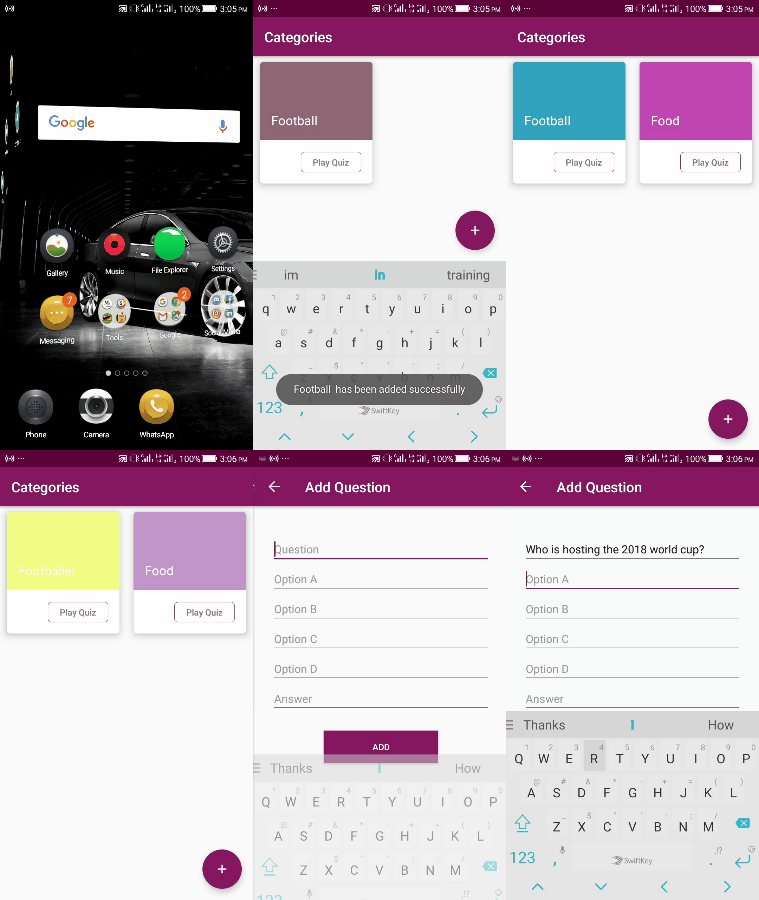
Short screen recording of the app
Important Resources
Roadmap
- ~~Play quiz per category and get result~~
- ~~Show questions per category~~
- ~~Update and delete category~~
- ~~Update and delete question~~
Update
All thanks to @pars11 for bringing up such great idea that helps expand users' knowledge horizon. It's my pleasure to have contributed to and re-implemented the Android Quiz app. Thanks to Utopian.io for the opportunity to contribute to the Open Source ecosystem.
At this juncture, I would like to take this app to another phase that would make it more user friendly and flexible for a trivia quiz game.