Photoshop Tutorial For Portrait Brush Effects in photoshop cs6.
Hello, a friend in this photoshop brush effects tutorial you can learn how to use Brush effect is applied to the image.
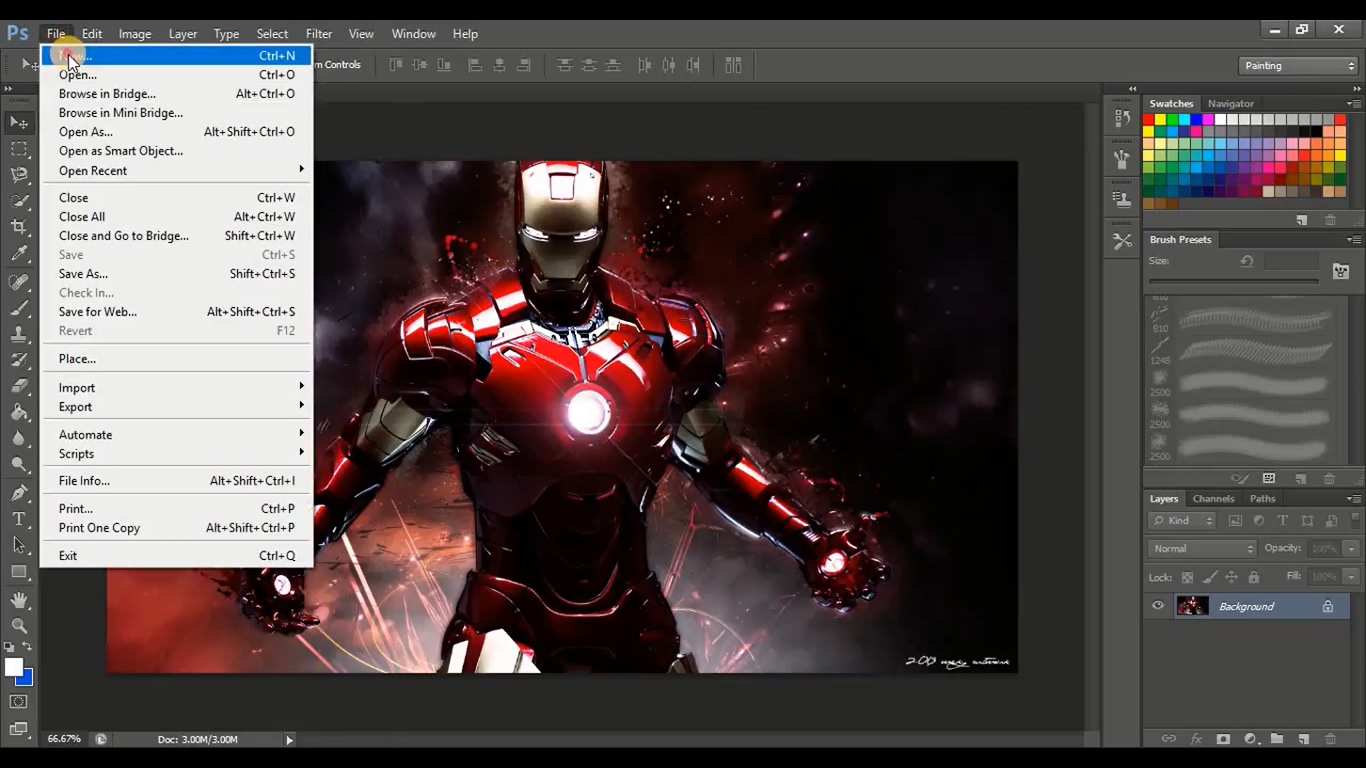
Step 1: Open photoshop after that open image you want and click on new(Ctrl+n).
[IMAGE: https://cdn.steemitimages.com/DQmaZ3E25RhwW6dn7ecAmxBXFkhPFXih6UqpY9PPw5JtVjz/Screenshot%20(325).png]
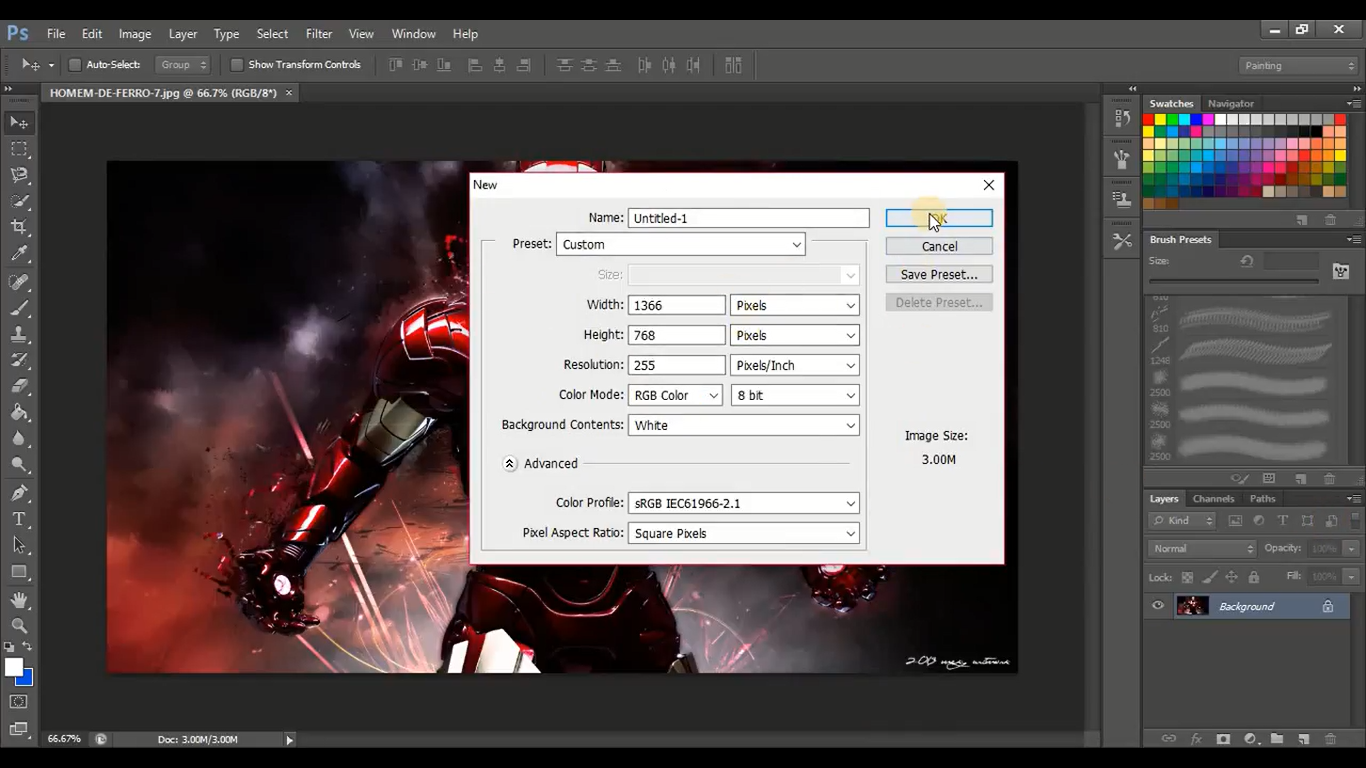
Step 2: After that give the name of file chose the width and height and color mode = RGB Color and click on ok
.png)
[IMAGE: https://cdn.steemitimages.com/DQmVc3ZBRcLN1GFDD13NoMxiGXAdwka47PmMs8pt3PeP1Fs/Screenshot%20(327).png]
.png)
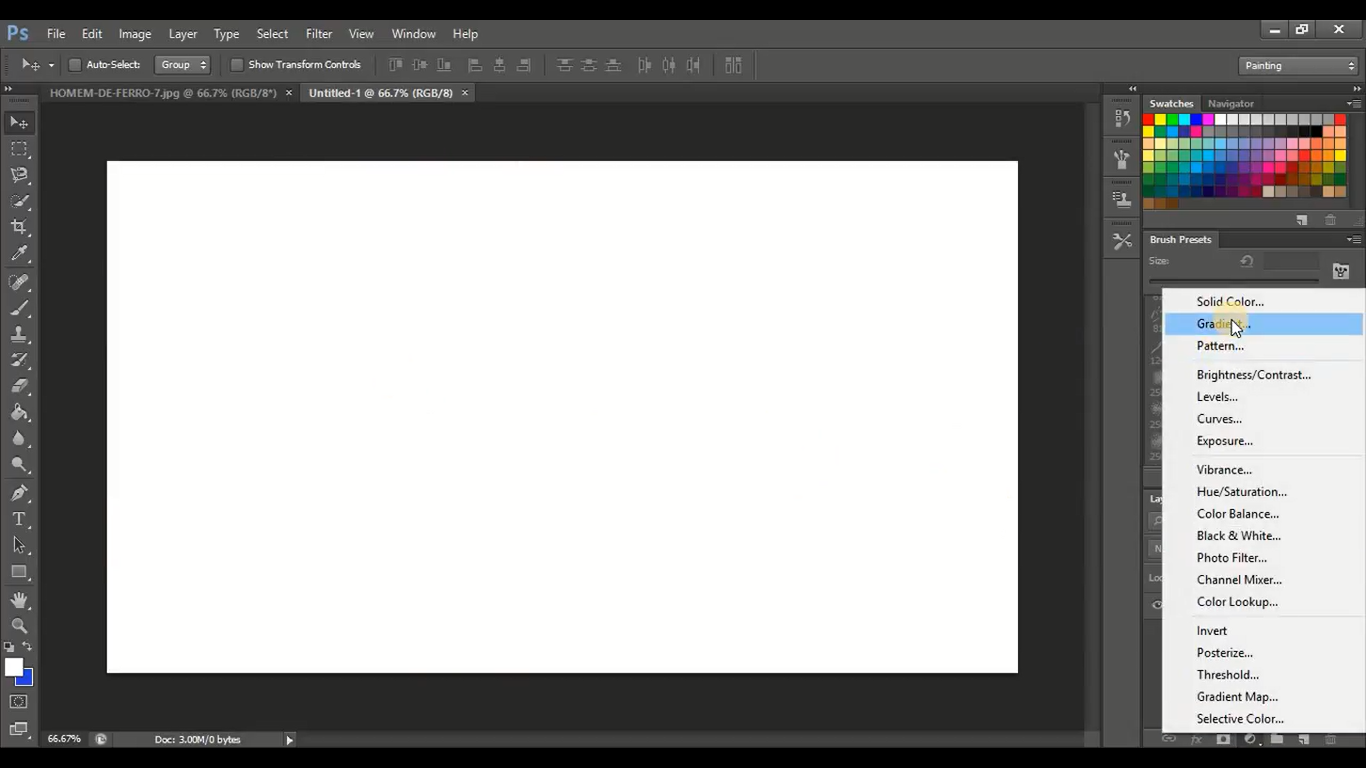
Step 3: Follow the steps given in the image
[IMAGE: https://cdn.steemitimages.com/DQmZbvuKmKqsBAuqXZQyvvAojkn7FQH3V6N9rHKtaQc7ZQZ/Screenshot%20(328).png]
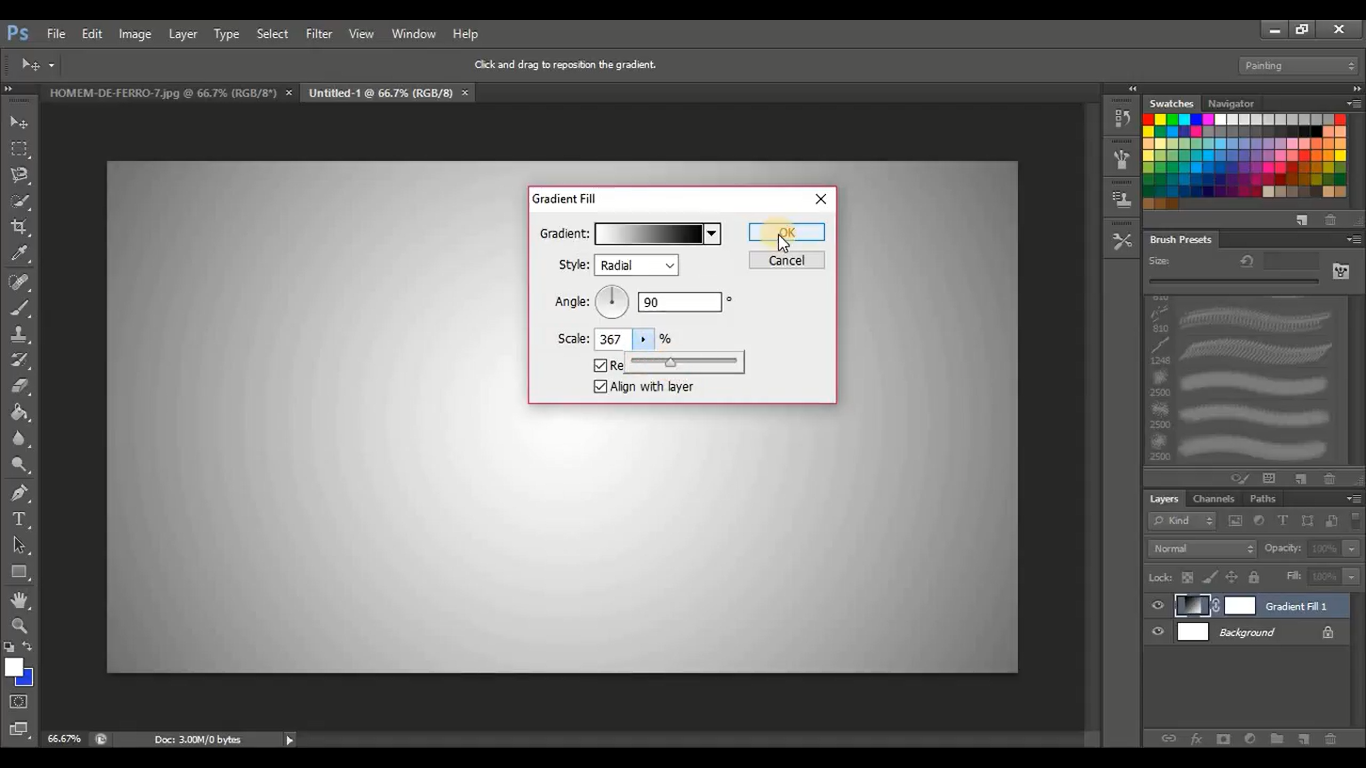
Step 4: Follow the steps given in the image
.png)
[IMAGE: https://cdn.steemitimages.com/DQmZkBD97koV3bXfzH6hkPeyjR9KRWzvXm8BaB5x2pioNd5/Screenshot%20(329).png]
Step 5: Drage and drop the image you want after that click on add a mask and click on layer 1 mask and click on the eraser tool and select the brush shape and apply on the image I give the demo in next step.
.png)
[IMAGE: https://cdn.steemitimages.com/DQmXC8nhS9d4kMiT2GPZJp3zcPna5D1QJK6fQ3xeEuqFSfR/Screenshot%20(330).png]
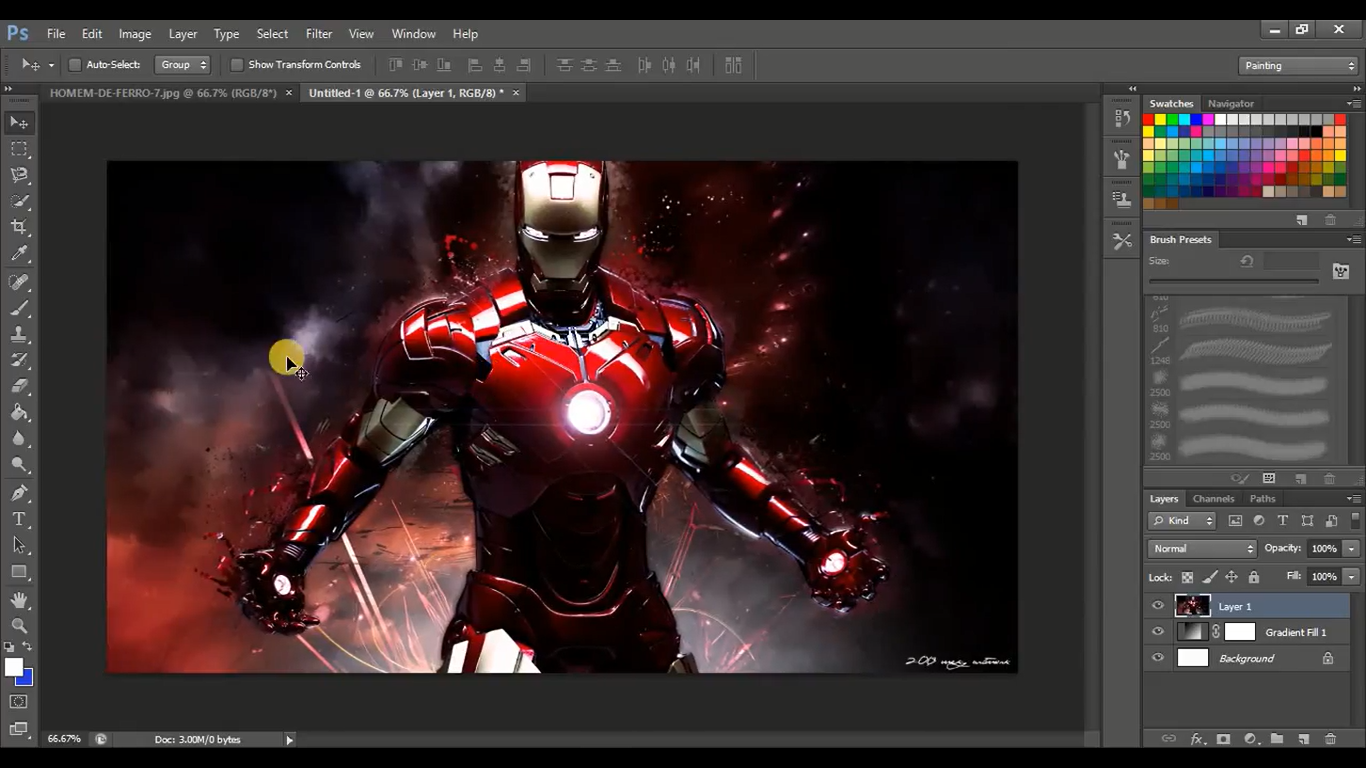.png)
Step 6: After applying brush shape you need to save your image (ctrl+s) save PSD or JPG.
[IMAGE: https://cdn.steemitimages.com/DQmNtLtw3snFn46CjZNHRAfVy7d8schdQWELZK3ao8GGqdv/Screenshot%20(332).png]
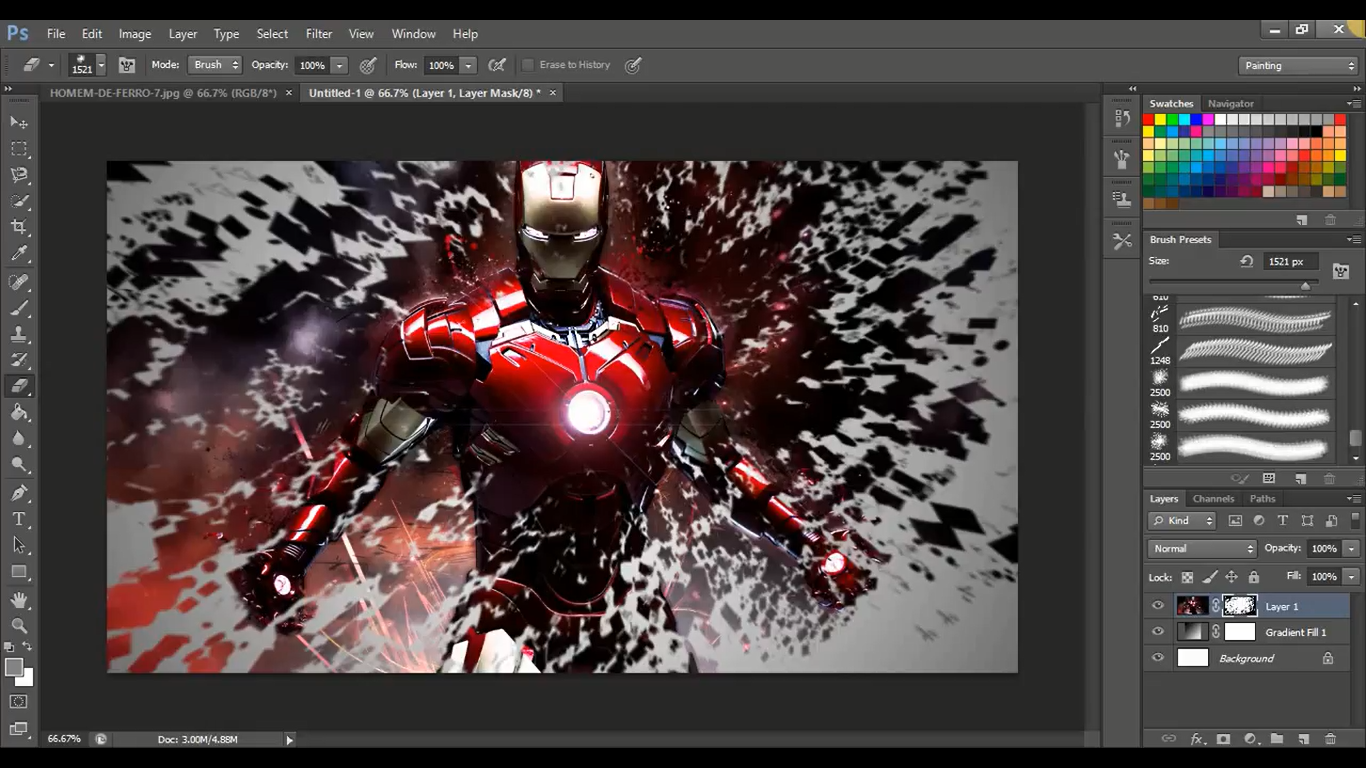.png)
Step 7: Open that JPG or PSD if I commit any kind of mistake, please forgave me thank you.
[IMAGE: https://cdn.steemitimages.com/DQmXdin547dCxRtF7o3XMSGvSjbJuG3nqvbYv4FpQySMj1P/Untitled-1.jpg]
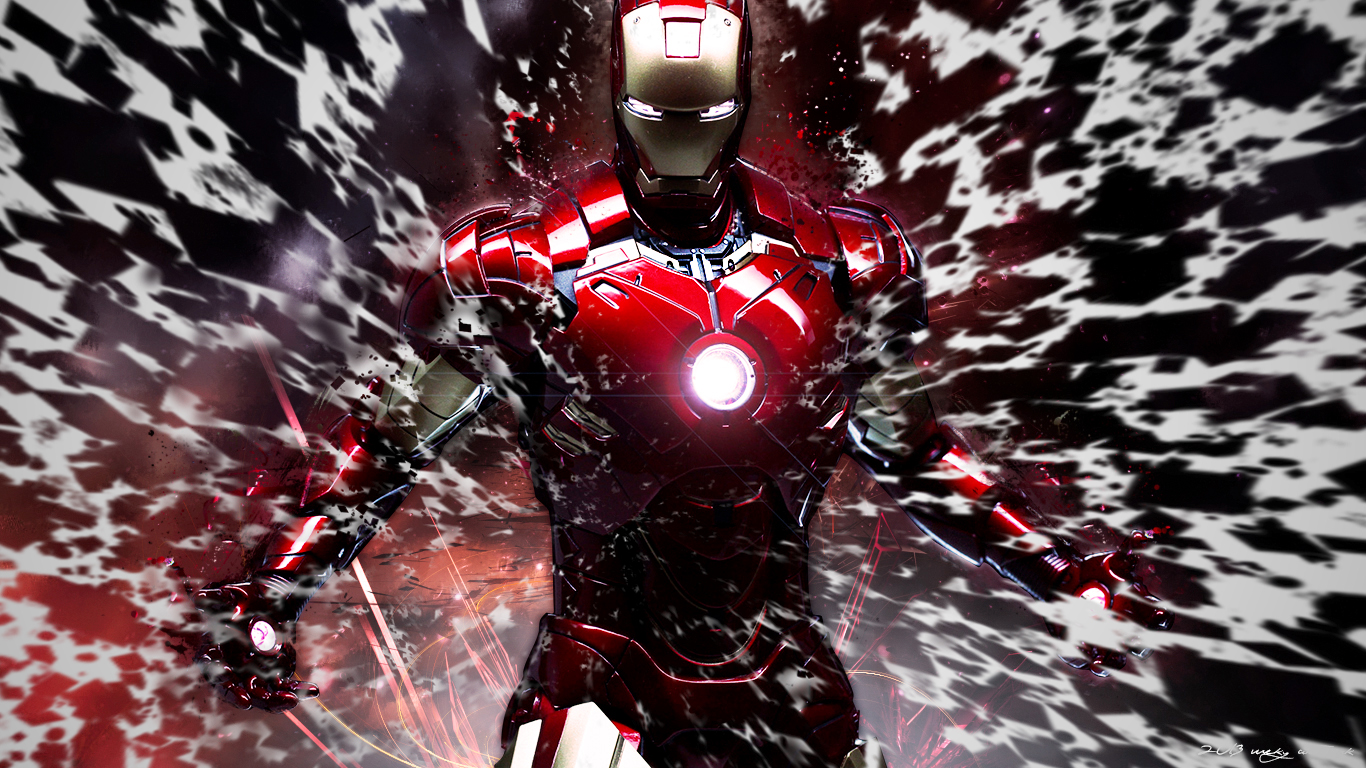
▶️ DTube ▶️ IPFS